 TheGameHosting Team
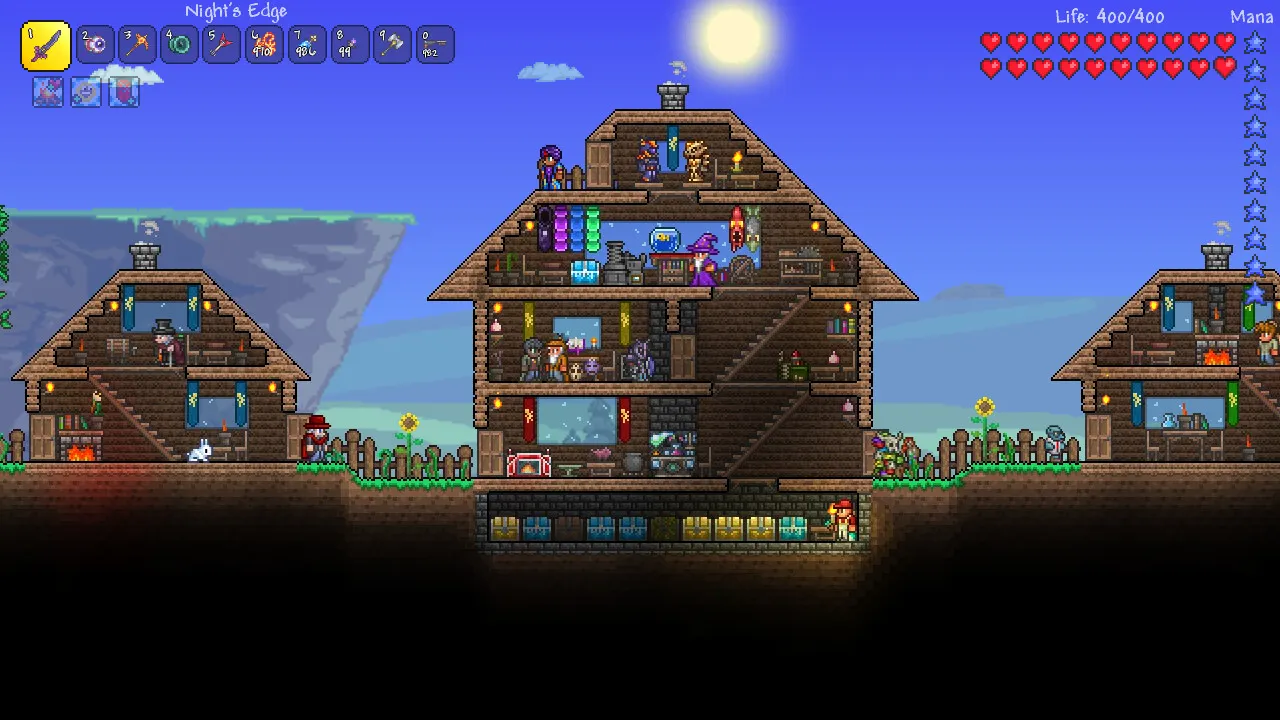
Terraria server crossplay works today between PC and mobile: players on Windows, macOS, Linux, Android and iOS can join the same dedicated server, as long as the server and every player run the same game version. Xbox, PlayStation and Switch players cannot join a dedicated server yet; Re-Logic plans to add that with Terraria 1.4.6, “Crossplay Phase One”. This guide explains what works now, how to set up a server for mixed devices, and how to avoid the version mismatch that breaks most crossplay groups.
Everything below is based on Re-Logic's official State of the Game posts (February and October 2026), the 1.4.5.8 release notes and the official Terraria Wiki. Crossplay is still changing, so we note the date of each claim.
Terraria server crossplay: the short answer
A dedicated server runs the official Terraria server program (TerrariaServer) on a computer that stays online. Whether a player can reach it depends on the device they play on:
| Device | Can join a dedicated server today? | How |
|---|---|---|
| PC (Steam or GOG, Windows, macOS, Linux) | Yes | Multiplayer → Join via IP |
| Android and iOS | Yes, on the same version as the server | Multiplayer → pick a character → add the server's IP and port |
| Xbox, PlayStation, Nintendo Switch | Not yet | Planned for console with 1.4.6, Crossplay Phase One |
| tModLoader (modded PC) | Only tModLoader servers | Same mods as the server; PC only |
In Re-Logic's words from February 2026, crossplay “has been live on mobile, PC and server for many years now.” The missing piece is consoles.
What Re-Logic means by crossplay
Re-Logic and DR Studios, the team behind the mobile and console versions, split crossplay into two phases in the February 2026 State of the Game.
Phase One: direct connections
If you know the IP address and port of a host, you can type them into any client and connect. Mobile got this back in 2019 with v1.3.0.7, which was built from the PC source code, so PC, server and mobile have been compatible since then whenever they share a release version. Version 1.4.5 redesigned the Multiplayer screens to get ready for consoles, and UPnP support was added for hosts whose router allows it.
What is still missing is the console release. Phase One on console brings the Local list (sessions on your Wi-Fi network) and the Remote list, which Re-Logic describes as known servers on the internet, “usually dedicated servers that you host yourself or have rented.” Console friends keep appearing in the Friends section as before.
Phase Two: join codes across networks
Phase Two aims for a session ID or join code that any player on any platform can use, without knowing an IP address. Re-Logic has not given a date or details for it yet.
Can mobile players join a PC Terraria server?
Yes. An Android or iOS player can join a dedicated server running on a PC or a hosted machine, and Android and iOS players can play together too. Re-Logic's own condition is that the PC clients, the dedicated server and the mobile clients are all “on the same release version.” The official Terraria Wiki also lists Desktop and Mobile crossplay through dedicated servers.
The catch is timing. Each platform gets updates on its own schedule. Re-Logic's notes for Terraria 1.4.5.8 list these release dates:
| Platform | 1.4.5.8 release date |
|---|---|
| PC | August 23, 2026 |
| Xbox and PlayStation | September 3, 2026 |
| Mobile | September 3, 2026 |
| Switch | September 8, 2026 |
For about eleven days PC was one version ahead of mobile. A server updated on day one would not match the phones in the group until the mobile update arrived.
Can Xbox, PlayStation or Switch players join?
Not yet. Re-Logic said in February 2026 that crossplay “did not materialize” with the console release of v1.4.0.5 or v1.4.5, because cross-platform play on consoles needs approval from Microsoft, Sony and Nintendo. In the October 2026 State of the Game, Re-Logic said Crossplay Phase One was finished and in testing, that a few issues had to be fixed before submission, and that once submitted they could not predict when every platform would sign off.
So if part of your group plays on a console, today they can only play with friends on the same console family. When 1.4.6 ships, console players should be able to add a dedicated server to their Remote list. Check the official Terraria forums before you promise your console friends a date.
How to create a Terraria crossplay server
These steps set up a vanilla dedicated server that PC and mobile players can both join. If you do not have a server yet, our game server plans give you one that stays online without your PC.
- Start a vanilla Terraria dedicated server (the official TerrariaServer program). Skip tModLoader if anyone plays on a phone.
- Create a new world or upload your
.wldfile. On Windows, worlds live inDocuments\My Games\Terraria\Worlds. - Set a password in
serverconfig.txtwithpassword=, or typepassword YourPassin the server console. - Type
versionin the server console and ask every player to check that their game shows the same version. - Share the server address and port with your group. Port 7777 is the default, but use the one your host gives you.
- On PC, players choose Multiplayer, then Join via IP, pick a character, and type the address, port and password.
- On Android or iOS, players open Multiplayer, pick a character, add the server with its IP and port in the online server list (called Remote since the 1.4.5 menu changes), then join.
A minimal serverconfig.txt looks like this. The keys come from the Terraria Wiki; difficulty 0 is classic, 1 expert, 2 master and 3 journey.
world=/path/to/Worlds/OurWorld.wld
port=7777
maxplayers=8
password=change-me
motd=PC and mobile welcome. Same game version, please.
secure=1
language=en-US
Handy console commands while your friends join (no slash needed):
version
playing
password
save
kick PlayerName
Journey characters and Journey worlds
Journey Mode worlds only accept Journey characters, and Journey characters can only play in Journey worlds. If a phone player made a Classic character and your server runs a Journey world, they will need a new character, not a new app.
Version mismatch: the main crossplay problem
When PC and mobile players cannot join the same server, a different version on one side is the usual cause. Re-Logic's 1.4.5.8 notes also say “You will need the latest dedicated server,” so the server has to move forward with the game. Handle updates in this order:
- When a PC patch lands, check whether the mobile update for that same version is out yet.
- If it is not, leave the server on the current version so phone players can keep playing.
- When both stores have the update, make a backup of the world, update the server and type
versionin the console to confirm. - Tell the group to update their apps before they try to join.
A backup before each update is your safety net. If a new version causes trouble, you restore the world and nobody loses their build.
Host and Play vs a dedicated server
Terraria also lets one player host a world from their own game with Host and Play. For a mixed PC and mobile group it has two problems. The world runs on the host's device, so when that player quits, everyone is kicked out. And remote connections need a reachable address: Re-Logic admits that remote crossplay is “temperamental and complex to set up reliably,” that UPnP only works on some routers, and that some players fall back on VPN-like tools. Join via Steam does not help either, since it only works between Steam friends on PC.
A dedicated server avoids all of that. It has a public address and port, it stays on when the host logs off, and phone players connect the same way PC players do. If you run other games with the same group, the idea is the same as playing Java and Bedrock on one Minecraft server or Valheim crossplay on a dedicated server.
TShock, tModLoader and crossplay
TShock is a community server built on the vanilla one. Players join with the normal game, and you get admin commands, groups, permissions and plugins. Each TShock release targets one Terraria version (TShock 6.2.1 is for Terraria 1.4.5.8), so after a game update wait for the matching TShock build before your players update.
tModLoader is not crossplay. Its Steam page says it runs on Windows, Mac and Linux, requires that you own Terraria, and that all your friends must install it to play together, with the same mods as the server. Phone and console players cannot join a tModLoader world. Re-Logic's October 2026 post also says tModLoader's monthly releases are still on Terraria 1.4.4 while its 1.4.5 update is in progress, so a modded server is a separate PC-only world.
Run your Terraria crossplay server on TheGameHosting
Crossplay between PC and phones needs a server that is always reachable and on the right version. On TheGameHosting your world runs on our own hardware in Dallas (United States) or Amsterdam (Netherlands), so it stays online when your PC is off, nobody forwards ports on a home router, and every server sits behind DDoS protection. Pick Dallas for a group in the Americas and Amsterdam for Europe, and switch later with the Location Changer.
The panel covers each step of this guide: Files to upload your .wld and edit the server settings, Console for version, password and playing, Backups to save the world before every update, and Users to give a co-owner access without sharing your account. There is no player slot limit; the RAM you choose is the only ceiling. Terraria needs 1 GB of RAM, so it runs on every plan, starting with 2 GB at $1.90 USD per month. Not sure which builds are ready on your server, such as TShock or tModLoader? Our support team answers 24/7 by chat, email and tickets in English and Spanish.
See what is included on the Terraria server hosting page, then pick your size on Pricing. Your server is ready about 60 seconds after payment, and code FULL2026 takes 15% off for life.
FAQ
Is Terraria crossplay between PC and mobile?
Yes. PC and mobile players can join the same dedicated server, and Re-Logic says this has worked for years as long as the PC clients, the server and the mobile clients run the same release version.
Can Xbox, PlayStation or Switch players join a Terraria server?
Not yet. Re-Logic plans to bring dedicated server connections to consoles with Terraria 1.4.6, Crossplay Phase One, which still needs approval from Microsoft, Sony and Nintendo. No release date had been given as of the October 2026 State of the Game.
How do I create a Terraria crossplay server?
Run the vanilla Terraria dedicated server, set a password, check with the version command that everyone has the same version, and share the address and port. PC players use Join via IP; mobile players add the server's IP and port in Multiplayer.
Why can't my friend on mobile join my Terraria server?
Usually the versions do not match, because a PC update can arrive days before the mobile one. Other causes are a Journey character trying to enter a non-Journey world, the wrong port, or a server running tModLoader.
Does tModLoader support crossplay?
No. tModLoader runs only on Windows, Mac and Linux, and every player needs tModLoader with the same mods as the server, so phone and console players cannot join.
Do I need to open ports for Terraria crossplay?
Only if you host on your own PC: the default is port 7777 and your router must forward it. On a hosted server the address and port are already reachable, so nobody touches their router.
Hosting for this game

Written by TheGameHosting Team, the people who run our servers in Dallas and Amsterdam and answer your tickets.
All posts