
Terraria · dedicated server

Terraria Server Hosting

Terraria server hosting that keeps your world online for your friends, even after you log off. Upload the world you already play on or start a fresh one, on AMD 9950X/7950X3D CPUs with DDR5 RAM, ready within 60 seconds after payment.

  • World online 24/7
  • Unlimited slots
  • Upload your own .wld world
  • Backups from the panel

Plans from $1.90 USD / month

Terraria key art: a forest cliff with a waterfall and a glowing mushroom cave
Terraria cover art with an armored knight holding a flaming sword

TerrariaRequires 1 GB RAM · runs on all 9 plans

Set up the world you wantChoices you make when you create a Terraria world

  • JourneyCreative tools and item research
  • Classic, Expert, MasterFrom relaxed to brutal bosses
  • Small, Medium, LargeA world size for any group
  • Corruption or CrimsonPick the world evil
  • SeedsType a seed to rebuild a world

Use code FULL2026 at checkout for 15% off for life

Swipe or tap a plan

Slide to pick your RAM Use the arrow keys too

Every plan includes

    Run your Terraria world from one panel

    Screenshots of our real panel. These tools come with every plan and work the same whatever world you run.

    File Manager in the TheGameHosting panel with the folders and files of a game server

    Try the live panel demoWant to click around first? The demo on our home page runs in your browser.

    Everything included with your Terraria server

    Every plan has the same tools and hardware. The only thing that changes is the RAM.

    Play your way

    • Unlimited slotsWe set no player cap. The RAM you pick is the limit.
    • Bring your worldUpload the .wld file you already play on.
    • Game ChangerSwitch the same plan to another game when you want a break.
    • Two locationsDallas, TX or Amsterdam, NL, with a Location Changer.

    Manage it easily

    • File Manager and full sFTPEdit config files in the browser or upload over sFTP.
    • BackupsCreate and restore world backups from the panel.
    • 2 free databasesFor server builds and tools that store data in MySQL.
    • Schedules and usersPlan timed tasks and give a friend panel access.

    Fast and protected

    • AMD 9950X/7950X3DUp to 5.7Ghz on the core that runs your world.
    • DDR5 RAM and NVMeDedicated DDR5 memory and Samsung NVMe storage.
    • DDoS protectionEvery server sits behind our DDoS protection.
    • Ready in 60 secondsYour server is ready within 60 seconds after payment.

    Terraria server hosting for a world that never logs off

    Host & Play is fine for one evening, but the world lives on the host's PC: when that player quits, everyone else is kicked out. A dedicated Terraria server keeps the world running around the clock, so your friends can mine, build and farm bosses on their own schedule, and nobody has to leave a computer on or forward ports on the home router.

    A server also keeps everyone on the same world file, so nobody ends up on an old copy after a long weekend away. Your Terraria world sits on our own AMD 9950X/7950X3D hardware with backups one click away in the panel.

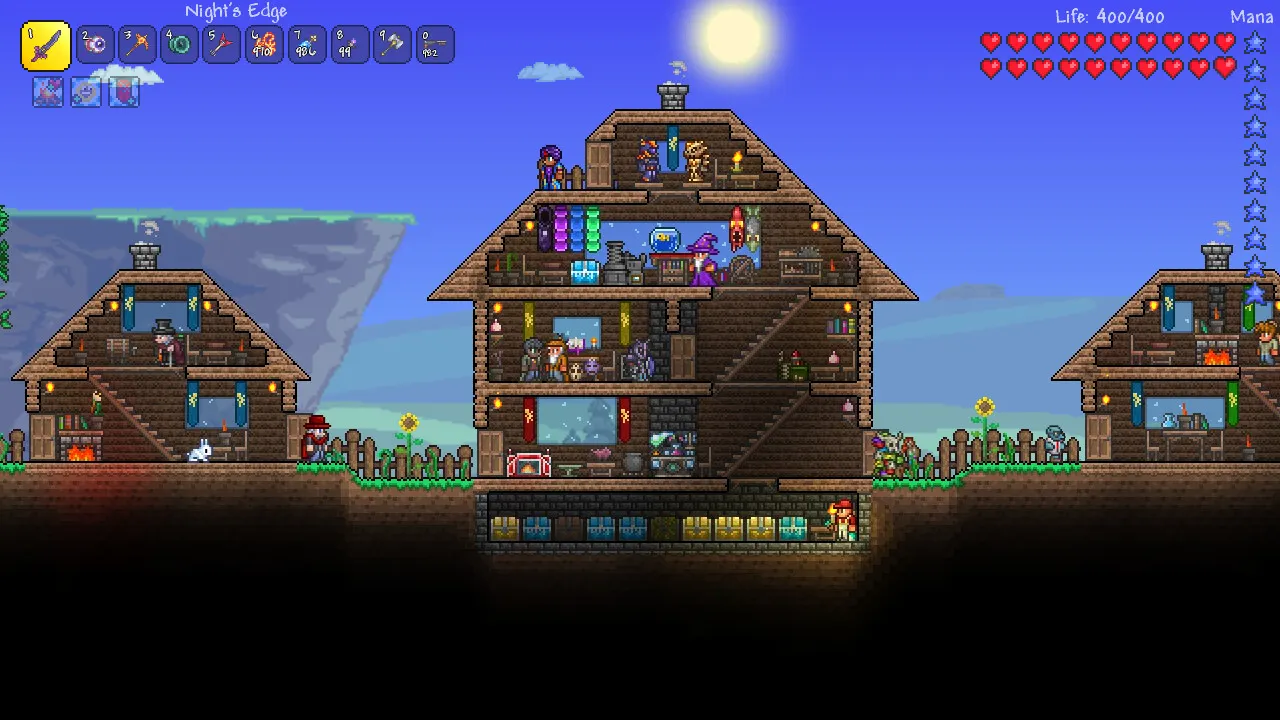
    Terraria screenshot: a multi-storey wooden base with NPC rooms on a grassy surface

    Vanilla, TShock or tModLoader?

    Most Terraria servers run one of three builds. They change what players need on their side, so it is worth choosing before you invite everyone.

    The vanilla Terraria dedicated server

    The official server from Re-Logic. Players join with the normal game and nothing else, and it follows the same updates as the game. It is the simplest choice for a co-op playthrough.

    TShock for admin tools and plugins

    TShock is a community server built on the vanilla one. Players still join with the normal game, while you get admin commands, groups and permissions, anti-grief tools, optional server-side characters and C# plugins.

    tModLoader for modded Terraria

    tModLoader is the free community mod platform on Steam, home to mods such as Calamity, Thorium and Magic Storage. Everyone who joins needs tModLoader with the same mods as the server.

    Want to know which builds you can run on your server? Ask our 24/7 support team before you buy and we will tell you how to set yours up.

    File Manager in the TheGameHosting panel listing a server's folders and files
    The File Manager in our panel. Upload worlds and config files here, or connect over sFTP.

    Move your world in and invite your friends

    Your character stays on your own PC, but the world lives on the server. Bringing a world you already play on takes four steps:

    1. Order and start. Your server is ready within 60 seconds after payment, and the access details arrive by email.
    2. Find your world. On Windows, Terraria keeps its worlds as .wld files in Documents\My Games\Terraria\Worlds.
    3. Upload it. Stop the server, drop the file into the File Manager or send it over sFTP, then point the server at that world.
    4. Share the address. Friends open Multiplayer, choose Join via IP and type your server address and port, plus the password if you set one.

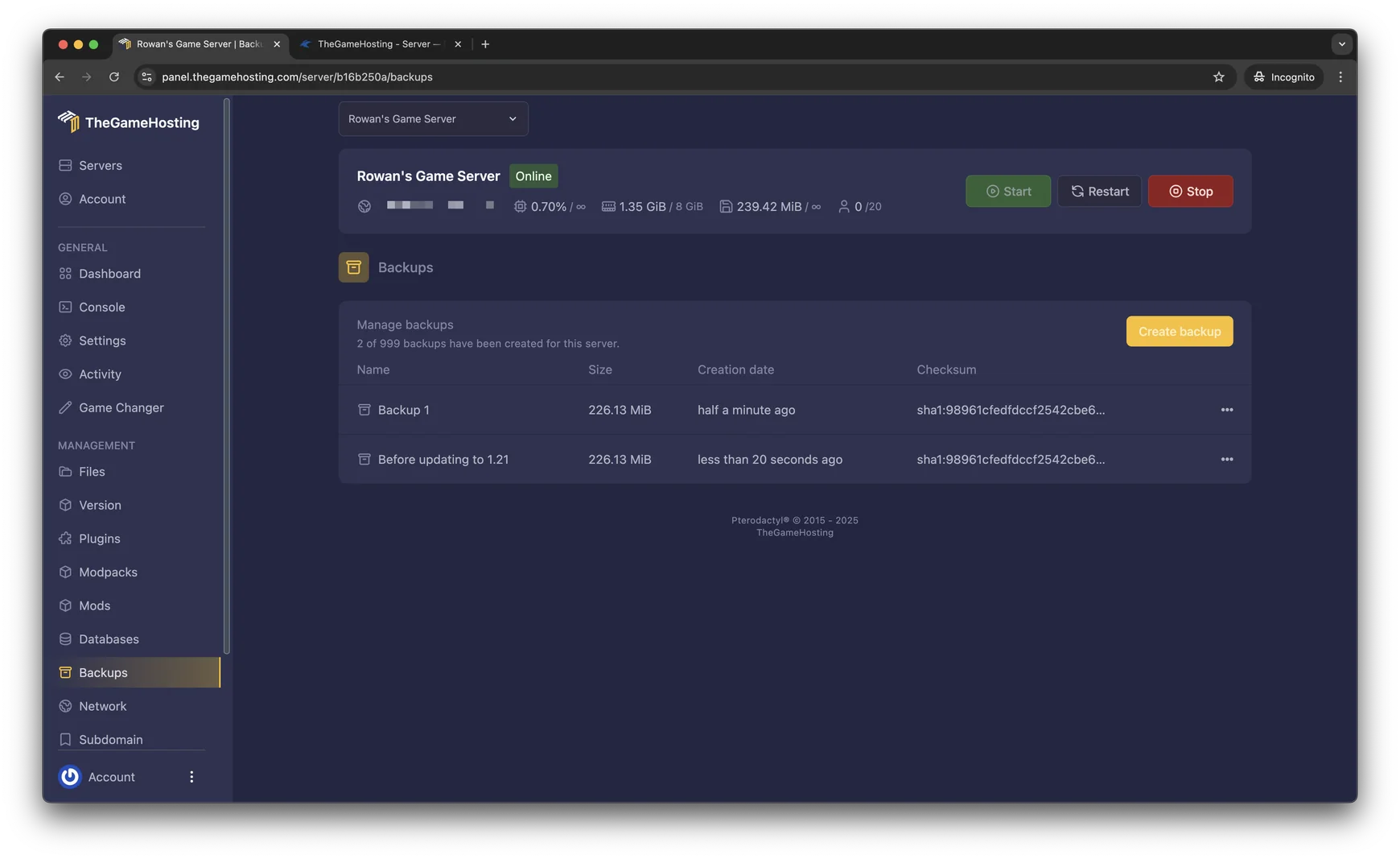
    Make a backup before a big game update or a risky boss attempt. If something goes wrong, restore it from the Backups tab.

    Backups tab in the TheGameHosting panel with two saved backups
    The Backups tab: one click to save the world before you change anything.

    How much RAM does a Terraria server need?

    Terraria needs at least 1 GB of RAM, so it runs on every plan we sell, starting with 2 GB at $1.90 USD a month. What pushes memory up is the world and what you add to it:

    • A small or medium vanilla world with a few friends sits at the bottom of the slider.
    • Large worlds and more players online keep more of the map loaded at once.
    • tModLoader content mods like Calamity add a lot on top, so give a modded world a bigger plan.

    We don't cap slots, so memory is your only ceiling. Not sure where to start? Tell our support what you plan to run and we will suggest a size.

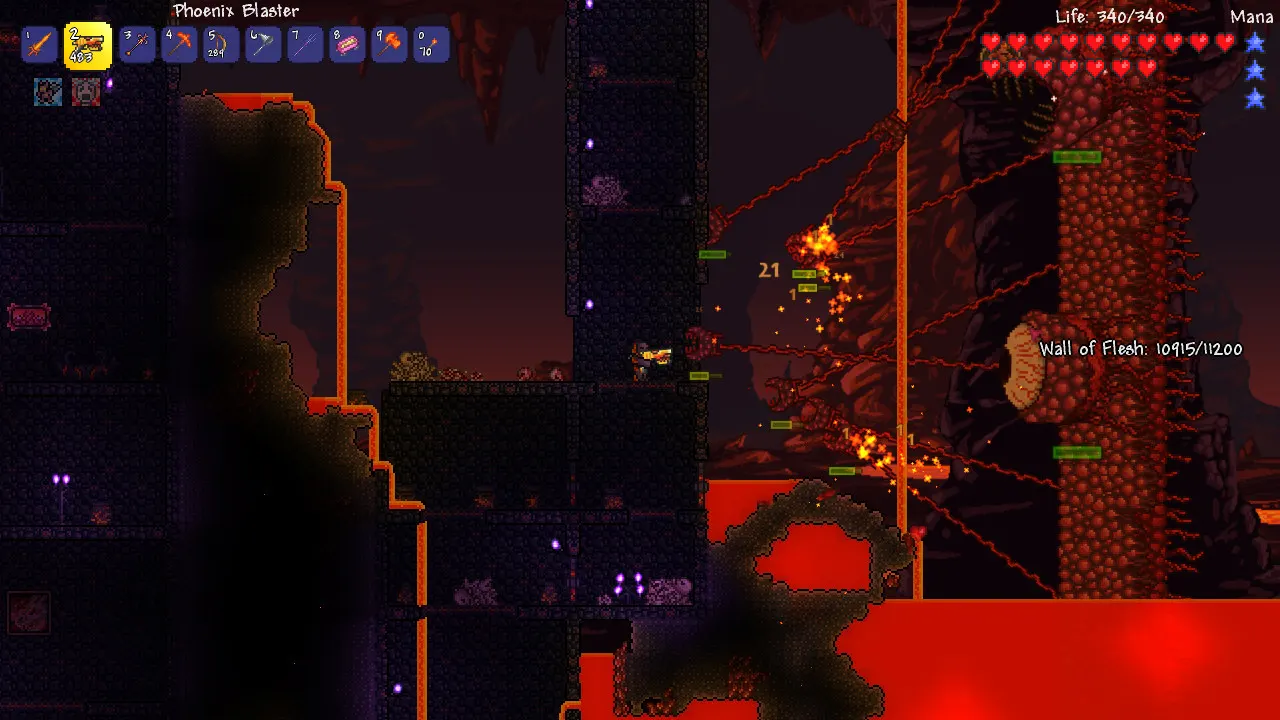
    Terraria screenshot: a player fighting the Wall of Flesh in the Underworld

    Terraria requires 1 GB RAMEvery plan runs it

    • 2 GB
    • 4 GB
    • 6 GB
    • 8 GB
    • 10 GB
    • 12 GB
    • 16 GB
    • 32 GB
    • 64 GB

    Hardware we own, in Dallas and Amsterdam

    Your world runs on servers we bought and manage ourselves, not on rented capacity. Terraria simulates enemies, NPCs, liquids and wiring in one main loop, so a fast core matters more than many slow ones. That is why every plan runs on AMD 9950X/7950X3D processors up to 5.7Ghz, with DDR5 RAM and Samsung NVMe storage.

    Choose where the world lives: Dallas, TX (United States) for players in the Americas or Amsterdam (Netherlands) for Europe. Both data centers run our own machines with a 10 Gbps uplink, UPS backup power and DDoS filtering, and the Location Changer moves you between them.

    • AMD 9950X/7950X3D up to 5.7Ghz
    • DDR5 RAM
    • Samsung NVMe Storage
    • 10 Gbps Network
    • UPS Backup Power
    • Dallas, TX & Amsterdam, NL

    Real people on support

    Our team is available 24/7/365. Ask about a world that will not load, a mod mismatch when friends join or moving your world from another host, and a person answers.

    • Live chat
    • Email
    • Ticket system
    Contact support

    Terraria hosting questions

    Can't find your answer? Ask our support team.

    How fast is my Terraria server ready?

    Within 60 seconds after payment. The access details arrive by email, and you can start the server and create or upload a world from the panel straight away.

    Can I upload my existing Terraria world?

    Yes. Find the .wld file of your world (on Windows it is in Documents\My Games\Terraria\Worlds), stop the server and upload it with the File Manager or over sFTP. Our support team can help if you are moving from another host.

    Can I run tModLoader or TShock?

    Both are community builds of the Terraria server: tModLoader loads mods such as Calamity and Thorium, and TShock adds admin commands, permissions and plugins for players on the normal game. Ask our 24/7 support team which builds are ready on your server and how to switch, before or after you buy.

    How many players can join my Terraria server?

    We don't put a slot limit on any plan. Set the player limit you want in the server settings; the RAM you pick and the mods you run are what set the real ceiling.

    How much RAM does a Terraria server need?

    Terraria needs at least 1 GB of RAM, so it runs on every plan, starting with 2 GB at $1.90 USD a month. Large worlds, more players online and tModLoader mods all need more memory.

    How do my friends join?

    In Terraria, choose Multiplayer, then Join via IP, and enter your server address and port from the panel. If you set a server password, they type it when they connect.

    Where are your Terraria servers hosted?

    In Dallas, TX (United States) and Amsterdam (Netherlands), on hardware we own in both places: AMD 9950X/7950X3D CPUs, DDR5 RAM, Samsung NVMe storage and a 10 Gbps network. The panel has a Location Changer to switch between them.

    Can I switch to another game later?

    Yes. The Game Changer moves your plan to any other game it can run, such as Minecraft, Valheim or Core Keeper, with nothing new to buy. Back up your Terraria world before you switch.

    Is there a discount code?

    Yes. Enter FULL2026 at checkout for 15% off for life.

    Is TheGameHosting affiliated with Re-Logic?

    No. TheGameHosting is an independent game server host and is not affiliated with Terraria or Re-Logic.

    Start your Terraria server today

    Your world goes online within 60 seconds after payment. Bring your .wld, invite the group and play on the same plan that runs 60+ games, from Minecraft to Valheim.

    Use promo code FULL2026 at checkout for 15% off for life.