 TheGameHosting Team
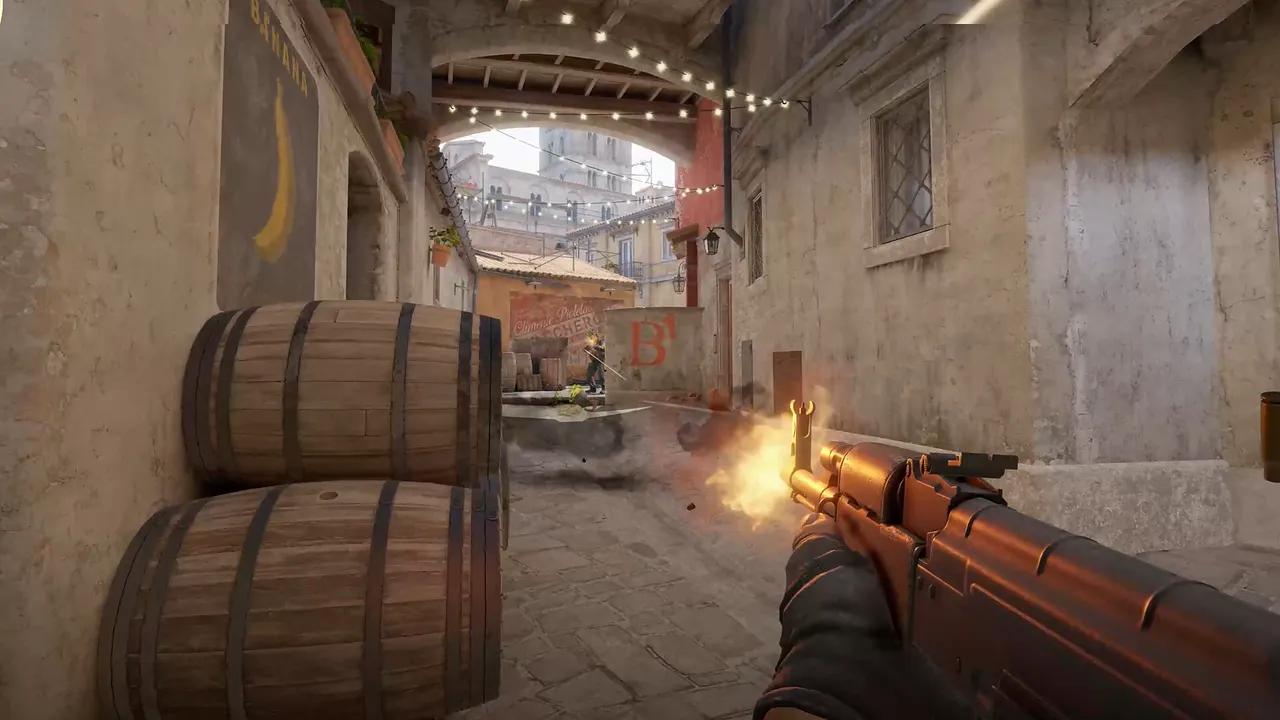
CS2 community servers have no tick rate setting to raise. Valve's reference launch command for them has no such option, and its release notes describe sub-tick input instead: your moves and shots carry their own timestamps. What you control is the CPU your server runs on, the plugins you add and how close the server is to your players.
What tick rate means
A game server does not simulate time continuously. It steps forward in small slices called ticks, and each tick it reads player input, moves players, resolves shots and sends the result back. A higher tick rate means smaller slices, so the server reacts to input sooner.
In the previous Counter-Strike, players chased 128 tick because the default 64 tick servers were coarser. CS2 changed the question.
What sub-tick does
With sub-tick, your actions are not rounded to the next tick. Each action carries the time it happened, and the server uses that time when it processes the input. Valve's release notes show how deep this goes. They talk about sub-tick movement timestamps, about "releasing movement keys" conveying their sub-tick timing, and about command aliases using sub-tick accuracy.
The effect is that a shot or a jump counts at the moment you made it, not at the end of the slice it fell in. Valve even wrote, in a June 2023 update, that bunny hopping should now closely match the previous Counter-Strike running at 128 tick. If you want the full list, the CS2 release notes are public.
CS2 simulates the game itself at 64 ticks per second, and sub-tick input is added on top. That is the figure we use for our own servers.
So can a CS2 server run 128 tick?
Not by a setting you can flip on a normal community server, as far as Valve's public documentation goes. That is why you will not find a -tickrate option in the guides written for CS2, and why you should be careful with any host or guide that promises one. If a number in an advert does not appear in Valve's notes, ask where it comes from.
What you can do is make the server keep up with the tick rate it has. That is the next section.
What decides how a CS2 server feels
| Factor | What it does | What you can do |
|---|---|---|
| CPU speed | The server simulates each round on one main thread. Valve has fixed dropped ticks by lowering CPU use on that thread, so it clearly matters | Run on fast cores. Ours are AMD 9950X and 7950X3D CPUs up to 5.7 GHz |
| Plugins | A plugin that does heavy work every tick takes time away from the game | Add plugins one at a time, and remove the ones you do not use. See the plugin install guide |
| Bots and player count | Each bot and each player adds work every tick | Set the slots and bots your mode really needs. See CS2 game modes |
| Network loss and jitter | Valve measures network quality by how often a tick is missed because of loss or jitter | Pick the closest location and avoid home Wi-Fi for the people who play |
| Distance | Ping is the time a packet needs to reach the server and return | Teams in the Americas pick Dallas, teams in Europe pick Amsterdam |
Why the CPU is the number that matters
Much of a CS2 server's work runs on a single main thread. Valve's release notes from June 2023 say that sending game delta frames became asynchronous, "reducing dedicated server main thread CPU usage, thus reducing probability of dropped ticks". In September 2025 it fixed a regression that caused frequent long server frames, mostly in drop-in drop-out modes.
The lesson is that a server with more cores but slow ones can feel worse than a server with fewer and faster ones. A high clock speed on one core does the job. That is why we put CS2 on AMD 9950X and 7950X3D processors. RAM is not the limit for tick speed: Counter-Strike 2 needs at least 2 GB, and extra memory goes to plugins and map rotations.
How to check how your server behaves
- Look at the connection from the player side. In the CS2 console,
net_connections_statusprints connection information, including jitter. Valve added jitter measurement for direct connections to community servers in September 2024. - Test with and without plugins. If the server feels fine without plugins, add them back one by one.
- Test at a busy time. A server that is smooth with two players can behave differently with ten and bots.
- Compare locations. If half your team is in another continent, ask support about moving the server with the Location Changer in the panel.
If a disconnect keeps happening with "delta ticks out of order" in the log, Valve added the settings sv_deltaticks_enforce and sv_deltaticks_log in November 2024 to help diagnose it. Read what they do before changing them.
If players cannot even find your server, the problem is not tick rate. Read CS2 server not showing in the browser.
Three tick rate myths to ignore
- "More RAM means a higher tick rate." It does not. RAM holds maps, plugins and player data. Tick speed depends on how fast one core finishes its work.
- "A bigger plan feels smoother." Only if the bigger plan has faster cores or you were running out of memory. Every plan of ours uses the same hardware, so you pick RAM for what you load, not for tick speed.
- "A console command fixes server lag." A command can change a setting, but it cannot add CPU speed or shorten the distance to your players. Fix the cause first, which is usually plugins, bots or location.
What we do about it
We run Counter-Strike 2 on machines we own, with AMD 9950X and 7950X3D CPUs, DDR5 memory and NVMe storage on a 10 Gbps network, with DDoS filtering in front of every server. We cannot give CS2 a tick rate Valve does not offer, and we will not claim to. What we can do is keep the server fast and close. Check the Counter-Strike 2 hosting page for plans from $1.90 USD a month, look at the server status page for our locations, or start with how to make a CS2 server.
FAQ
Is CS2 64 tick or 128 tick?
Counter-Strike 2 simulates the game at 64 ticks per second and adds sub-tick input on top, so your actions carry their own timestamps. Valve does not describe a 128 tick option for community servers in its public notes.
What is sub-tick in CS2?
Sub-tick means each player action, such as a shot or a key release, carries the exact time it happened. The server uses that time instead of rounding the action to the next tick.
Can I set a tick rate on my CS2 server?
Valve's reference launch line for community servers, cs2 -dedicated +map de_dust2, has no tick rate option, and its release notes do not describe one. Be wary of guides that add one without a source.
Why does my CS2 server feel laggy?
The usual causes are a slow CPU core, heavy plugins, too many bots, a server far from the players, or network loss and jitter. Test without plugins, pick the closest location and run on fast cores.
Hosting for these games
 Counter-Strike 2 hostingCompetitive, Wingman, Workshop maps and plugins
 Team Fortress 2 hostingSourceMod and custom maps
 Left 4 Dead 2 hostingCampaigns and Versus
 Insurgency: Sandstorm hostingMods and mutators
Written by TheGameHosting Team, the people who run our servers in Dallas and Amsterdam and answer your tickets.
All posts