 TheGameHosting Team
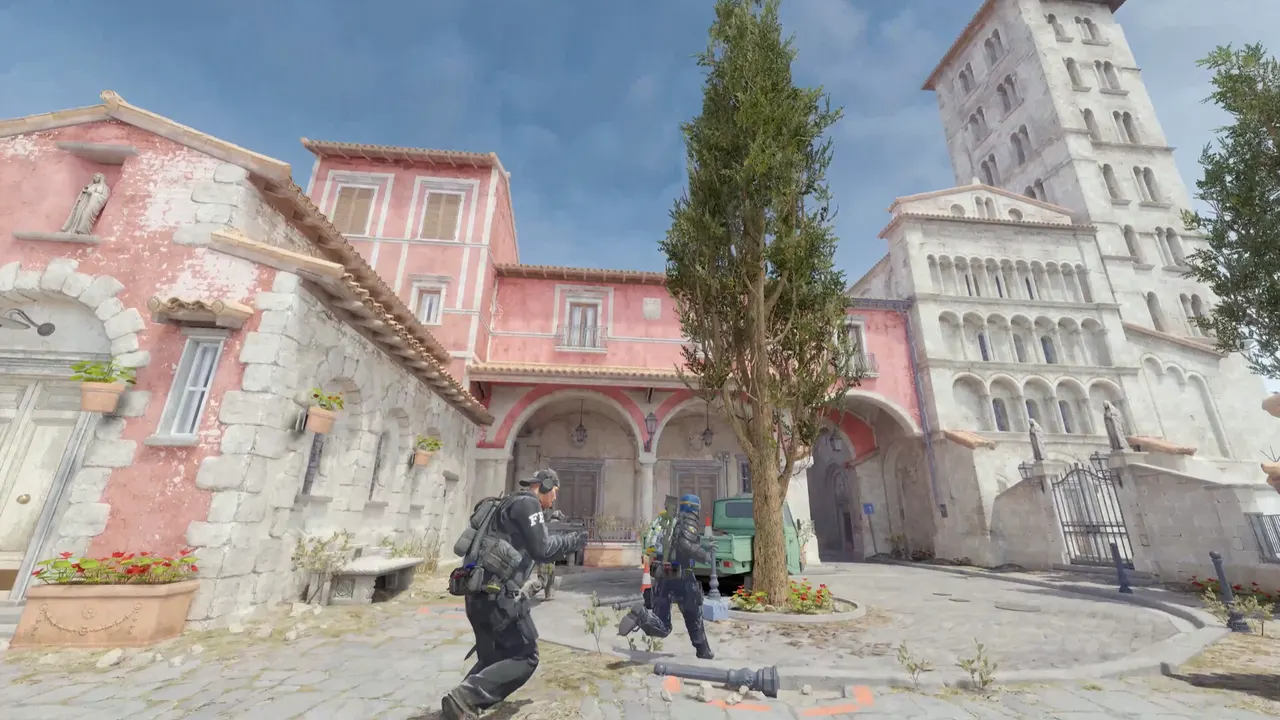
Competitive is 5v5 with a full economy, Wingman is 2v2 on smaller maps, Casual is relaxed rounds with bigger teams, and Deathmatch and Arms Race are fast warm-up modes. On a dedicated server you choose one with game_type and game_mode: Competitive is 0 and 1, Wingman 0 and 2, Casual 0 and 0.
The CS2 game modes at a glance
A game mode is a bundle of rules: how many rounds, how long they last, how much money players start with, whether they respawn. Counter-Strike 2 ships one config file for each mode, and the values below come from those files (build 1.41.9.6, as of November 2026).
| Mode | Players | Rounds | Round time | Start money | Buy time | Respawn |
|---|---|---|---|---|---|---|
| Competitive | 5v5 | 24 (MR12), with halftime | 1:55 | $800 | 20 s | No |
| Wingman | 2v2 | 16, with halftime | 1:30 | $800 | 20 s | No |
| Casual | Bigger teams, bots fill | 15, no halftime | 3:00 | $1000 | 45 s | No |
| Deathmatch | Free for all or teams | One 10-minute round | 10:00 | None; buy anywhere | Any time | Yes |
| Arms Race | Free for all | One long round | Timed | None; buying off | None | Yes |
Rounds and times are taken from Valve's gamemode_competitive.cfg, gamemode_competitive2v2.cfg, gamemode_casual.cfg, gamemode_deathmatch.cfg and gamemode_armsrace.cfg. Player counts are how each mode is normally played.
Competitive: the one for matches
This is the mode behind scrims, leagues and most community matches. Each team gets a full economy: $800 to start, loss bonuses that build over consecutive rounds, a $16,000 cap on money and a 15-second freeze time. The first side to win a majority of the 24 rounds takes the match, and a team can clinch early. If you want to play out every round anyway, MatchZy has a toggle for that, covered in our guide to setting up a CS2 scrim server.
Choose it when your group wants to practice real matches, or when you run a league night.
Wingman: the quick 2v2
Wingman uses smaller maps, two players per side and 16 rounds with a halftime. Buy time and starting money match Competitive, but rounds are shorter and freeze time is 10 seconds. It fits a small group that only has four people online, or players who want fast rounds between full matches.
Casual: the relaxed one
Casual has more forgiving rules: longer rounds, a longer buy window, $1000 to start and no halftime. The mode config fills empty spots with bots. It is a good fit for a public community server, or for friends who want to play without the pressure of a full economy.
Deathmatch and Arms Race: the warm-ups
- Deathmatch gives every player instant respawns, buying anywhere and infinite ammo. Use it for warm-ups before a scrim or as the main mode on a busy community server.
- Arms Race moves each player through a list of weapons as they get kills, and respawns players. Rounds are timed, and buying is turned off.
How to set the game mode on your server
Valve identifies each mode by two numbers, game_type and game_mode. The LinuxGSM Counter-Strike 2 reference lists the pairs:
| Mode | game_type | game_mode |
|---|---|---|
| Casual | 0 | 0 |
| Competitive | 0 | 1 |
| Wingman | 0 | 2 |
| Deathmatch | 1 | 2 |
| Arms Race | 1 | 0 |
| Demolition | 1 | 1 |
| Danger Zone | 6 | 0 |
Add them to the launch line, next to the map:
-dedicated +game_type 0 +game_mode 1 +map de_dust2- Set
game_typeandgame_modefor the mode you want in your server's launch options. If you cannot find them in the panel, ask support and they will add them with you. - Pick a map from the same mode. Wingman needs Wingman maps, and Deathmatch needs a map that supports it.
- Restart the server.
If you change the mapgroup as well, set the default map to one inside the same group. Changing mode while the server runs is possible, but reload the map afterwards. Valve notes that toggling game rules without reloading the map is not a generally supported workflow for community servers.
Valve also ships skirmish variants such as Retakes, Boom! Headshot! and Hunter-Gatherers. They use a game type and mode plus a skirmish ID, which the same LinuxGSM table lists. For custom maps, see how to add Workshop maps.
Changing individual rules
Each mode has a config file in game/csgo/cfg, such as gamemode_competitive.cfg. They are Valve's defaults, and a CS2 update replaces them, so do not edit them. Put the settings you want to change in server.cfg, and check that they stuck after a map change by typing the setting's name in the console. For example, a custom competitive night with a 30-second freeze time and $2000 starts:
mp_freezetime 30
mp_startmoney 2000
For more on where the config files sit and how a server is put together, read how to make a CS2 server.
Three setups you can copy
Here are three launch lines for common cases. Swap the map for the one you want, and add your own GSLT as described in the GSLT guide.
A team night: Competitive, private
-dedicated -maxplayers 12 +game_type 0 +game_mode 1 +map de_mirageTwelve slots leave room for ten players and a coach or two. Add sv_password to server.cfg so only your team and the other team can join.
A public community server: Casual
-dedicated -maxplayers 16 +game_type 0 +game_mode 0 +map de_dust2Casual fills empty slots with bots, so a new visitor never joins an empty server. Add a GSLT so the server shows up in the community browser.
A warm-up server: Deathmatch
-dedicated -maxplayers 10 +game_type 1 +game_mode 2 +map de_dust2With instant respawns and free buying, Deathmatch lets players warm up their aim before the real game. Some teams keep one running next to the scrim server. One plan can only run one mode at a time, so use a second plan for a second mode, or switch modes between sessions.
Which mode should you run?
| You are... | Run | Because |
|---|---|---|
| A team preparing for matches | Competitive | Real economy, real round timer, 5v5 |
| Two friends, or a group of four | Wingman | 2v2 on smaller maps, short rounds |
| A public community server | Casual or Deathmatch | Easy to join, forgiving, bots fill gaps |
| A group that warms up before a scrim | Deathmatch | Respawns and infinite ammo |
| A map-maker testing a creation | Workshop map with its own mode | See the Workshop guide |
Hosting every mode on one plan
You are not locked into one mode on TheGameHosting. The same server runs Competitive on Tuesday and Deathmatch on Saturday, because you change a launch setting and restart. All nine plans run Counter-Strike 2, which needs 2 GB of RAM, and the Counter-Strike 2 hosting page lists them from $1.90 USD a month. If you also plan to use plugins, compare all plans.
FAQ
What are the game modes in CS2?
The main Counter-Strike 2 modes are Competitive (5v5), Wingman (2v2), Casual, Deathmatch and Arms Race. Valve also ships Demolition, Danger Zone and several skirmish variants such as Retakes.
What is the difference between Competitive and Wingman?
Competitive is 5v5 on full maps with 24 rounds and a 1:55 round timer. Wingman is 2v2 on smaller maps with 16 rounds and a 1:30 round timer.
How do I change the game mode on my CS2 server?
Set game_type and game_mode in the launch options, for example +game_type 0 +game_mode 1 for Competitive, choose a map that fits the mode and restart the server.
How many rounds are in a competitive CS2 match?
Valve's competitive config sets mp_maxrounds to 24, so a match is MR12: the first team to win a majority of rounds wins, with halftime after 12.
Hosting for these games
 Counter-Strike 2 hostingCompetitive, Wingman, Workshop maps and plugins
 Team Fortress 2 hostingSourceMod and custom maps
 Left 4 Dead 2 hostingCampaigns and Versus
 Insurgency: Sandstorm hostingMods and mutators
Written by TheGameHosting Team, the people who run our servers in Dallas and Amsterdam and answer your tickets.
All posts