 TheGameHosting Team
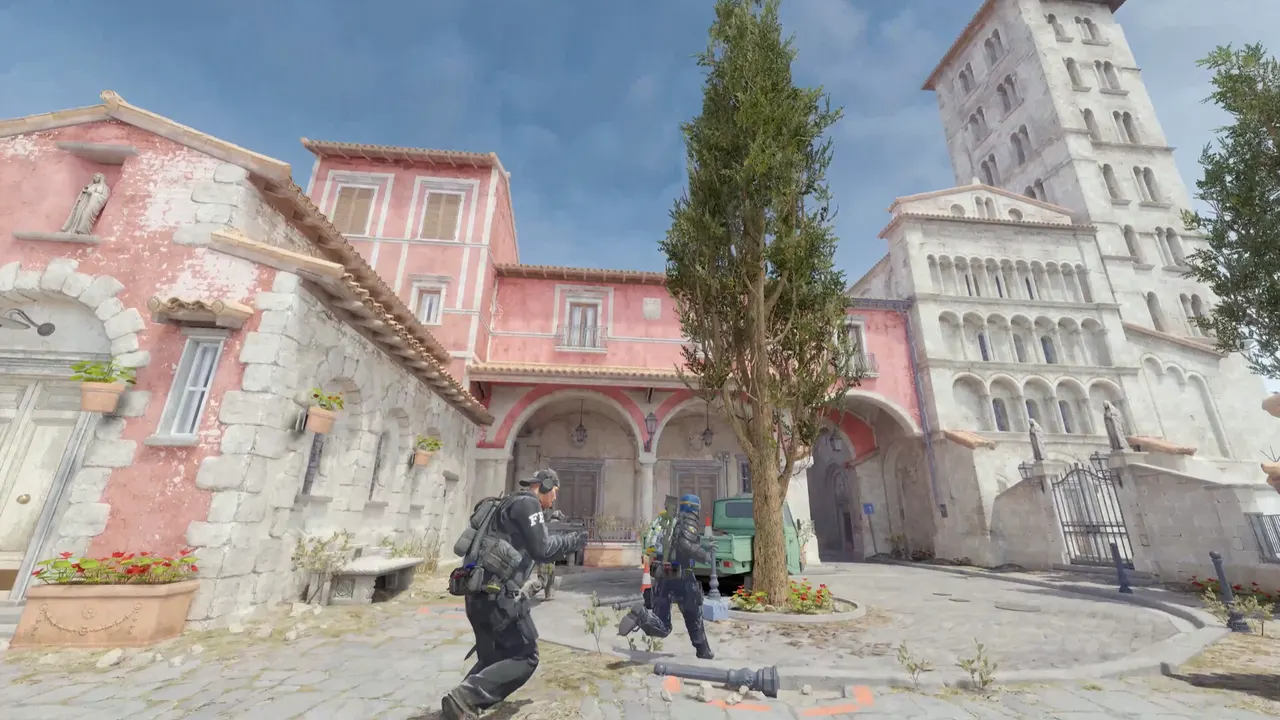
To make a CS2 server, install the server files with SteamCMD (Steam app 730), start them with -dedicated +map de_dust2, add a free Game Server Login Token so the server can be listed, and open port 27015. You can do that on your own machine, or rent a server that is ready in about a minute.
What you need before you start
- A Steam account that owns Counter-Strike 2. You need it to create the login token in step 4.
- A machine that stays on. The server stops when the computer sleeps or you close the window.
- One open port. The default game port is 27015. If the server runs at home, you forward it on your router.
- A little Linux or Windows comfort. You will type a few commands and edit text files. Nothing here needs programming.
- A plan for updates. Valve updates CS2 often, and your server has to be updated to match.
Make a CS2 server on your own PC or Linux box
This is the manual route. It works, and it teaches you what every host does behind the scenes.
- Install SteamCMD, Valve's command-line tool for downloading dedicated server files.
- Download the server files. The Counter-Strike 2 server uses Steam app ID 730. Run this from a terminal:
steamcmd +force_install_dir ~/cs2 +login anonymous +app_update 730 validate +quit- Start the server. Valve's reference command line for a community dedicated server is
cs2 -dedicated +map de_dust2. On Linux you start it through the launcher script in thegamefolder:
cd ~/cs2/game
./cs2.sh -dedicated +map de_dust2- Add a Game Server Login Token (GSLT). Without one the server runs but does not show up in the community server browser. Our guide on how to get a CS2 GSLT token is a quick job.
- Open the port. Allow UDP 27015 in your firewall and forward it on your router, then give friends your public IP.
Valve documented the command line in its own CS2 release notes, under "Community Dedicated Servers". As of November 2026, the current build is 1.41.9.6.
Where the settings live
A CS2 server is a few text files plus the launch line. They live in game/csgo/cfg:
game/csgo/cfg/
├── server.cfg                 your hostname, password and rules
├── gamemode_competitive.cfg   values for each game mode
├── gamemode_casual.cfg
└── ...
Open server.cfg and set the basics. The values below are examples; change them to yours.
hostname "My CS2 Server"
sv_password "pick-a-password"
rcon_password "pick-a-long-rcon-password"Each game mode has its own values (rounds, money, round time). To see what they are and how to switch, read our guide to CS2 game modes.
How many players should it allow?
The launch line takes a -maxplayers value. Competitive 5v5 needs 10 slots, Wingman needs 4, and a casual community server can go higher. Set it to the number you will actually use, plus a couple of spots for spectators or coaches.
Keep the server updated
When Valve ships a CS2 update, a server on the old build falls out of sync with players. To update a manual install, stop the server and run the same SteamCMD download again, without validate if you want it faster:
steamcmd +force_install_dir ~/cs2 +login anonymous +app_update 730 +quitIf you run plugins, an update can also break them. That is common enough to have its own guide: what to do when Metamod stops loading after a CS2 update. On a hosted server, take a backup first so you can roll back in one step.
Run the server a few evenings and you learn what it needs: a stable connection, a steady CPU, and someone who remembers to restart it after every patch. If that someone is you, it quickly stops being fun.
Why most teams stop hosting at home
The manual route has four weak spots, and they show up the first week:
- Uptime. Your teammates cannot practice when your PC is off.
- Your connection. A home upload line, other people on the same Wi-Fi and a shared IP address all hurt the game for everyone.
- Exposure. Opening a port on your home network publishes your home IP to every player and every server list.
- Chores. Updates, restarts, backups and plugin fixes land on you.
CS2 is also sensitive to the speed of one CPU core, because the server simulates every round on a main thread. That is why we run it on AMD 9950X and 7950X3D processors. Read why in our post on CS2 server tick rate.
Make a CS2 server on TheGameHosting
On a hosted server the install step is already done. Here is the whole process:
- Open the Counter-Strike 2 server hosting page and pick a plan. CS2 needs 2 GB of RAM, so even the $1.90 USD plan runs it. See all plans and prices if you want more headroom for plugins.
- Choose Dallas, TX or Amsterdam, NL, whichever is closer to your players. You can change it later from the panel.
- Pay, and the server is live within 60 seconds. We email the access details.
- Open the panel, edit
server.cfgin the File Manager and add your GSLT. - Start the server and connect from the CS2 console with
connect your-server-ip:27015.

You also get backups before you try a plugin, two free databases for stats plugins, DDoS protection on every server and a support team that answers 24/7. If a GSLT is rejected or a map does not download, a person looks at your console with you.
The same plan can run other games. If the team takes a break from CS2, the Game Changer in the panel switches it to Team Fortress 2 or Left 4 Dead 2.
After the server is up
- Load custom maps with our guide to Workshop maps on a CS2 server.
- Add plugins by following how to install CounterStrikeSharp and Metamod.
- If the server does not appear in the browser, check why your CS2 server is not showing.
FAQ
Can I make a CS2 server for free?
You can run one on your own PC for free, since the server files are free to download with SteamCMD. The costs are your electricity, your internet upload and the time you spend on updates. A hosted server starts at $1.90 USD a month with TheGameHosting.
Do I need a GSLT to make a CS2 server?
You need a Game Server Login Token for the server to appear in the community server browser. A server without one still runs, and friends can join it by IP address.
What port does a CS2 server use?
The default game port is 27015. Allow it through your firewall, and forward it on your router if the server runs at home. On a hosted server we assign the port for you.
How much RAM does a CS2 server need?
Counter-Strike 2 needs at least 2 GB of RAM, so every TheGameHosting plan runs it. Choose more memory if you add CounterStrikeSharp plugins, run long Workshop rotations or host many players.
Hosting for these games
 Counter-Strike 2 hostingCompetitive, Wingman, Workshop maps and plugins
 Team Fortress 2 hostingSourceMod and custom maps
 Left 4 Dead 2 hostingCampaigns and Versus
 Insurgency: Sandstorm hostingMods and mutators
Written by TheGameHosting Team, the people who run our servers in Dallas and Amsterdam and answer your tickets.
All posts