 TheGameHosting Team
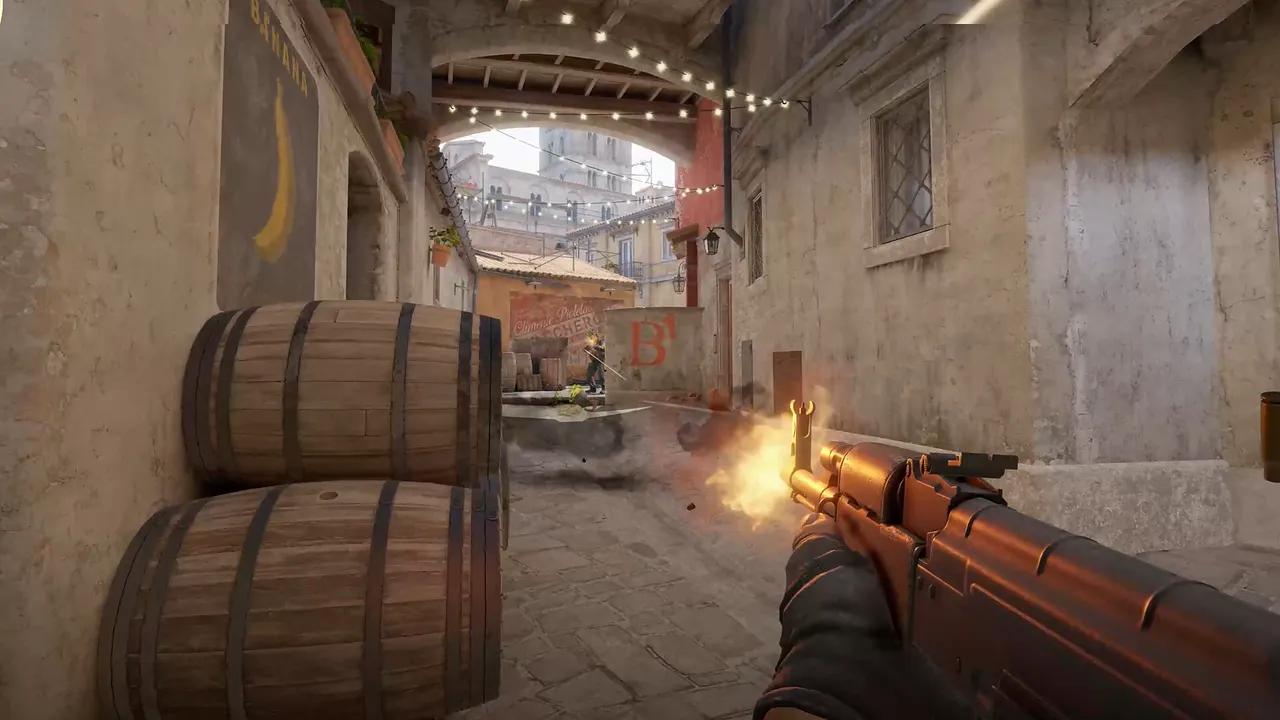
To add a Workshop map to a CS2 server, copy the map's ID from its Steam Workshop page and add +host_workshop_map ID to the launch line. For a whole collection use +host_workshop_collection ID, which also needs a Steam Web API key. Restart the server and it downloads the content.
What the server can load
Valve opened the Workshop to maps in November 2023, and its release notes from that month state that community servers can host Workshop maps. From June 2024, servers also load the latest version of a community map from the Workshop, even when an older copy exists in the official map groups. In other words, you do not upload a .bsp file to a folder. You tell the server which Workshop item to fetch.
| What you want | Launch option | What you need |
|---|---|---|
| One map | +host_workshop_map ID | The Workshop ID of that map |
| A rotation of maps | +host_workshop_collection ID | The ID of a Workshop collection, plus a Steam Web API key passed with -authkey |
Do not swap them. A map ID belongs with host_workshop_map and a collection ID with host_workshop_collection.
Step 1: Find the Workshop ID
- Open the map or collection on the Counter-Strike 2 Steam Workshop.
- Look at the address bar. The ID is the number after
id=. - Copy the number only.
https://steamcommunity.com/sharedfiles/filedetails/?id=3075706807
                                                   └── 3075706807 is the ID
Step 2: Load a single map
Add the option to the launch line, next to the options you already use. Replace the ID with yours:
-dedicated +host_workshop_map 3075706807Restart the server. It downloads the map when it starts and then switches to it. Players download the map automatically when they connect, so the first join of a new map takes longer.
New to launch options? The start of our guide on making a CS2 server explains the command line and where the configs live.
Step 3: Load a whole collection
A collection gives you a ready-made map rotation. Build one on the Workshop (add the maps, publish it) and note its ID the same way. Then use the collection option:
-dedicated +host_workshop_collection COLLECTION_ID -authkey YOUR_STEAM_WEB_API_KEYThe -authkey value is a Steam Web API key, which you can request from your Steam account on the Steam Web API key page. The server needs it to read the contents of the collection. Keep it private, and do not mix it up with your GSLT. They are two different strings. If you are not sure what the GSLT is for, read how to get a CS2 GSLT token.
Pick the game mode for the map
A Workshop map still runs under a game mode, and that decides the rules: rounds, money, bots. Competitive maps want Competitive or Wingman. Practice and fun maps often use their own settings. The game ships a gamemode_workshop.cfg in game/csgo/cfg, which shows the Workshop defaults. Among them: round win conditions are ignored, buying works anywhere and bots are off. Our comparison of CS2 game modes lists every mode with the values it uses.
Plan a rotation people will stay for
Loading a collection is the easy part. Whether players stay for a second map is a design question, and a few habits help:
- Test every map alone first. Load it with
host_workshop_map, walk it, check the spawns and the bomb sites, and only then add it to the collection. - Match the map to the mode. A bomb-defusal map belongs in a Competitive or Casual collection. A movement or surf map wants its own server, because its rules clash with round-based play.
- Keep the collection short at first. Five maps you have tested beat thirty you have not. Add more as players ask.
- Write the IDs down. Keep a plain text list of every map name with its ID next to it. When a map gets removed from the Workshop you will know which one to replace.
- Re-test after a CS2 update. Valve updates the game often, and a community map that has not been updated by its author can break.
Because the server fetches content at start-up, updated versions of a map arrive with the next restart. For a team that practices on fixed maps, that is worth knowing: schedule restarts for a time when nobody is playing.
Fixes for custom map quirks
Some Workshop maps, especially minigames and custom game types, behave oddly on a regular server. Two settings fix most of it:
- Players respawn in random places. Set
mp_randomspawn 0. - Players get kicked for dying too much. Set
mp_autokick 0. This also turns off AFK and team-kill kicks, so use it only on maps that need it.
mp_randomspawn 0
mp_autokick 0
When you move to a map with different needs, put the settings in the mode's config instead, and keep server.cfg for what is true everywhere.
When a Workshop map will not load
- Check the ID type. A collection ID in
host_workshop_map(or the other way round) will not load. - Check the item is public. Open the Workshop page while signed out. If you cannot see it, the server cannot either.
- Check the key. A collection needs
-authkey. A typo or a missing key means nothing loads. - Read the console. The start-up log shows whether the download began.
- Look for typos in the launch line. One missing space can merge two options into nonsense.
- Restart. Content is fetched at start-up, so a change in the launch line needs a restart.
Still stuck? Our 24/7 support team reads the console with you on live chat or in a ticket.
On TheGameHosting
Your server's files, launch settings and backups are in one panel. Workshop content downloads to fast NVMe storage on hardware we own, in Dallas or Amsterdam. Counter-Strike 2 itself needs 2 GB of RAM, so every plan runs it, and a long rotation of big maps is a good reason to pick more. See the Counter-Strike 2 server plans, or compare all game server plans.
Add the same launch options described above. If you cannot find where they go in your server's start-up settings, ask support and they will add them with you. Once your maps work, look at setting up a practice server or a scrim server with MatchZy for what to do with them.
FAQ
How do I add a Workshop map to my CS2 server?
Copy the number after id= in the map's Workshop URL, add +host_workshop_map and that number to the launch line, then restart the server. It downloads the map at start-up.
How do I load a Workshop collection on a CS2 server?
Use +host_workshop_collection with the collection's ID, and pass a Steam Web API key with -authkey so the server can read the collection. Restart the server to fetch the maps.
Do players need to download the Workshop map?
Yes, but it happens automatically. Players download the map when they connect to your server, so the first join of a new map takes a little longer.
Do I need a Steam Web API key for a single map?
No. The key is only needed to load a Workshop collection. A single map loads with host_workshop_map and its ID.
Hosting for these games
 Counter-Strike 2 hostingCompetitive, Wingman, Workshop maps and plugins
 Team Fortress 2 hostingSourceMod and custom maps
 Left 4 Dead 2 hostingCampaigns and Versus
 Insurgency: Sandstorm hostingMods and mutators
Written by TheGameHosting Team, the people who run our servers in Dallas and Amsterdam and answer your tickets.
All posts