 TheGameHosting Team
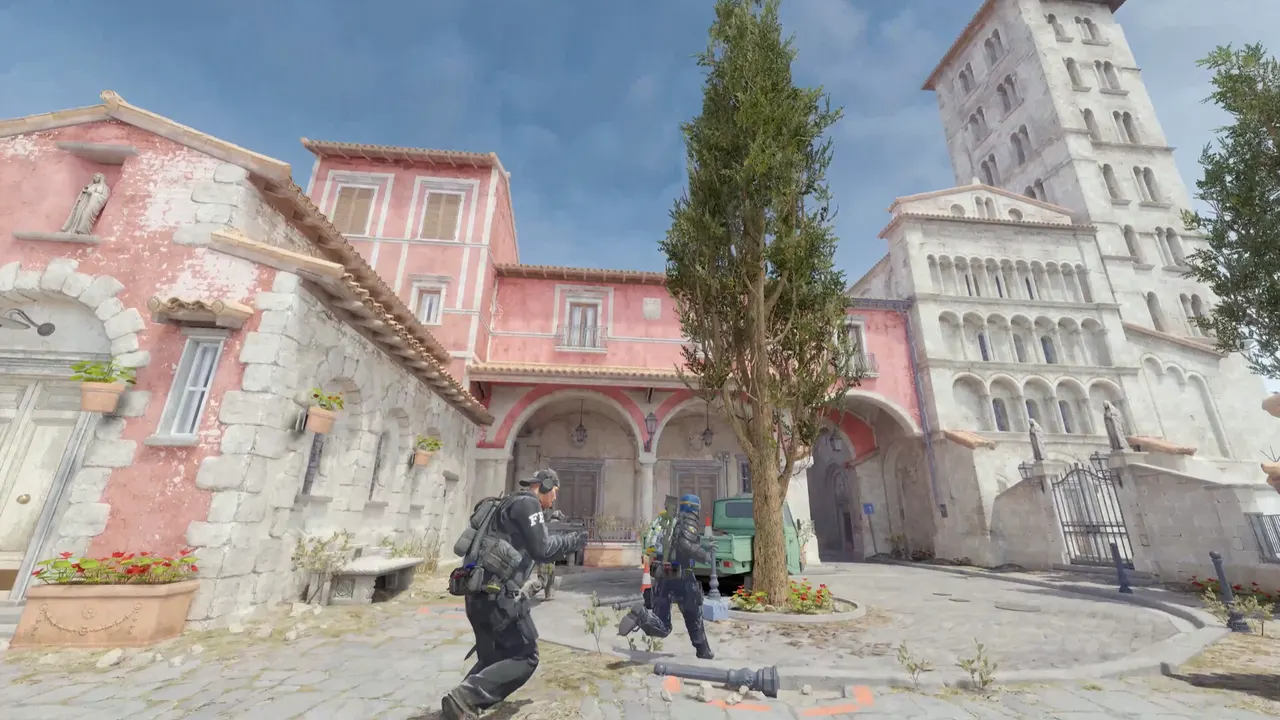
The quickest CS2 practice server runs the MatchZy plugin: install it, make yourself an admin and type .prac in chat. You get bots, saved grenade lineups, rethrows and a trajectory preview. If you would rather use no plugins, a short practice.cfg gives you endless money, no round timer and free movement.
Why practice on your own server
Matchmaking decides the map, the players and the rules. A practice server hands all three back. You choose the map, nobody else joins, and the settings are the same every night, so a lineup you learn on Tuesday still works on match day. Your team also gets one place to save and share grenade lineups instead of passing screenshots around.
| MatchZy practice mode | Plain practice config | |
|---|---|---|
| Needs plugins | Yes: Metamod, CounterStrikeSharp and MatchZy | No |
| Bots on demand | Yes, .bot places one where you stand | Only the bots the game mode adds |
| Saved grenade lineups | Yes, with names and shareable codes | No |
| Trajectory preview and rethrow | Yes | No |
| Endless money, no timer | Yes, through MatchZy's own prac.cfg, which you can edit | Yes, through your own file |
| Best for | Teams that drill utility | A quick aim or movement session |
Option 1: Practice mode with MatchZy
- Install the plugin stack. MatchZy runs on CounterStrikeSharp, which runs on Metamod. Our guide to installing CounterStrikeSharp and Metamod covers both. MatchZy needs CounterStrikeSharp v369 or newer.
- Install MatchZy. Download the latest release from its installation docs and extract the files into the
csgofolder of your server. - Check that it loaded. Restart, then run
css_plugins listin the console. MatchZy should be in the list. - Make yourself an admin. MatchZy creates
cfg/MatchZy/admins.jsonthe first time it loads. Add your 64-bit Steam ID as the key. An empty value gives full access to MatchZy admin commands. - Start practice. Join the server and type
.pracin chat. To go back to match mode, type.exitprac.
{
    "76561198000000000": ""
}
Replace the example number with your own Steam64 ID. A mistyped flag counts as no flags, and MatchZy writes a warning to the log. Most commands also work with a ! prefix, so !bot and .bot do the same thing.
The practice commands you will use most
| Command | What it does |
|---|---|
.bot | Adds a bot at your current position. .crouchbot adds a crouching one. |
.boost | Adds a bot where you stand and boosts you on top of it. |
.nobots | Removes all bots. |
.savenade name | Saves the lineup you just threw, under a name. .loadnade name takes you back to it. |
.listnades | Lists saved lineups. Add a word to filter them. |
.rethrow | Throws your last grenade again. .last teleports you back to where you threw it. |
.traj | Toggles the grenade trajectory preview. |
.impacts | Toggles bullet impact markers. |
.noflash | Toggles immunity to your own flashbangs. |
.clear | Clears active smokes, molotovs and incendiaries. |
.fastforward | Fast-forwards server time by 20 seconds, so a smoke burns out sooner. |
.break | Breaks every breakable object: windows, wooden doors, vents. |
.timer | Starts a timer. Type it again to stop it and see the time. |
.spawn 3 | Teleports you to competitive spawn number 3 on your team. |
The full list is in the MatchZy commands documentation.
Save lineups once, share them with the team
Throw a smoke from your spot and type .savenade b-site-smoke. MatchZy prints a code in chat when it saves. A teammate can type .importnade followed by that code, and now they can .loadnade b-site-smoke and stand in the same place. Saved lineups also live in a file on the server, so they survive a restart.
Option 2: A practice config with no plugins
Create a file named practice.cfg in game/csgo/cfg with these lines. Every setting here also appears in the game's own mode configs, so you can look them up in the files next to it:
// round rules
mp_ignore_round_win_conditions 1
mp_roundtime 60
mp_roundtime_defuse 60
mp_freezetime 0

// money
mp_buy_anywhere 1
mp_buytime 9999
mp_startmoney 16000
mp_maxmoney 16000

// ammo and respawns
sv_infinite_ammo 2
mp_respawn_on_death_ct 1
mp_respawn_on_death_t 1

// no bots unless you want them
bot_quota 0
Run it from the server console, or from an admin, with:
exec practiceBecause a map reload resets many settings, run the file again after you change maps. Valve's own notes warn that toggling game rules mid-map without reloading is not a generally supported workflow on community servers, so reload the map after big changes. For which values each official mode uses, see CS2 game modes explained.
A practice routine that uses the server well
A server on its own does not make a team better. A plan does. This one fits in an hour and works with either option above:
- Warm up on bots (10 minutes). Place bots with
.boton the angles you will hold, and clear them with aim and spray control. - Learn one set of utility (20 minutes). Pick one map and one site. Throw each smoke, flash and molotov until it lands the same way three times in a row, then save it with
.savenade. - Walk the timings (10 minutes). Use
.timerto time a rotation from spawn, then check it against your callouts. - Run it live (20 minutes). Switch to the real rules, all the utility you saved, and play the site out with the whole team.
Keep a shared document with the names of the lineups, the map and the throw. When a player joins the team, they can learn the utility from the list without waiting for a free evening. If the server stays online and the lineups stay saved, practice becomes something anyone can do alone, any time.
Settings for a team server
- Add a password. Put
sv_password "your-password"inserver.cfgso only your team joins. - Use a different RCON password. It controls the whole server.
- Pick the map you are drilling. Load a competitive map, or load a custom one by following how to add Workshop maps.
- Back up before you change plugins. One click in the panel, one click to restore.
When the team is ready to play scrims against other teams, move to a CS2 scrim server with MatchZy. It is the same plugin in a different mode.
Practice on TheGameHosting
A practice server only works if it is online when you are. Ours run on AMD 9950X and 7950X3D processors with DDR5 memory and NVMe storage, in Dallas or Amsterdam, so the Americas and Europe can each practice close to home. You edit every config in the File Manager or over sFTP and keep backups of your lineups and settings. See the Counter-Strike 2 server hosting page for plans from $1.90 USD a month, or compare all plans if you plan to run plugins.
FAQ
How do I start practice mode in CS2 on a dedicated server?
Install MatchZy, add your Steam ID to its admins.json file, join the server and type .prac in chat. Type .exitprac to leave practice mode.
Can I practice grenades on a CS2 server without plugins?
You can make the server friendlier with a config: endless money, no round timer, infinite ammo and respawns. Saving lineups, rethrowing grenades and showing trajectories need a plugin such as MatchZy.
How do I add bots to a CS2 practice server?
With MatchZy, type .bot to place a bot where you stand, .crouchbot for a crouching one, and .nobots to remove them all.
Can my team share grenade lineups?
Yes. When you save a lineup with .savenade, MatchZy prints a code in chat. A teammate types .importnade followed by that code to get the same lineup.
Hosting for these games
 Counter-Strike 2 hostingCompetitive, Wingman, Workshop maps and plugins
 Team Fortress 2 hostingSourceMod and custom maps
 Left 4 Dead 2 hostingCampaigns and Versus
 Insurgency: Sandstorm hostingMods and mutators
Written by TheGameHosting Team, the people who run our servers in Dallas and Amsterdam and answer your tickets.
All posts