 TheGameHosting Team
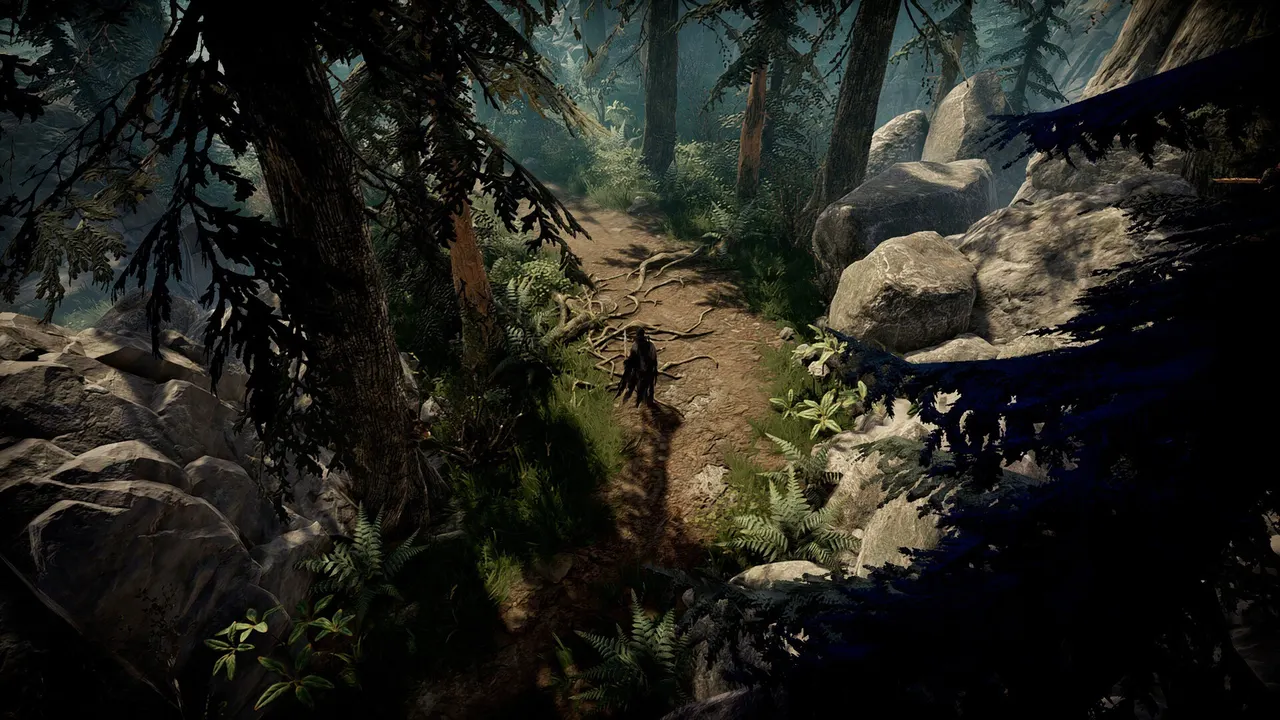
V Rising server settings live in two JSON files: ServerHostSettings.json (name, password, player slots, ports, saves and server list) and ServerGameSettings.json (the gameplay rules). To set up a server for solo or for a group, you mostly change five things: a game preset (PvE or PvP), a difficulty preset, the player cap, a password and whether the server is listed. This guide shows each setting from Stunlock Studios' official instructions and two ready-to-copy examples.
Where V Rising server settings are stored
According to the official V Rising dedicated server instructions for 1.1.x (PC), the server reads its default files first and then looks for local overrides:
| File or folder | What it holds | Edit it? |
|---|---|---|
VRisingServer_Data/StreamingAssets/Settings/ | The default ServerHostSettings.json and ServerGameSettings.json | No. Updates can overwrite them |
<persistentDataPath>/Settings/ | Your override copies of both files, plus adminlist.txt and banlist.txt | Yes. Put only the values you change |
<persistentDataPath>/Saves/ | World saves (current format folder: v4) | Only to move or restore a world |
VRisingServer_Data/StreamingAssets/GameSettingPresets | Game presets such as StandardPvP and StandardPvE | No, pick one by name |
VRisingServer_Data/StreamingAssets/GameDifficultyPresets | Difficulty presets: Difficulty_Easy, Difficulty_Normal, Difficulty_Brutal | No, pick one by name |
On Windows the default persistentDataPath is %USERPROFILE%\AppData\LocalLow\Stunlock Studios\VRisingServer\, and the -persistentDataPath launch parameter changes it. Stunlock recommends setting it, and it is a must if you run several servers on one machine.
A useful detail: the override file does not need to be complete. You can write only the keys that differ from the default, which keeps your changes easy to read and safe across updates.
ServerHostSettings.json: the settings that matter
The official docs give an example value for most settings rather than a default, so the right column shows what Stunlock uses as an example. Each setting can also be set with an environment variable or a launch parameter (for example -maxUsers or -preset).
| Setting | What it does | Official example |
|---|---|---|
Name | Name shown in the server list | "My V Rising Server" |
Description | Shown in the server details and in chat when players connect | Short text |
Port | UDP port for game traffic | 27015 |
QueryPort | UDP port for Steam server list features | 27016 |
MaxConnectedUsers | Player cap; technical maximum is 128 | 40 |
MaxConnectedAdmins | Admins who can join even when the server is full | 4 |
ServerFps | Target server frame rate | 30 |
LowerFPSWhenEmpty / LowerFPSWhenEmptyValue | Lower frame rate when nobody is online | true / 15, 10 or 5 |
Password | Join password, or empty | SuperSecret |
Secure | VAC protection; VAC-banned players cannot join | true |
ListOnSteam / ListOnEOS | Show the server in the Steam / EOS lists (the game looks at the EOS list by default) | true or false |
HideIPAddress | Hide the IP on the EOS list; players connect through relays | true or false |
GameSettingsPreset | Loads a game preset | StandardPvP |
GameDifficultyPreset | Loads a difficulty preset | Difficulty_Normal |
SaveName | Name of the save folder | world23 |
AutoSaveCount / AutoSaveInterval | Autosaves kept / seconds between autosaves | 20 / 120 |
ResetDaysInterval / DayOfReset | Scheduled wipes; default 0 (off) and Any | 14 / Saturday |
SafeReconnectSlots / SafeReconnectTime | Slots held for players who just dropped, and for how many seconds | 10 / 300 |
V Rising server settings for solo play
V Rising already runs a server in the background when you start a local private game, so you do not need a dedicated server to play alone. A dedicated one makes sense when you want the same world on more than one PC, want to invite a friend now and then without handing over your save, or do not want the server eating memory while you play.
For a private solo world, the goal is simple: hide it, lock it, and let it idle cheaply when you are offline.
{
  "Name": "Night Hunt (private)",
  "Password": "pick-a-password",
  "MaxConnectedUsers": 4,
  "MaxConnectedAdmins": 2,
  "ListOnSteam": false,
  "ListOnEOS": false,
  "GameSettingsPreset": "StandardPvE",
  "GameDifficultyPreset": "Difficulty_Normal",
  "LowerFPSWhenEmpty": true,
  "LowerFPSWhenEmptyValue": 5,
  "AutoSaveCount": 20,
  "AutoSaveInterval": 120
}ListOnSteamandListOnEOSset tofalsekeep the server out of public lists. You join by address.Passwordstops strangers who find the IP.StandardPvEremoves the pressure of raids; switch the difficulty preset toDifficulty_Brutalif you want a harder run alone.LowerFPSWhenEmptylets the server slow down while nobody is connected.
V Rising server settings for group play
With a group, decide two things first: PvE or PvP, and private or public. A clan of friends usually wants a private PvE or PvP world with a password. A public community server wants listing, VAC, reconnect slots and a wipe schedule.
{
  "Name": "Night Hunt PvP",
  "Description": "Clan PvP. Wipe every other Saturday. Be nice.",
  "Password": "",
  "MaxConnectedUsers": 40,
  "MaxConnectedAdmins": 4,
  "ListOnSteam": true,
  "ListOnEOS": true,
  "Secure": true,
  "GameSettingsPreset": "StandardPvP",
  "GameDifficultyPreset": "Difficulty_Normal",
  "SafeReconnectSlots": 10,
  "SafeReconnectTime": 300,
  "ResetDaysInterval": 14,
  "DayOfReset": "Saturday"
}MaxConnectedUsers: set it to your real group size plus a little margin. More players means more CPU and memory.SafeReconnectSlotsandSafeReconnectTimekeep a seat for someone whose connection dropped, so a full server does not lock them out.ResetDaysInterval+DayOfReset: with 14 and Saturday, the server checks at startup and starts a new save every other Saturday; the old save is backed up.- Private group: same file, but with a password and both list options set to
false.
For port forwarding at home, Stunlock says opening the game port is enough for direct joins, while showing up in the server list needs both the game port and the query port open and forwarded.
V Rising server settings on TheGameHosting
Everything above is plain JSON, so on a V Rising server from TheGameHosting you edit it in the browser from Files in the panel, or over SFTP if you prefer your own editor. No router, no firewall rules and no PC left on overnight.
- Online 24/7, with the IP and port on your server page; friends join without you opening ports.
- Schedules for the daily restart Stunlock recommends, at the hour your server is emptiest.
- Backups before every patch, which the official guide also recommends.
- Startup tab to review launch settings; if you need a parameter that is not there, ask us on the live chat.
- Hardware: AMD Ryzen 9950X / 7950X3D up to 5.7 GHz, DDR5 RAM, Samsung NVMe, a 10 Gbps network and DDoS protection included.
- Dallas (US) or Amsterdam (Netherlands), with the Location Changer if your clan moves.
V Rising needs at least 12 GB on our plans, from $9.99/month, with unlimited slots and no setup fee. For a busy public PvP server, the 16 GB plan ($12.89/month) leaves headroom. See all sizes on the plans and pricing page.
Fine-tuning gameplay with ServerGameSettings.json
Presets cover most groups. When you want to change individual rules, open the default ServerGameSettings.json in VRisingServer_Data/StreamingAssets/Settings/, copy only the keys you want to change into Settings/ServerGameSettings.json in your data path, and edit them there.
How to become admin
- Add your SteamID to
adminlist.txtin theSettingsfolder, one per line. No restart is needed. - In the game, enable the console in the options menu.
- Open it with
~and typeadminauth. - Use admin commands such as
kick,banuser,bancharacter,bannedandunban. Bans are written tobanlist.txt.
Move a private world to the dedicated server
Started solo and now your friends want in? In the game, open Load Game, select the save and use Go to Directory. Back up that folder, then copy it into Saves/v4/ on the server (on TheGameHosting, upload it through Files or SFTP). Point the server at it with SaveName (or -saveName) and leave GameSettingsPreset empty so your original rules load. Remove the local copy from inside the game afterwards, otherwise Cloud Sync can restore it.
Restarts, autosaves and RCON
Stunlock recommends a daily restart and frequent backups, especially before and after patches. AutoSaveSmartKeep keeps a spread of older autosaves (recent minutes, last hour, last day) so you can roll back further than the last few saves. For remote messages, RCON can be enabled in ServerHostSettings.json with a required password; the example port is 25575 TCP and it supports announce, announcerestart, shutdown and a few more commands.
"Rcon": {
  "Enabled": true,
  "Password": "somepassword",
  "Port": 25575
}
Summary
Solo: private list settings, a password, StandardPvE or a harder difficulty preset, and a low idle frame rate. Group: the right player cap, PvE or PvP preset, reconnect slots and, for public servers, a wipe schedule. If you want those settings on a server that stays up for your clan every night, compare plans on our game server pricing page and use FULL2026 for 15% off for life. Running more than one game? Our guides on the Satisfactory encryption token error and what a dedicated server means are a good next read.
FAQ
How do I change V Rising server settings?
Copy the keys you want from the default files in VRisingServer_Data/StreamingAssets/Settings/ into ServerHostSettings.json or ServerGameSettings.json in the Settings folder of your data path, edit them and restart the server.
Where is ServerGameSettings.json?
The default is in VRisingServer_Data/StreamingAssets/Settings/. Your override goes in <persistentDataPath>/Settings/; on Windows the default data path is %USERPROFILE%\AppData\LocalLow\Stunlock Studios\VRisingServer\.
How many players can a V Rising server have?
You set it with MaxConnectedUsers. Stunlock's documentation says the maximum technically supported is 128.
How do I make my V Rising server private?
Set a Password and turn off ListOnSteam and ListOnEOS. Players then join with the address and the password.
Can I play V Rising solo on a dedicated server?
Yes. Use a private, password-protected server with a PvE preset or the difficulty you like, and turn on LowerFPSWhenEmpty so it idles while you are offline.
Hosting for these games
 V Rising hosting12 GB plan from $9.99/month
 Satisfactory hostingSame plans, Game Changer
 Enshrouded hostingFrom the 8 GB plan
Written by TheGameHosting Team, the people who run our servers in Dallas and Amsterdam and answer your tickets.
All posts