 TheGameHosting Team
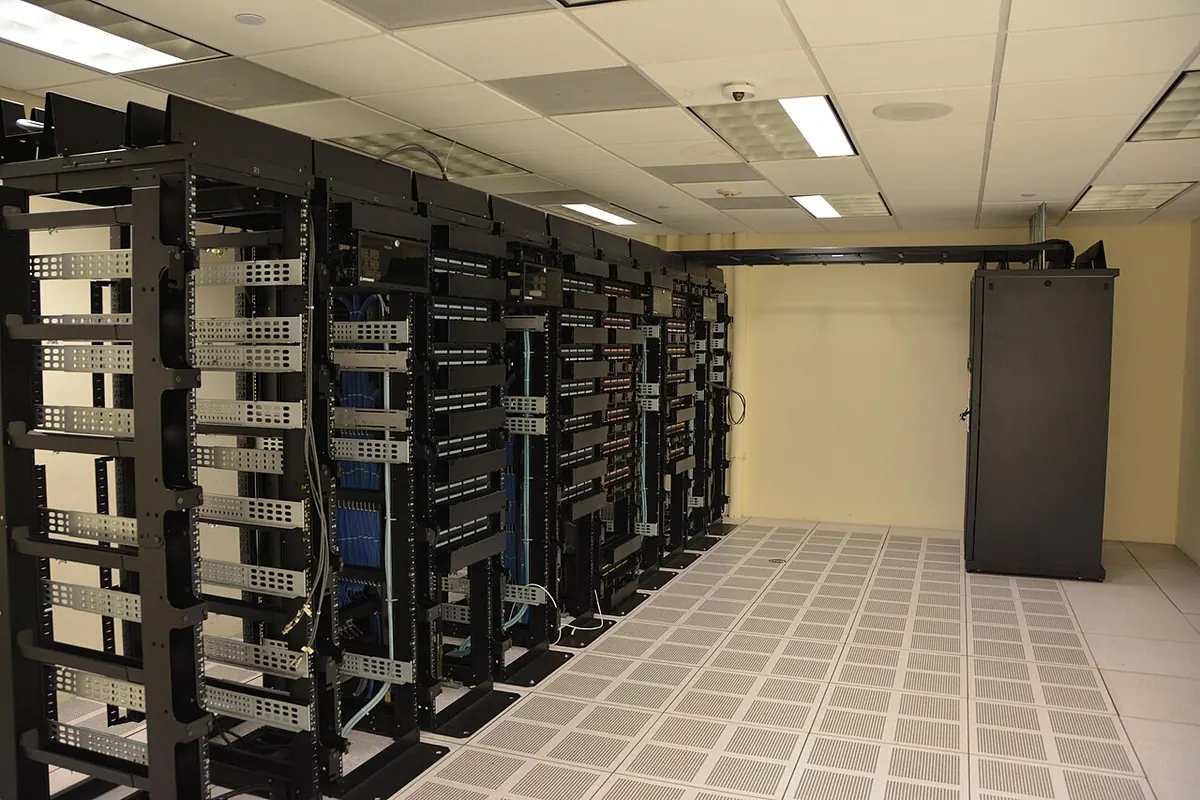

The dedicated server meaning, in gaming, is simple: a dedicated server is a copy of the game's server program that runs the world on its own, with nobody playing on it, so it stays online whether the host is around or not. Players connect to it with an address and a port. The opposite is a listen server, where one player's game hosts the world while that player plays, and the world closes when they quit.
Dedicated server meaning: two uses of the same words
You will see "dedicated server" used in two ways, and it helps to keep them apart:
- In IT and web hosting, a dedicated server is a whole physical machine rented to one customer, instead of a share of a machine.
- In gaming, a dedicated server is the server program of a game, running without a player attached. Many games publish it as its own download: the Project Zomboid Dedicated Server, the Palworld Dedicated Server, Valve's Source Dedicated Server and so on.
This post is about the second meaning. In Valve's networking documentation, the server is the part that runs the game's simulation and has the final word over what happens; clients send their input and draw what the server tells them. A dedicated server is that part, running on a machine whose only job is to run it.
Dedicated vs listen server vs peer-to-peer
Multiplayer games use one of three setups, and many games offer two of them:
| Setup | Who runs the world | When the world is online | Typical use |
|---|---|---|---|
| Listen server (the in-game Host or Co-op button) | One player's PC, while that player plays | Only while the host is playing | Quick sessions with a few friends |
| Peer-to-peer | The players' games share the work between them | Only during the session | Small matches, often set up by the game itself |
| Dedicated server | A separate server program with no player on it | 24/7, or whenever you leave it on | Persistent worlds, communities, mods, scheduled events |
Palworld shows the difference well. According to its Steam store page, a co-op game holds up to 4 players and a dedicated server up to 32. The official Palworld server guide covers the dedicated version as a separate program with its own settings file. We compare the two in Palworld co-op vs dedicated server.
Why a listen server runs out of road
- The world stops when the host leaves. Nobody can play while they sleep, work or switch games.
- One PC does two jobs. The host's computer renders the game and simulates the world for everyone, so a busy base or a big fight slows down both.
- Everyone depends on one home connection. The host's upload speed carries every player.
- The host's hardware and network are exposed. Friends connect straight to a home IP address.
Tick rate: how fast the server thinks
A game server works in steps called ticks. In each tick it reads players' input, moves the world forward and sends updates. Valve's Source Multiplayer Networking page explains that the default Source timestep is 15 ms, about 66.67 ticks per second, and that a higher tick rate costs more CPU: a server at tick rate 100 creates about 1.5 times the CPU load of the default 66. Minecraft Java aims for 20 ticks per second, which leaves 50 ms for each tick.
When a tick takes longer than its budget, players feel it as lag, rubberbanding or slow block breaking, even with a perfect ping. Most of that work runs on one main thread, so a fast CPU core matters more than many slow ones. That is the main reason a dedicated machine with a high clock speed beats a home PC that is also running the game. Counter-Strike 2 is a special case: its sub-tick system replaced the old 64 vs 128 tick choice, which we explain in CS2 server tick rate explained.
Uptime: a world that keeps running
Uptime is the share of time the server is online. For a survival world or a community, it decides whether people come back. A dedicated server can stay up all day, save the world on a timer and restart on a schedule, while a listen server is online only during the host's sessions. Uptime at home also depends on things you do not control: power cuts, Windows updates that reboot the PC, and an internet connection that drops.
Ports: how players reach a dedicated server
Players reach a server through its IP address and a port. On a home network, that means forwarding the port on your router to the PC that runs the server, and allowing it through the firewall. Some internet providers share one public IP between many customers, and then forwarding is not possible at all. These are the default ports of a few popular games:
| Game | Default port | Where you change it |
|---|---|---|
| Minecraft Java | 25565 TCP | The server-port setting |
| Minecraft Bedrock | 19132 UDP | The server-port setting |
| Project Zomboid | 16261 and 16262 UDP | DefaultPort and UDPPort in the server .ini |
| Palworld | 8211 UDP | The -port launch option |
| Rust | 28015 UDP | server.port |
| Counter-Strike 2 | 27015 | The -port launch option |
With a hosted dedicated server you skip this part: the panel gives you an IP and port that already work from the internet.
What a dedicated game server costs
The server software usually costs nothing. Valve's SteamCMD documentation says most game servers can be downloaded with an anonymous login, for example Project Zomboid's dedicated server (app 380870, per the PZwiki). A few games require an account that owns the game. The real cost is the machine and the time:
| Option | What you pay | What it takes |
|---|---|---|
| Your own PC | Electricity, and a PC that stays on | Install, updates, ports, backups and fixes are all yours |
| A rented machine you manage | A monthly fee | The same admin work, minus the hardware |
| Game server hosting | A monthly fee by RAM | Pick the game; installs, network and protection are done |
RAM is what sets the price on most game hosts, and every game needs a different amount. These are the minimums on TheGameHosting and the first plan that fits:
| Game | Minimum RAM | Plan from |
|---|---|---|
| Minecraft Java or Bedrock | 1 GB | 2 GB, $1.90/month |
| Unturned, Core Keeper | 2 GB | 2 GB, $1.90/month |
| Garry's Mod | 3 GB | 4 GB, $3.69/month |
| Project Zomboid, Palworld, 7 Days to Die, DayZ, Enshrouded | 8 GB | 8 GB, $6.96/month |
| Satisfactory, V Rising | 12 GB | 12 GB, $9.99/month |
The minimum runs the game; more players, mods and bigger worlds need more. Our guide to what a Palworld server costs works through one game in detail.
When a dedicated server is worth it
You probably need a dedicated server if:
- your group plays at different times and wants the world to be there when they log in;
- you have more players than the game's co-op mode allows;
- you run mods, plugins or custom rules that everyone must share;
- you want backups, scheduled restarts and admin tools;
- the host's PC lags when it runs the game and the world at once.
A listen server is enough if two or three friends play together, always at the same time, and the game's co-op mode covers what you need.
A dedicated game server on TheGameHosting
TheGameHosting runs dedicated servers for more than 60 games on one plan: you choose the RAM, and the same plan runs any game on the list. Here is what that solves from everything above:
- Uptime: your server stays online 24/7 without your PC on, on UPS-backed hardware.
- Tick rate: AMD Ryzen 9950X and 7950X3D CPUs up to 5.7 GHz, DDR5 RAM and Samsung NVMe storage, for the single-core speed game servers need.
- Ports: no router setup. The panel gives you the IP and port, on a 10 Gbps network with DDoS protection included.
- Location: Dallas (USA) or Amsterdam (Netherlands), with Location Changer to move later.
- Control: Console, Files with full SFTP access, Backups, Schedules for restarts, Startup, and 2 databases included.
- Flexibility: Game Changer switches your server to another game on the same plan. Minecraft also gets Version Changer, a Plugin Installer and modpack installers.
Slots are unlimited, there is no setup fee, and you can cancel when you want. Support answers 24/7 by chat, email and tickets.
How to get a dedicated server in a few minutes
- Pick your game, for example Minecraft, Project Zomboid, Palworld or Rust.
- Choose the RAM for your players and mods, using the table above as a floor.
- Choose Dallas or Amsterdam, whichever is closer to most of your players.
- Pay with code FULL2026 for 15% off for life. Your server is ready about 60 seconds later.
- Copy the IP and port from the panel and share them with your friends.
- Edit the settings in Files, and set up Backups and Schedules.
If you want to see the manual route first, our guides on making a Minecraft Java server and setting up a Project Zomboid dedicated server show each step on your own machine.
A dedicated server is what turns a game night into a world that keeps going. If your group has outgrown the Host button, compare the plans and pick the RAM your game needs: you get the 24/7 uptime, the fast cores and the open ports without leaving a PC on at home.
FAQ
What is the meaning of a dedicated server in gaming?
It is the game's server program running on its own, with no player on it, so the world stays online for everyone. Players connect to it with an IP address and a port.
What is the difference between a dedicated server and a listen server?
A listen server runs inside one player's game and closes when that player quits. A dedicated server runs separately, on a machine that does nothing else, and stays online whether or not the host is playing.
Is a dedicated server better than peer-to-peer?
For persistent worlds, mods and bigger groups, yes: one machine runs the world for everyone and stays online. For a short match between a few friends, peer-to-peer or a listen server is often enough.
How much does a dedicated game server cost?
The server software is usually a no-cost download. Hosting it costs by RAM: on TheGameHosting, plans start at $1.90 a month for 2 GB, and games like Project Zomboid or Palworld start on the 8 GB plan at $6.96.
Do I need to open ports for a dedicated server?
If you run it at home, yes: you forward the game's port on your router and firewall. On a hosted server the panel gives you an IP and port that already work.
What is game server hosting?
A service that runs a dedicated server for you on its own hardware and network, so you only choose the game, the RAM and the location and then manage it from a panel.
Hosting for these games
 Minecraft hostingJava and Bedrock from $1.90/month
 Palworld hostingUp to 32 players, online 24/7
 Project Zomboid hostingMods and sandbox in the browser
 Rust hostingFast cores for high server FPS
Written by TheGameHosting Team, the people who run our servers in Dallas and Amsterdam and answer your tickets.
All posts