



Rust

Rust Server Hosting

Run your own Rust server with the plugins, map and wipe schedule you want. Every plan runs on AMD 9950X/7950X3D CPUs up to 5.7Ghz with DDR5 RAM, behind DDoS protection, with full file access for Oxide or Carbon.

  • Oxide (uMod) or Carbon plugins
  • Procedural or custom maps
  • Your own wipe schedule
  • DDoS protection

Plans from $6.96 USD / month

Rust key art: survivors in masks and hazmat suits fighting with rifles and a bow

RustRequires 8 GB RAM · runs on 6 of 9 plans

How Rust servers are runPlugin frameworks, maps and wipes, all in your files

  • Oxide (uMod)The classic C# plugin framework
  • CarbonRuns most Oxide plugins
  • Custom mapsOr a seed and world size
  • WipesForced wipe each month

Use code FULL2026 at checkout for 15% off for life

Swipe or tap a plan

Slide to pick your RAM Use the arrow keys too

Every plan includes

    Your Rust server, managed from one panel

    Real screenshots of the panel that comes with every plan: files for your plugins and maps, backups before a wipe and a choice of location.

    File Manager in the TheGameHosting panel listing a server's folders and files, with search, upload and new file buttons

    Try the live panel demoPrefer to see it working? The panel demo on our home page runs in your browser.

    Everything included with your Rust server

    No locked features and no add-on fees. Every plan has the same hardware and panel; only the RAM changes.

    Run it your way

    • Oxide or CarbonFull file access to install the framework and plugins you choose.
    • Any mapProcedural seeds and sizes, or a custom map.
    • Unlimited slotsRun a 10-man group or a full server. RAM is the only limit.
    • 2 free databasesFor plugins that keep data in MySQL.

    Manage it easily

    • File manager and full sFTPEdit server.cfg in the browser or upload plugins over sFTP.
    • Backup SystemSave the server before every wipe or update.
    • SchedulesRestart or back up the server on a timer.
    • Location ChangerDallas, TX or Amsterdam, NL, one click to move.

    Fast and protected

    • AMD 9950X/7950X3DUp to 5.7Ghz for the main thread Rust leans on.
    • DDR5 RAM and NVMeSamsung NVMe for fast map loads after a wipe.
    • DDoS protectionFilters attack traffic so wipe day stays playable.
    • Ready in 60 secondsLive within 60 seconds after payment, ready for your first wipe.

    Rust server hosting built for wipe day

    A Rust server lives on a rhythm of wipes, updates and plugin changes. You need a box that comes back fast after the monthly update, a panel that lets you swap a map in minutes and enough RAM to keep a full server smooth when everyone logs in at once.

    Every plan runs on AMD 9950X/7950X3D processors with DDR5 RAM and NVMe storage, and every server sits behind DDoS protection. You get full sFTP access and a file manager, so plugins, maps and configs are yours to control. Your server is ready within 60 seconds after payment.

    Rust screenshot: armed players in hazmat suits near a domed monument

    Oxide (uMod) and Carbon plugins

    Most community Rust servers run a plugin framework. Both of the popular ones load C# plugins that add kits, teleports, clans, shops, admin tools and more.

    Oxide (uMod)

    The long-running framework with the largest plugin library. Plugins are single .cs files that go into oxide/plugins and load without a full restart.

    Carbon

    A newer framework focused on performance that runs most Oxide plugins. Pick one framework, not both.

    After every Rust update

    Facepunch's monthly update replaces the server files, so the framework has to be reinstalled or updated before plugins load again. Make a backup first, then update and restart.

    File Manager in the TheGameHosting panel listing a server's folders and files, with search, upload and new file buttons
    Our file manager: plugin files and configs live here, and sFTP works too.

    Wipes, maps and your own schedule

    Rust forces a map wipe on the first Thursday of each month, when Facepunch ships the monthly update. Between forced wipes, you decide: weekly, every two weeks or monthly, with or without a blueprint wipe.

    Procedural or custom maps

    Set server.seed and server.worldsize for a procedural map, or point the server to a custom map file. Larger maps take longer to generate and need more memory.

    Wipe without the stress

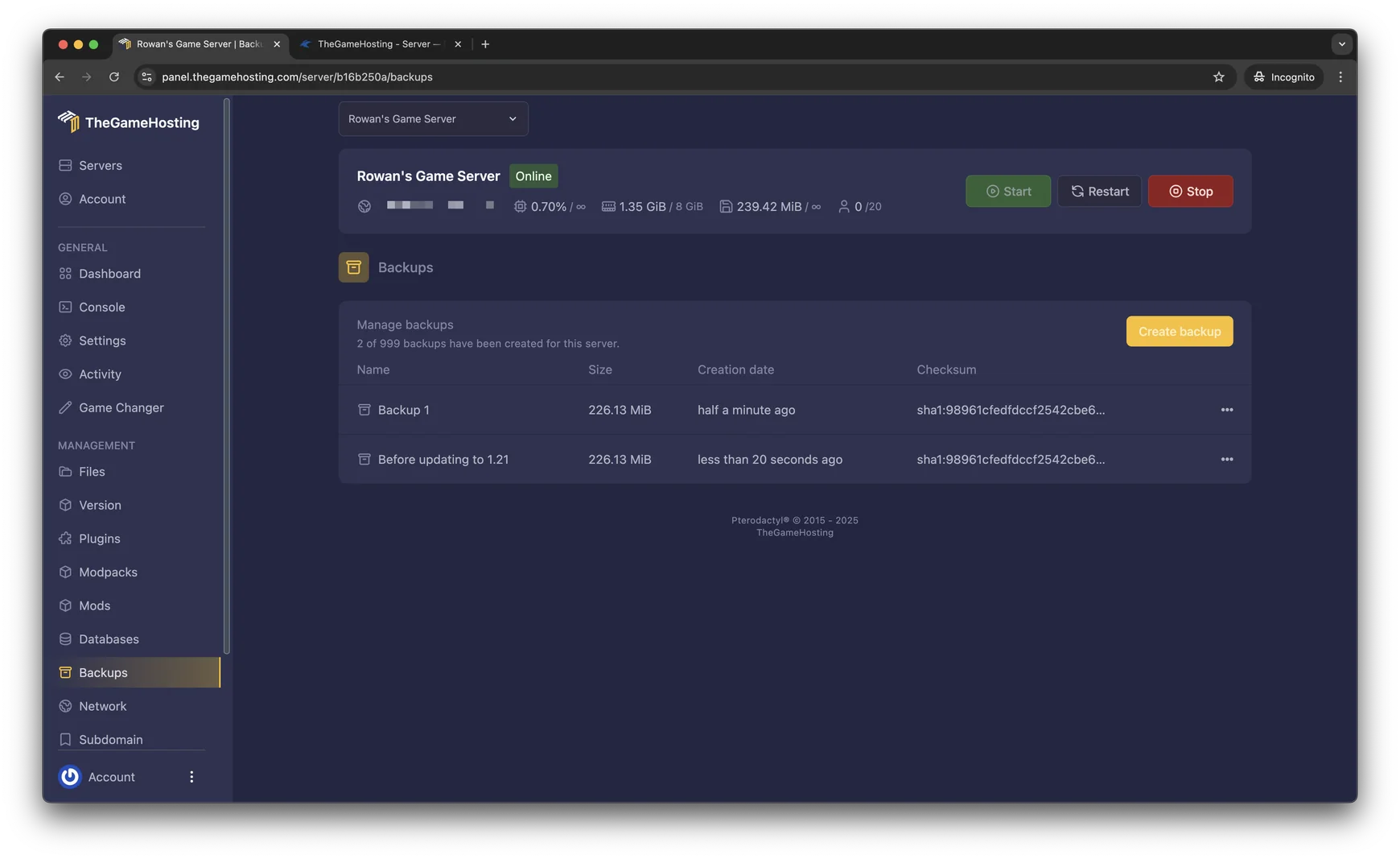
    • Make a backup before each wipe so you can roll back a mistake.
    • Use Schedules in the panel to restart the server at quiet hours.
    • Keep plugin configs and data outside the wipe so your rules survive.
    Backups page in the TheGameHosting panel with two backups, their size, date and checksum, and a Create backup button
    Backups in our panel. Make one before every wipe.

    Admins, RCON and the Rust+ app

    Make yourself an owner with ownerid <SteamID64> in the console, then save it with server.writecfg. Moderators work the same way with moderatorid.

    • RCON lets admin tools connect to your server remotely. Set an RCON password before you open it up.
    • The Rust+ companion app talks to the server through its own app port.
    • Player data and bans live in your server files, so they are part of every backup.

    Running a survival community across games? See ARK: Survival Evolved server hosting and Palworld server hosting on the same plan.

    Rust cover art: the Rust logo under a radio tower at dusk

    How much RAM does a Rust server need?

    Rust needs at least 8 GB of RAM on our list, so it runs on every plan from 8 GB up. Plan on 8 GB for a small private server; plan on 12–16 GB for a public server with more players. What pushes the number higher:

    • A bigger world size, which means more terrain, monuments and entities in memory.
    • More players online and more bases built as the wipe goes on.
    • A long plugin list, especially plugins that track a lot of data.

    Memory use climbs over a wipe, so a server that feels roomy on day one can be tight by day twenty. If you are unsure, tell our support your map size and player count. For the full picture, read Rust server requirements.

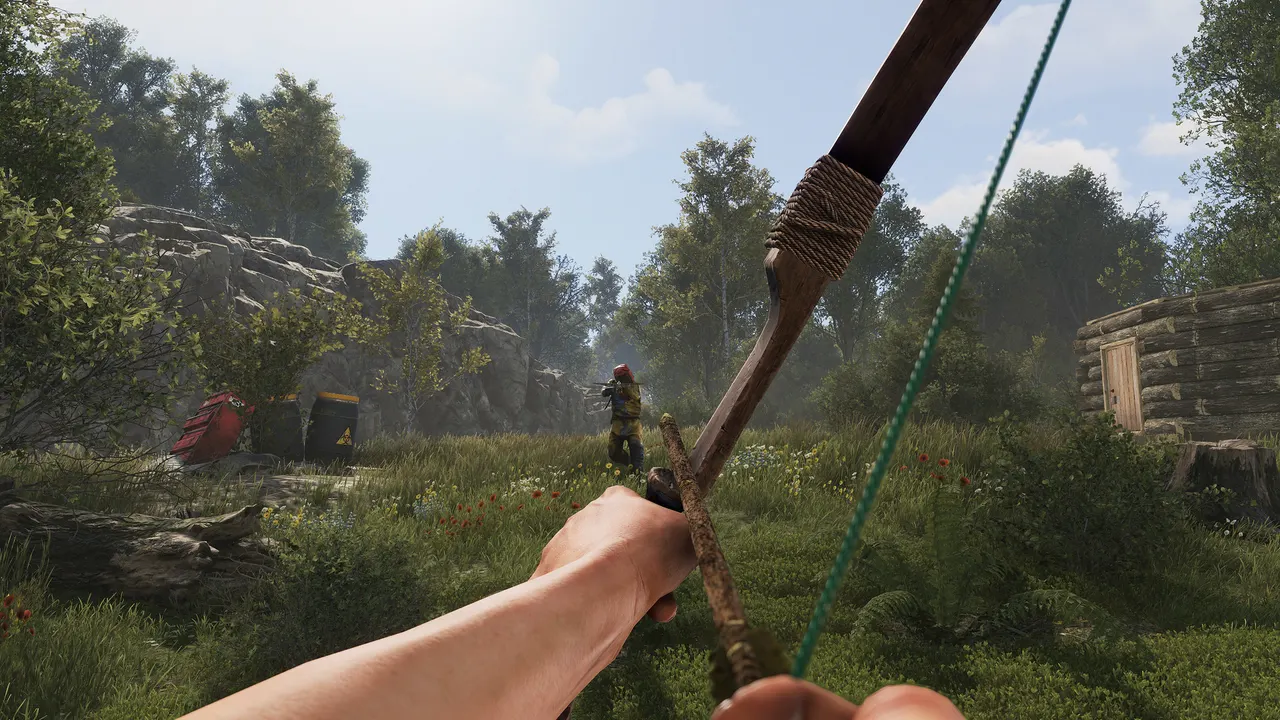
    Rust screenshot: first-person view drawing a bow in a forest

    Rust requires 8 GB RAMRuns on 6 of 9 plans, from 8 GB

    • 8 GB
    • 10 GB
    • 12 GB
    • 16 GB
    • 32 GB
    • 64 GB

    Hardware we own, in Dallas and Amsterdam

    Your Rust server runs on machines we bought and manage ourselves. Rust's simulation leans heavily on one fast CPU core, so every plan uses AMD 9950X/7950X3D processors up to 5.7Ghz, with DDR5 RAM and Samsung NVMe storage for quick map loads after a wipe.

    Choose Dallas, TX for players in the Americas or Amsterdam for Europe. Both locations have a 10 Gbps network, UPS backup power and advanced cooling, and DDoS protection guards every Rust server, which matters on a popular wipe day.

    • AMD 9950X/7950X3D up to 5.7Ghz
    • DDR5 RAM
    • Samsung NVMe Storage
    • 10 Gbps Network
    • UPS Backup Power
    • Dallas, TX & Amsterdam, NL

    Real people on support

    Our team is available 24/7/365. Ask about a plugin that broke after an update, a wipe that went wrong or a custom map that won't load, and a person answers.

    • Live chat
    • Email
    • Ticket system
    Contact support

    Rust hosting questions

    Can't find your answer? Ask our support team.

    How fast is my Rust server ready?

    Your Rust server is ready within 60 seconds after payment. Start it from the panel, then add Oxide or Carbon and your plugins whenever you are ready.

    Can I use Oxide or Carbon plugins?

    Yes. You have full file access, so you can install Oxide (uMod) or Carbon and add plugins as .cs files. Pick one framework, not both. After each monthly Rust update, update the framework before restarting so your plugins load again.

    When does Rust force a wipe?

    Facepunch forces a map wipe on the first Thursday of each month with the monthly update. Between forced wipes you choose your own schedule. Make a backup before each wipe.

    Can I use a custom map?

    Yes. You can run a procedural map with your own seed and world size, or point the server to a custom map file. Bigger maps need more RAM and take longer to generate.

    How do I make myself an admin?

    Run ownerid followed by your SteamID64 in the console, then server.writecfg to save it. Use moderatorid the same way for moderators.

    How much RAM do I need for Rust?

    Rust needs at least 8 GB of RAM, so it runs on our 8 GB plan and everything above it. Plan on 8 GB for a small private server and 12–16 GB for a public server with more players. Bigger maps, more players and more plugins need more, and memory use grows during a wipe. There is no slot limit, so RAM is what sets your ceiling.

    Can console players join my Rust server?

    No. Rust servers you host are for the PC version of the game on Steam. Rust Console Edition uses its own servers.

    Where are your Rust servers hosted?

    In Dallas, TX (United States) and Amsterdam (Netherlands), on hardware we own in both locations. Pick the side of the Atlantic where most of your players live; every server sits behind DDoS protection.

    Do you have a discount code?

    Use promo code FULL2026 at checkout for 15% off for life.

    Is TheGameHosting affiliated with Facepunch Studios?

    No. TheGameHosting is an independent game server host and is not connected to Facepunch Studios.

    Start your Rust server today

    Ready within 60 seconds after payment. Your plugins, your map and your wipe schedule, on the same plan as every other game on our list.
    Use promo code FULL2026 at checkout for 15% off for life.