 TheGameHosting Team
To wipe a Rust server, stop it, then delete the .map and .sav files from your server identity folder and start it again. A new map is generated. For a blueprint wipe, also delete the player.blueprints files. Make a backup first. Facepunch forces a map wipe on the first Thursday of every month.
When does Rust force a wipe?
Rust ships a big update on the first Thursday of each month. The update changes the game files, and every server has to update to it and start a new map. This is the forced wipe, and it is a map wipe.
Facepunch's server wipe timer page lists the default schedule, which it says "aligns with force wipes": the first Thursday of every month at 19:00 London time. London time means GMT in winter and BST in summer.
As of November 2026, the latest one was the "Printed and Polished" update on Thursday, November 5, 2026, which you can read on the Rust news page. By the first-Thursday rule, the next one should land on Thursday, December 3, 2026. Facepunch had not announced it when we checked, so confirm on the news page.
Choose your wipe schedule
The forced wipe is the minimum. Between those dates you decide. The Facepunch wiki lists three common schedules, and the server browser has a matching tag for each:
| Schedule | When | Browser tag |
|---|---|---|
| Monthly | First Thursday of the month, 19:00 London time | monthly |
| Biweekly | First and third Thursday of the month | biweekly |
| Weekly | Every Thursday at 19:00 London time | weekly |
Shorter wipes give players a fresh start more often and keep the map lighter. Longer wipes give them more time to build. It is your server and your community, so pick the cycle that matches how your players spend their time. A biweekly server still has to wipe on the first Thursday, because of the forced wipe.
If you want the server to show your schedule, set the tag in your config. Rust server.cfg settings shows where.
What a Rust wipe actually deletes
Your server keeps its data in the identity folder, named by +server.identity in your start options, under server. Facepunch's Getting started with your Rust server page lists what is in it:
| File | What it holds |
|---|---|
*.map | The map: terrain and monuments. A generated map is named like proceduralmap.SIZE.SEED.map. |
*.sav | Everything on the map: entities, player buildings and deployables. It has the same name as the map. |
player.blueprints | Your players' blueprints |
player.deaths | Death information that players see when they log in |
player.states | Death markers, hostile timer and more |
cfg/ | Your server.cfg, admins and bans. Keep this folder. |
A map wipe removes the .map and .sav files. A blueprint wipe removes the blueprint files as well. Never delete the cfg folder, or you lose your admin list and bans.
The wiki also warns that it is dangerous and ill-advised to rename an old .sav file to get around a forced wipe, so do not try.
How to wipe your Rust server, step by step
These steps work on any Rust server, including ours.
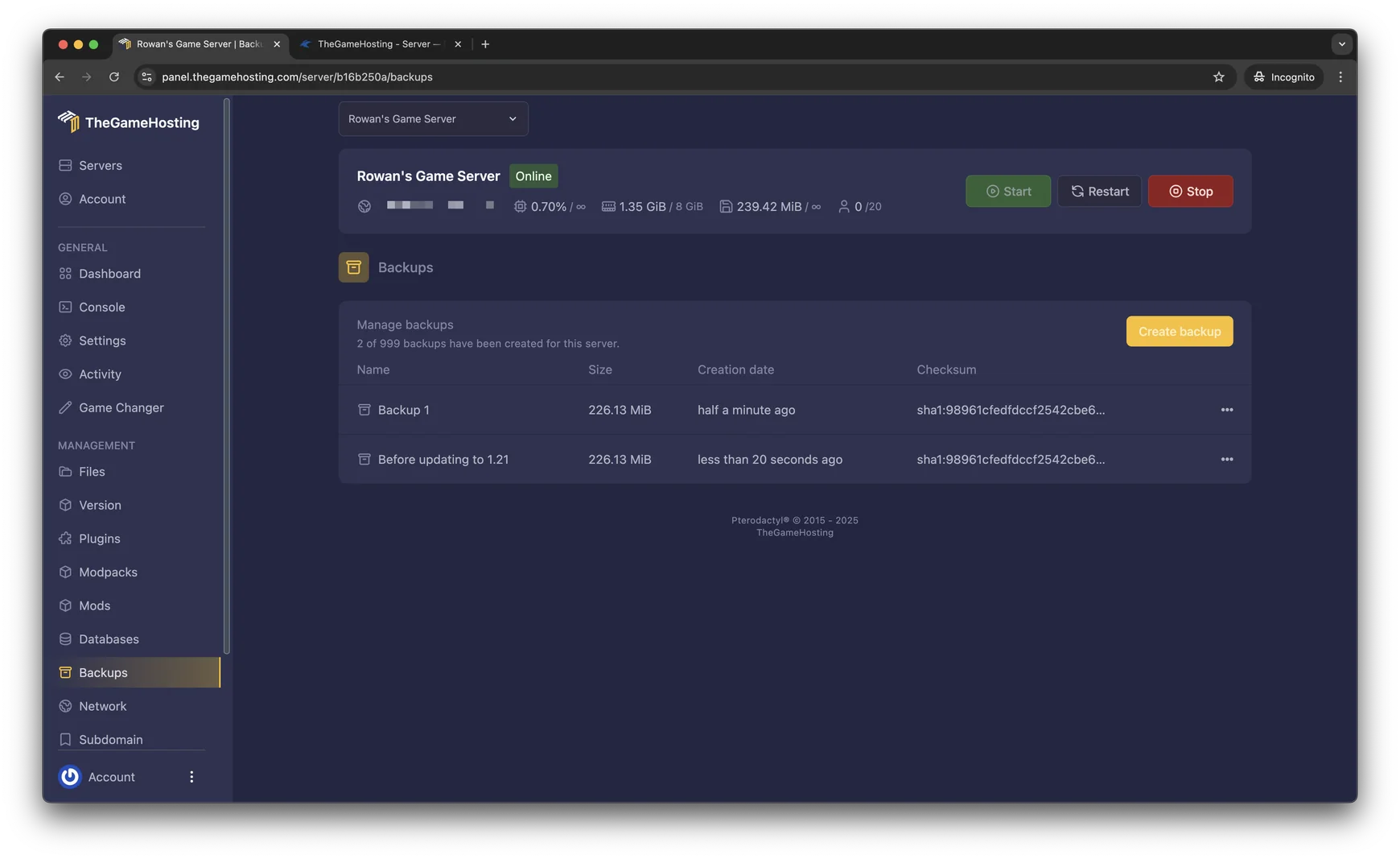
- Make a backup. Open Backups in the panel and create one, so you can roll back if you delete the wrong file.
- Stop the server with the Stop button in the panel.
- Update Rust if it is a forced wipe, with your normal update method.
- Update your plugin framework. Install the new Oxide release, or let Carbon patch itself. See how to install Oxide or Carbon on a Rust server.
- Open the identity folder. In the File Manager, go to
server, then to the folder with your server's identity name. - Delete the
.mapfile and the.savfiles. That is the map wipe. - For a blueprint wipe, also delete the files that start with
player.blueprints. - Choose the next map. Change
server.seedfor a different layout. The same seed and size always give the same map. A biggerserver.worldsizetakes longer to generate and needs more memory. - Start the server. Wait for it to generate the map. Join, check that the monuments are there and that your plugins loaded.

Plugin data and wipes
Some plugins store things that belong to the old map, such as player homes, base locations or shop stock. Check each plugin's page to see whether its data should be cleared on wipe day. The data lives in oxide/data on Oxide. Make your choice per plugin, and keep a copy of the folder first. Settings in the config folder normally stay, so your rules survive the wipe.
Wipe day checklist
- Post the date and time in your Discord a few days ahead.
- Back up the server the day before and again just before the wipe.
- Update Rust and the plugin framework before you start the server.
- Pick the new seed and size, and test that the map loads.
- Run the plugin list after the first start, and fix any plugin that failed.
- Watch memory on the first day. A new map is light, and memory grows as players build. How much RAM a Rust server needs explains what to watch.
If you plan to use a custom map, the same steps apply, but you point the server to the map file instead of choosing a seed. See how to add a custom map to your Rust server.
FAQ
When is the next Rust wipe?
Facepunch forces a map wipe on the first Thursday of every month with the monthly update. As of November 2026, the next one by that rule is Thursday, December 3, 2026. Check the Rust news page to confirm.
What is the difference between a map wipe and a blueprint wipe?
A map wipe deletes the map and everything built on it. A blueprint wipe also deletes what players have learned. Forced wipes are map wipes only. You choose whether to wipe blueprints too.
Which files do I delete to wipe a Rust server?
Stop the server, then delete the .map and .sav files in your server identity folder. For a blueprint wipe, also delete the player.blueprints files. Keep the cfg folder.
Can I wipe my Rust server more often than once a month?
Yes. Many servers wipe every week or every two weeks. You still wipe on the forced wipe date.
Do I need to wipe my Rust server on forced wipe day?
Yes. The monthly update changes the game, so servers must update and start a new map. Facepunch says it is dangerous to rename an old save file to avoid it.
Can I schedule a Rust wipe automatically?
Schedules in our panel can restart the server or take a backup on a timer, which helps around wipe day. Deleting the map files is a manual step in this guide, so do it on the day, with a fresh backup in place.
How do I get a different map after a wipe?
Change server.seed to another number between 0 and 2147483647, or change server.worldsize, then start the server. The same seed and size always generate the same map.
Hosting for this game
Written by TheGameHosting Team, the people who run our servers in Dallas and Amsterdam and answer your tickets.
All posts