 TheGameHosting Team
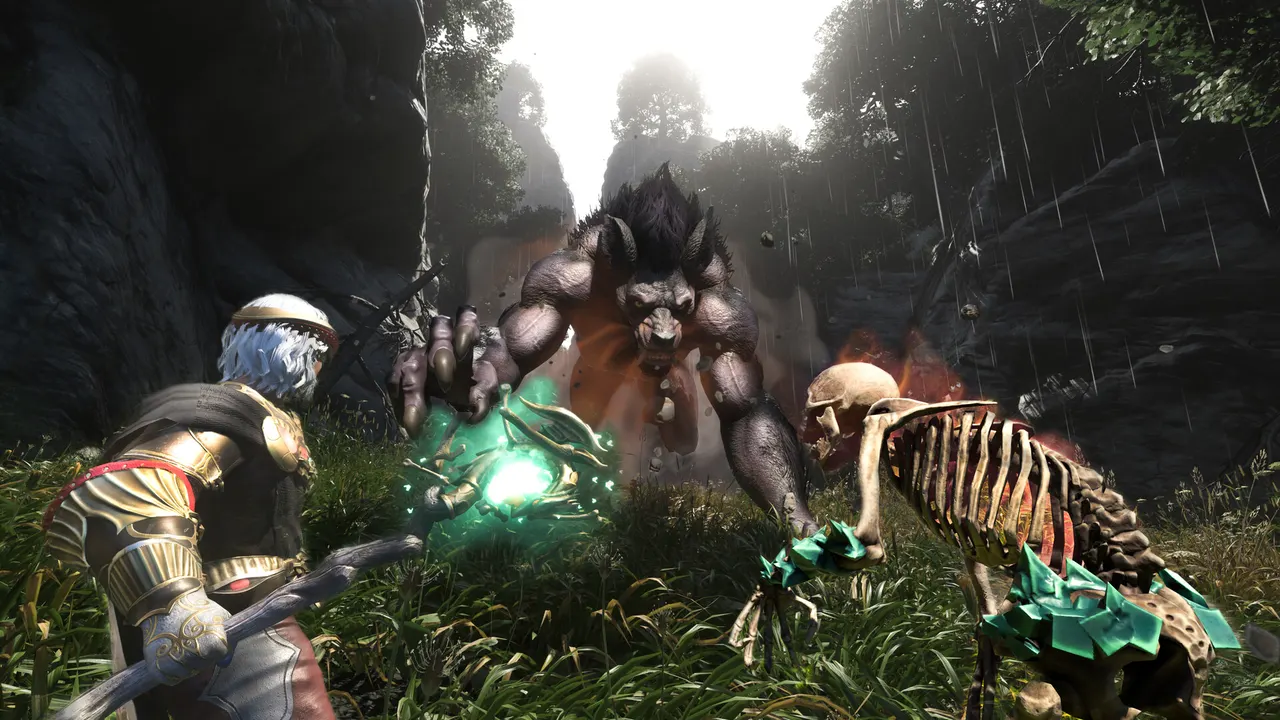
All Enshrouded server settings live in a single file, enshrouded_server.json. It holds the server name, the player slots, the query port (15637 by default), voice and text chat, the passwords for each permission group and the difficulty: either a preset (Default, Relaxed, Hard, Survival) or a Custom list of more than 30 gameplay values. Below is every setting with its default value and allowed range, taken from Keen Games’ own help center.
Where the Enshrouded server config file is
The dedicated server comes with the game: owning Enshrouded unlocks “Enshrouded Dedicated Server” in the Tools section of your Steam library. Keen’s installation guide says to start enshrouded_server.exe once; that first run creates enshrouded_server.json next to the executable. Officially the server is a Windows program, and the file opens in any text editor.
Three rules from the official docs save you a lot of trouble:
- Numbers are clamped. If a number is above or below the allowed range, the server uses the maximum or minimum instead.
- Bad text stops the boot. A typo in a text value (for example
"Hardd") keeps the server from starting, and the console names the wrong value. - Old files can break. Keen notes that an
enshrouded_server.jsonfrom an older version sometimes gets migrated incorrectly. If that happens, rename it and let the server create a fresh one, then copy your values back.
Difficulty values are read when the world starts. Keen’s Back to the Shroud notes say they can’t be changed while playing, so stop the server, edit, save and start it again.
Enshrouded server settings: the basics
This is the top part of the file in the default version that Keen publishes in its Dedicated Server Configuration article:
| Setting | Default | What it does |
|---|---|---|
name | Enshrouded Server | Name shown in the in-game server list |
saveDirectory | ./savegame | Folder where the world is saved |
logDirectory | ./logs | Folder for logs; older logs move to logs/backup |
ip | 0.0.0.0 | IP the server binds to, for internal network setups |
queryPort | 15637 | The server port; change it to match your firewall |
slotCount | 16 | Player slots, from 1 to 16 |
tags | empty | Filter tags for the server list (looking for players, base building, language…) |
voiceChatMode | Proximity | Proximity or Global voice chat |
enableVoiceChat | false | Turns voice chat on or off |
enableTextChat | false | Turns text chat on or off |
gameSettingsPreset | Default | Difficulty preset (see below) |
Two details people miss: voice and text chat are off by default, so turn them on if your group wants them, and every extra slot adds load. Keen itself suggests lowering slotCount if CPU or RAM is the bottleneck.
Enshrouded server default port
The default config has a single port entry, "queryPort": 15637. On a home server that is the port you have to allow in the firewall and forward in the router. If you run two servers on the same machine, give each its own queryPort.
Enshrouded server difficulty: the presets
gameSettingsPreset accepts five values:
| Preset | What Keen says it does |
|---|---|
Default | All values at default; how the game played up to update 0.7.3.0. Recommended for first-time players. |
Relaxed | Fewer enemies, more resources and loot. For players who mostly want to build and explore. |
Hard | More enemies, and more aggressive ones. |
Survival | More aggressive enemies plus extra survival mechanics. |
Custom | The only preset that reads the individual values in gameSettings. |
That last row is the most common mistake: if you edit values under gameSettings but leave the preset on Default, nothing changes. Set "gameSettingsPreset": "Custom" first.
Custom gameplay settings and their ranges
These come from Keen’s Server Gameplay Settings article. A factor of 1 means 100 %; in game the values show as percentages.
Player and survival
| Setting | Default | Range or options |
|---|---|---|
playerHealthFactor / playerManaFactor / playerStaminaFactor | 1 | 0.25 to 4 |
playerBodyHeatFactor (time before hypothermia) | 1 | 0.5 to 2 |
playerDivingTimeFactor | 1 | 0.5 to 2 |
enableDurability (weapons break) | true | true / false |
enableStarvingDebuff (hunger and starvation) | false | true / false |
fromHungerToStarving | 600000000000 (10 min) | 5 to 20 minutes |
foodBuffDurationFactor | 1 | 0.5 to 2 |
shroudTimeFactor (time inside the Shroud) | 1 | 0.5 to 2 |
tombstoneMode | AddBackpackMaterials | AddBackpackMaterials / Everything / NoTombstone |
World, building and resources
| Setting | Default | Range or options |
|---|---|---|
miningDamageFactor | 1 | 0.5 to 2 |
plantGrowthSpeedFactor | 1 | 0.25 to 2 |
resourceDropStackAmountFactor | 1 | 0.25 to 2 |
factoryProductionSpeedFactor | 1 | 0.25 to 2 |
perkCostFactor (runes to upgrade weapons) | 1 | 0.25 to 2 |
experienceCombatFactor / experienceExplorationQuestsFactor | 1 | 0.25 to 2 |
experienceMiningFactor | 1 | 0 to 2 |
weatherFrequency | Normal | Disabled / Rare / Normal / Often |
fishingDifficulty | Normal | VeryEasy / Easy / Normal / Hard / VeryHard |
enableGliderTurbulences | true | true / false |
Enemies and combat
| Setting | Default | Range or options |
|---|---|---|
randomSpawnerAmount (enemies in the world) | Normal | Few / Normal / Many / Extreme |
aggroPoolAmount (enemies attacking at once) | Normal | Few / Normal / Many / Extreme |
enemyDamageFactor | 1 | 0.25 to 5 |
enemyHealthFactor | 1 | 0.25 to 4 |
enemyStaminaFactor (harder to stun) | 1 | 0.5 to 2 |
enemyPerceptionRangeFactor | 1 | 0.5 to 2 |
threatBonus (attack frequency) | 1 | 0.25 to 4 |
bossDamageFactor / bossHealthFactor | 1 | 0.2 to 5 |
pacifyAllEnemies | false | true / false |
tamingStartleRepercussion | LoseSomeProgress | KeepProgress / LoseSomeProgress / LoseAllProgress |
curseModifier (Shroud curse) | Normal | Easy (off) / Normal / Hard (double chance) |
Day and night length
dayTimeDuration and nightTimeDuration are written in nanoseconds: one minute is 60000000000. The defaults are 30 minutes of day (1800000000000) and 12 minutes of night (720000000000). Both accept 2 to 60 minutes.
The 1.0 changelog also adds an “Automatic” option to the setting that controls how many enemies spawn per encounter, scaling it to the size of the party nearby. The help center table had not caught up when we checked, so look at the option names in your own freshly generated file.
Example: a relaxed building server
For a group that wants to build more and grind less, switch to Custom and only touch what you need. Everything you leave out keeps its default.
"gameSettingsPreset": "Custom",
"gameSettings": {
  "miningDamageFactor": 2,
  "resourceDropStackAmountFactor": 2,
  "factoryProductionSpeedFactor": 2,
  "plantGrowthSpeedFactor": 2,
  "tombstoneMode": "AddBackpackMaterials",
  "dayTimeDuration": 2700000000000,
  "nightTimeDuration": 480000000000
},
That gives double mining, loot and crafting speed, 45-minute days and 8-minute nights. Keep the JSON valid: quotes around text, commas between entries and none after the last one.
Roles and passwords: userGroups
Access is not a single password. The userGroups list defines groups, each with its own password and permissions; players get the permissions of the password they join with. The default file ships four:
| Group | Kick/ban | Open inventories | Edit world | Edit base | Extend base |
|---|---|---|---|---|---|
| Admin | yes | yes | yes | yes | yes |
| Friend | no | yes | yes | yes | no |
| Guest | no | no | yes | no | no |
| Visitor | no | no | no | no | no |
Each group also has reservedSlots (0 by default). Replace the placeholder passwords before you share anything: Keen’s own security reminder recommends always setting a password so your bases and chests are protected. Banned players are stored in the bans list. Since 1.0, hosts of regular co-op games can promote players in game, but on dedicated servers the user groups and their passwords work as before.
Changing these settings on TheGameHosting
On your own PC every change means closing the server, finding the folder, editing the file and keeping the machine on afterwards. On an Enshrouded server from TheGameHosting you do it from the browser: stop the server in Console, open enshrouded_server.json in Files, save, and start it again. Make a Backup before switching presets, so you can go back if Survival turns out to be too punishing. The world stays online 24/7, your friends connect with the IP and port the panel gives you (no router setup), and DDoS protection is included.
Enshrouded needs 8 GB of RAM on our plans, which run on AMD Ryzen 9950X and 7950X3D CPUs up to 5.7 GHz with DDR5 and Samsung NVMe. That matters here: Keen’s own docs name CPU and RAM as the bottlenecks as you add players. Choose Dallas or Amsterdam, and remember that Keen’s patch notes ask for the server to run the same version as the game; if you see a version mismatch after an update, tell us in the chat. If your group also plays other survival games, the same approach works for V Rising server settings and for a Core Keeper server setup.
How to change your Enshrouded server settings
- Stop the server. Difficulty changes only apply on the next start.
- Back up
enshrouded_server.jsonand thesavegamefolder. - Pick a preset in
gameSettingsPreset, or set it toCustomto use your own values. - Edit the values under
gameSettingswithin the official ranges. - Set real passwords for Admin, Friend, Guest and Visitor in
userGroups. - Save and start the server, then check the console for any value it rejected.
A config file is only useful if the world it controls is always there for your group. With TheGameHosting plans and pricing, an 8 GB Enshrouded server costs $6.96/month, is ready about 60 seconds after payment, has no setup fee and you can cancel any time. Not sure you need one? Read what a dedicated server means first, then follow our Enshrouded server setup guide.
FAQ
Where is the Enshrouded server config file?
It is enshrouded_server.json, created next to enshrouded_server.exe the first time you start the dedicated server. If it is missing or broken, start the server once and it writes a fresh one.
What is the Enshrouded server default port?
The default file uses "queryPort": 15637. You can change it to fit your firewall; give each server on the same machine its own port.
How do I change the difficulty on an Enshrouded server?
Set gameSettingsPreset to Default, Relaxed, Hard or Survival. To use your own values, set it to Custom and edit the gameSettings section. Restart the server for changes to apply.
Why do my Enshrouded gameSettings changes not work?
The individual values only apply when gameSettingsPreset is Custom. Also check that the server was restarted and that the console did not reject a misspelled text value.
How many players can join an Enshrouded server?
Up to 16. slotCount accepts 1 to 16, and Keen suggests fewer slots if the server is short on CPU or RAM.
Hosting for these games
 Enshrouded hosting8 GB from $6.96/mo · up to 16 players
 Valheim hostingCo-op survival and building
 V Rising hostingPvE or PvP castles
Written by TheGameHosting Team, the people who run our servers in Dallas and Amsterdam and answer your tickets.
All posts