 TheGameHosting Team

To install add-ons on a Minecraft Bedrock server, upload each behavior pack to the behavior_packs folder and each resource pack to resource_packs, enable them for your world in world_behavior_packs.json and world_resource_packs.json, then restart. Marketplace add-ons cannot be used on an external server.
What add-ons are, and what they are not
An add-on is a set of packs that change how Minecraft Bedrock plays. A behavior pack changes the rules of the game: mobs, items, recipes and scripts. A resource pack changes how things look and sound. An add-on usually ships both, and the two packs work together.
The Bedrock Dedicated Server has poor support for community mods and plugins, unlike Java Edition. The Minecraft Wiki names the Scripting API in add-ons as the alternative to plugins. That is why add-ons are the main way to customise a Bedrock server. Java mods and plugins, such as the ones in how to install mods on a Minecraft server, do not work on Bedrock.
Before you start
- Use free add-ons from the pack's author. The Minecraft Wiki says Marketplace packs cannot be applied to worlds on external servers.
- Check the game version. Each pack has a
manifest.jsonwith amin_engine_version. It has to be at or below your server's version. - Make a backup of your world first, so you can go back if a pack breaks it.
- Custom behavior packs disable achievements for that world permanently, according to the Minecraft Wiki. Keep a copy of the world without them if you care.
Where the packs go on the server
Microsoft's Bedrock Dedicated Server guide describes two places:
| Location | Folder | Available to |
|---|---|---|
| Shared | behavior_packs and resource_packs in the server folder | Any world the server runs. |
| Per world | worlds/<level-name>/ | Only when that world is running. |
For one world, the shared folders are the simplest option. Your level-name in server.properties is the folder name inside worlds, Bedrock level by default.
Install an add-on, step by step
- Unpack the files. A
.mcpackor.mcaddonfile is a zip archive. Unzip it on your computer. Each pack ends up as a folder with amanifest.jsondirectly inside it, not buried in a second folder. - Read the manifest. Open each
manifest.jsonand copy theuuidandversionfrom itsheadersection. You need them in step 4. - Upload the folders. Stop the server. Put behavior pack folders in
behavior_packsand resource pack folders inresource_packs. - Enable the packs for the world. The Minecraft Wiki says packs must be enabled in
world_behavior_packs.jsonin the world's folder. Resource packs useworld_resource_packs.jsonthe same way. Create the file inworlds/Bedrock level/and add one entry for each pack:[ { "pack_id": "00000000-0000-0000-0000-000000000000", "version": [1, 0, 0] } ] - Restart the server and read the console for pack errors.
- Join and test. Check that the new mobs, items or looks are there.
Replace the example ID with the uuid from the pack's manifest, and write the version as three numbers. If a behavior pack depends on a resource pack, list both. Packs listed higher in the file take priority when two packs change the same thing.
An easier route: build the world on your own device
If editing JSON files feels fiddly, create a world on your phone, tablet or PC, turn the add-ons on in that world's settings, test it, and then upload the whole world folder to the server. The pack settings travel with the world. Put it in worlds and set level-name to its folder name.
Update a pack without breaking the world
Bump the version in the pack's manifest.json every time you change a pack. Microsoft's manifest reference says the new pack replaces the old one only if its version is higher; a pack with the same or a lower version is ignored. Keep the same uuid, and never reuse one uuid for a different pack.
When an add-on does not load
- The uuid does not match. The
pack_idin the world file has to match the manifest'sheaderuuid exactly. - The pack is in a subfolder. The pack folder, with its
manifest.jsoninside, must sit directly inbehavior_packsorresource_packs. - The version is too new. A pack built for a newer game version than your server will not load. Update the server or use an older release of the pack.
- Players still see default visuals. The resource pack is not enabled in
world_resource_packs.json, or players declined the download. Settexturepack-required=trueto require it. - Nobody can join after the change. Restore the backup, then add the packs back one at a time.
If players cannot see or reach the server at all, go to Minecraft Bedrock server not showing up.
Install add-ons on TheGameHosting
- Pick a plan on Minecraft Bedrock server hosting. Bedrock runs on all nine sizes listed on the plans page.
- In the panel, check that Game Changer has Minecraft Bedrock Vanilla selected, the official server that loads behavior and resource packs.
- Open Backups and make a backup before you add anything.
- Open Files, upload the pack folders, create the world pack files and edit
server.propertiesin the browser. Use sFTP when the packs are large. - Restart from the panel and watch the Console while the server starts.
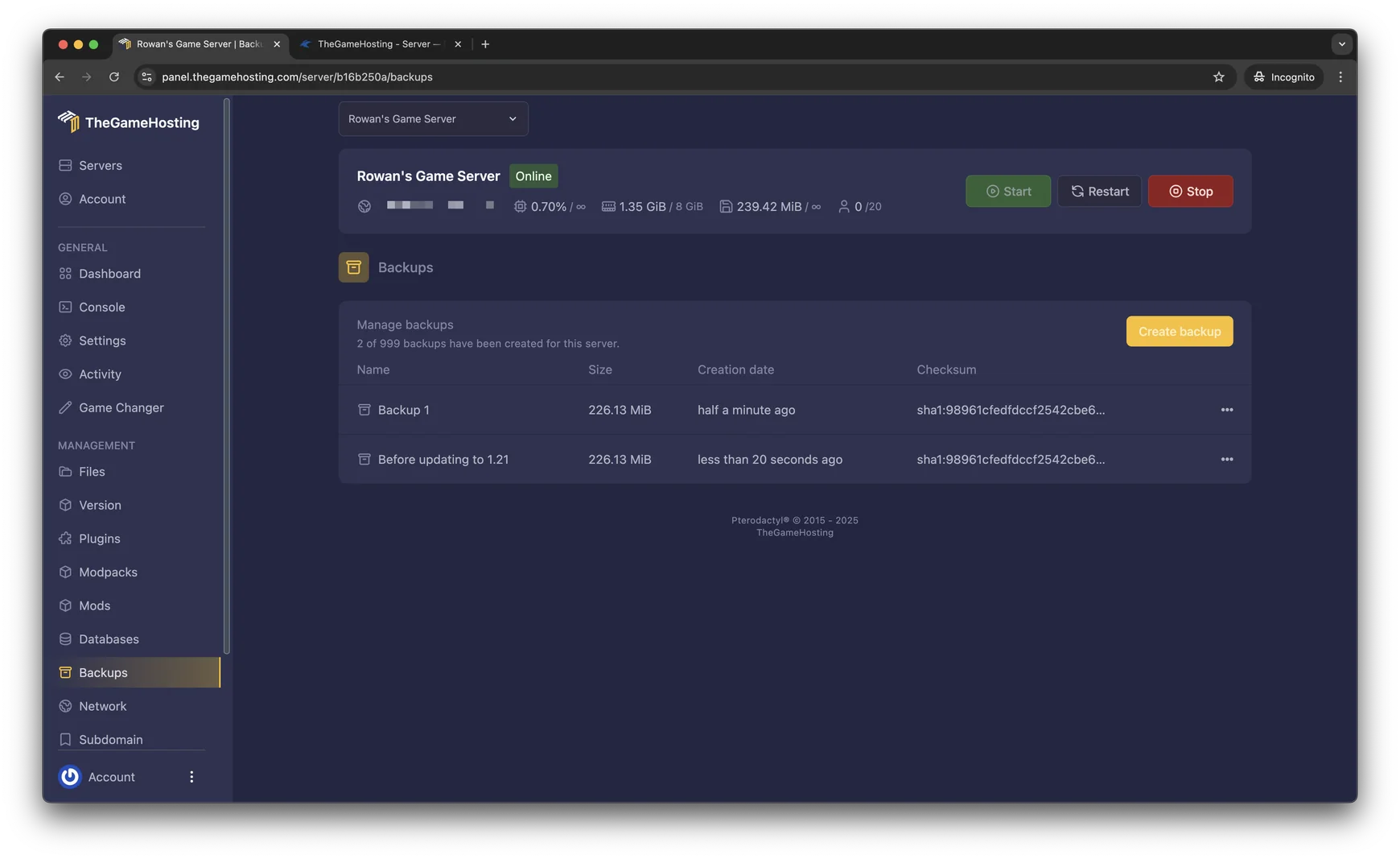
Not set up yet? Start with how to make a Minecraft Bedrock server. For other ways to run Bedrock, such as PocketMine-MP and Nukkit, read the best Minecraft Bedrock server software.
FAQ
Can I install Java mods on a Bedrock server?
No. Java mods are .jar files built for Java Edition and do not run on Bedrock. Bedrock servers use add-ons made of behavior packs and resource packs, and Mojang's Scripting API for scripted behavior.
Can I use Marketplace add-ons on my own server?
No. The Minecraft Wiki says Marketplace packs cannot be applied to worlds on external servers. Use free add-ons from the pack's author instead.
Where do behavior packs go on a Bedrock server?
Put behavior packs in the behavior_packs folder of the server and resource packs in resource_packs. Packs there are available to any world. You then enable them for a world in its world_behavior_packs.json file.
How do I make players download my resource pack?
Set texturepack-required=true in server.properties and restart the server. With the default value, false, players are not forced to use the server's resource packs.
Do add-ons turn off achievements?
Custom behavior packs permanently disable achievement unlocking for the world, according to the Minecraft Wiki. Keep a copy of the world without add-ons if you still want to earn achievements there.
Hosting for these games
 Minecraft Bedrock hostingPhones, consoles and Windows
 Minecraft Java hostingPaper, Purpur, Fabric, Forge and more
Written by TheGameHosting Team, the people who run our servers in Dallas and Amsterdam and answer your tickets.
All posts