
Minecraft Bedrock Edition

Minecraft Bedrock Server Hosting

Host a Minecraft Bedrock server for friends on phones, tablets, Windows and consoles. Run Mojang's official Bedrock Dedicated Server, or switch to PocketMine-MP or Nukkit when you want plugins, on AMD 9950X/7950X3D CPUs with DDR5 RAM.

  • Official Bedrock Dedicated Server
  • PocketMine-MP and Nukkit
  • Upload worlds and add-ons
  • Unlimited slots

Plans from $1.90 USD / month

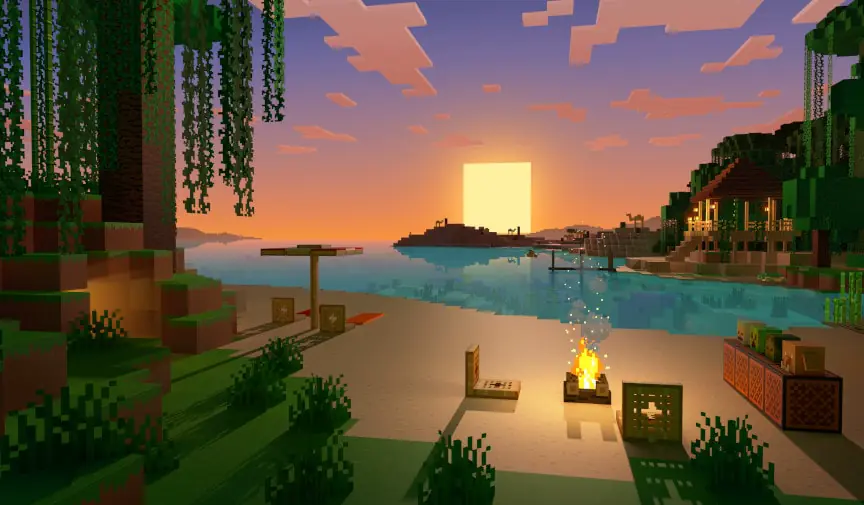
Minecraft beach at sunset with a campfire and a wooden house
Minecraft character in a hood with a diamond sword and floating obsidian blocks

Minecraft BedrockRequires 1 GB RAM · runs on all 9 plans

Pick your Bedrock server softwareAll three are in the panel's Game Changer, on the same plan

  • Bedrock VanillaMojang's official server
  • PocketMine-MPPHP server with plugins
  • NukkitJava server with plugins
  • Add-onsBehavior and resource packs

Use code FULL2026 at checkout for 15% off for life

Swipe or tap a plan

Slide to pick your RAM Use the arrow keys too

Every plan includes

    Your Bedrock server, managed from one panel

    These are screenshots of our real panel. Every tool here comes with every plan, and none of it needs a command line.

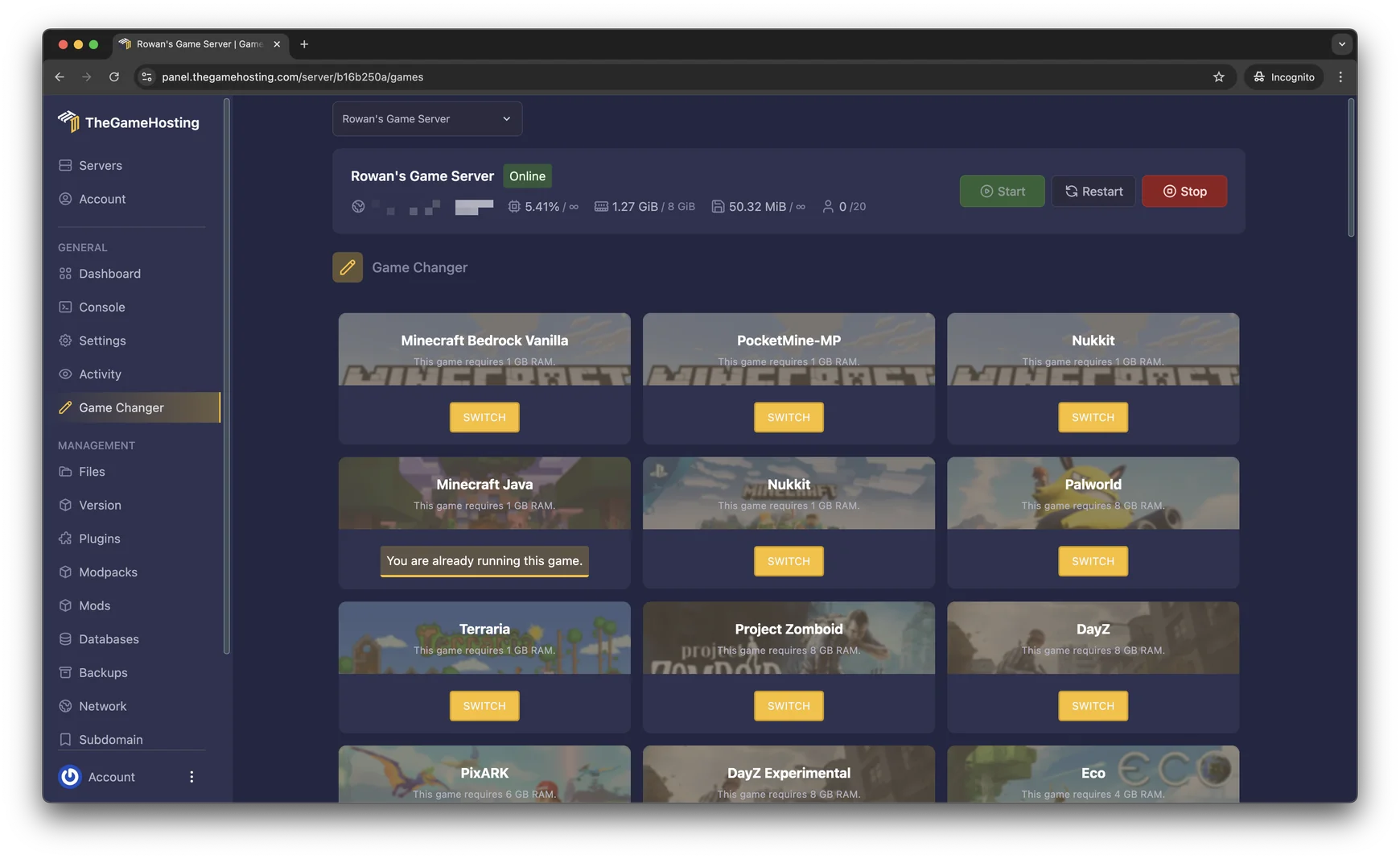
    Game Changer in the TheGameHosting panel: a grid of games such as Minecraft Bedrock Vanilla, PocketMine-MP, Nukkit, Palworld, Terraria, Project Zomboid, DayZ and PixARK, each with its RAM requirement and a Switch button

    Try the live panel demoPrefer to click around? Try the panel demo on our home page.

    Everything included with your Bedrock server

    No add-ons to unlock and no tiers with missing features. The only thing that changes between plans is the RAM.

    Play your way

    • Crossplay availableBedrock is one edition across phones, tablets, Windows and consoles.
    • Unlimited slotsInvite the whole class or the whole family. RAM is the limit.
    • Three Bedrock serversBedrock Vanilla, PocketMine-MP or Nukkit in the Game Changer.
    • Add-onsUpload behavior and resource packs with the file manager.

    Manage it easily

    • File manager and full sFTPEdit server.properties in the browser or upload a world over sFTP.
    • Backup SystemCreate and restore backups of your world from the panel.
    • 2 free databasesFor plugins that store data in MySQL.
    • Location ChangerDallas, TX or Amsterdam, NL, switch any time.

    Fast and protected

    • AMD 9950X/7950X3DUp to 5.7Ghz on hardware we own.
    • DDR5 RAM and NVMeFast chunk loading on Samsung NVMe, with dedicated DDR5.
    • DDoS protectionGriefers can't knock your world offline with floods of traffic.
    • Ready in 60 secondsOrder, pay and your Bedrock world is live within a minute.

    A Bedrock server that is always online

    Hosting a world from your own phone or console only works while you are playing. A Minecraft Bedrock server keeps the world running around the clock, so friends can log in whenever they like, build while you sleep and pick up exactly where they left off.

    Compared with a Realm, your own server gives you the files. You choose the software, edit server.properties, upload worlds and add-ons, make backups when you want them, and there is no slot limit from us: RAM is the only ceiling. Your server is ready within 60 seconds after payment.
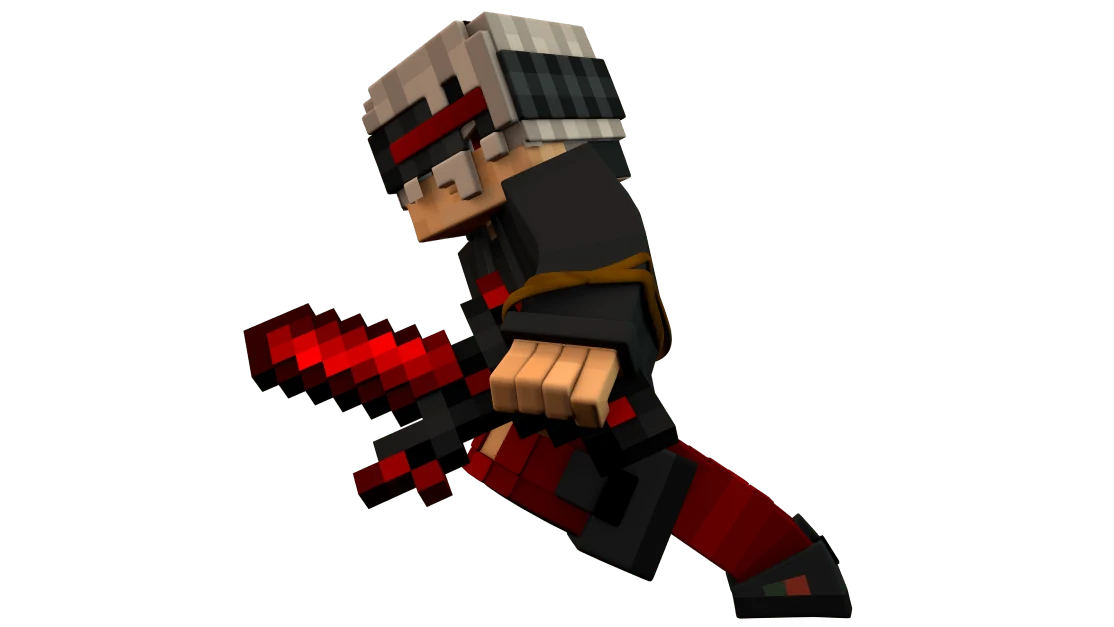
    Minecraft character running into battle with a red sword

    Bedrock Dedicated Server, PocketMine-MP or Nukkit

    The Game Changer in our panel lists three ways to run Bedrock. They all speak the same protocol to players, so the choice is about what you want on the server side.

    Bedrock Dedicated Server (Vanilla)

    Mojang's official server software, listed as Minecraft Bedrock Vanilla. It plays exactly like the game itself, with the same world generation, redstone and mobs, and it loads behavior and resource packs. Choose it for survival worlds that should feel like the real thing.

    PocketMine-MP

    A community server written in PHP with a long-running plugin ecosystem for minigames, economies and permissions. It is not a copy of vanilla gameplay, so it suits hubs and minigame servers more than plain survival.

    Nukkit

    A community server written in Java, also built around plugins. Many server owners pick it for custom game modes and server networks. Make a backup before switching between servers: each one stores its world and settings in its own way.

    Game Changer in the TheGameHosting panel with Minecraft Bedrock Vanilla, PocketMine-MP and Nukkit in the top row, then Minecraft Java and other games
    Our real Game Changer: Bedrock Vanilla, PocketMine-MP and Nukkit sit in the top row.

    Who can join a Bedrock server?

    Bedrock Edition is the version of Minecraft on Android, iPhone and iPad, Windows, Xbox, PlayStation and Nintendo Switch, and all of them play together. Players connect with your server's address and port, which you see in the panel.

    • Phones, tablets and Windows: open Play, then Servers, then Add Server.
    • Xbox, PlayStation and Switch: the Servers tab only lists featured servers, so console players usually need a workaround to join a custom server. Ask our support team about the options.
    • Java Edition players can't join a Bedrock server. For Java and Bedrock together, run a Java server with Geyser instead.

    Want that setup? See our Minecraft Java server hosting, where crossplay is usually set up with Geyser and Floodgate.

    3D character in a yellow hoodie holding a game controller

    Worlds, add-ons and server settings

    Upload an existing world

    Export a world from the game as a .mcworld file, which is a zip archive. Upload it in the file manager or over sFTP, extract it into the worlds folder and set level-name in server.properties to the folder name. Make a backup first if the server already has a world you want to keep.

    Behavior and resource packs

    Add-ons change mobs, items and textures. Upload the packs to the behavior_packs and resource_packs folders and enable them for your world, then restart the server.

    The settings people change first

    gamemode, difficulty, allow-cheats, max-players and view-distance live in server.properties. Turn on allow-list and add your friends with allowlist add <name> in the console to keep the world private.

    File Manager in the TheGameHosting panel listing a server's folders and files, with search, upload and new file buttons
    The file manager in our panel. Everything here is also reachable over sFTP.

    How much RAM does a Bedrock server need?

    Minecraft Bedrock needs at least 1 GB of RAM, so it runs on every plan we sell, starting with 2 GB. PocketMine-MP and Nukkit also start at 1 GB. What pushes memory up:

    • More players online at the same time, each loading their own area.
    • A longer view or simulation distance, which keeps more of the world in memory.
    • Add-ons with many custom entities, and plugin-heavy PocketMine-MP or Nukkit servers.

    We don't cap slots, so RAM is what sets your ceiling. A small world for friends sits at the low end of the slider. If you are unsure, tell our support what you plan to run.

    Bedrock requires 1 GB RAMEvery plan runs it

    • 2 GB
    • 4 GB
    • 6 GB
    • 8 GB
    • 10 GB
    • 12 GB
    • 16 GB
    • 32 GB
    • 64 GB

    Hardware we own, in Dallas and Amsterdam

    Your world runs on servers we bought and manage ourselves, not on rented capacity. Every plan runs on AMD 9950X/7950X3D processors up to 5.7Ghz with DDR5 RAM and Samsung NVMe storage, so farms, redstone and busy spawn areas keep ticking smoothly and chunks load fast as players explore.

    Pick Dallas, TX (United States) or Amsterdam (Netherlands) for your Bedrock world. Both sit on a 10 Gbps network with advanced cooling, UPS backup power and DDoS protection in front of every server.

    • AMD 9950X/7950X3D up to 5.7Ghz
    • DDR5 RAM
    • Samsung NVMe Storage
    • 10 Gbps Network
    • UPS Backup Power
    • Dallas, TX & Amsterdam, NL

    Real people on support

    Our team is available 24/7/365. Ask about an add-on that won't load, a world import or how a console friend can join, and a person answers.

    • Live chat
    • Email
    • Ticket system
    Contact support

    Minecraft Bedrock hosting questions

    Can't find your answer? Ask our support team.

    How fast is my Bedrock server ready?

    Your Bedrock server is ready within 60 seconds after payment. The access details arrive by email, and you can pick Bedrock Vanilla, PocketMine-MP or Nukkit in the panel straight away.

    What is the difference between Bedrock Dedicated Server, PocketMine-MP and Nukkit?

    Bedrock Dedicated Server is Mojang's official server and plays exactly like the game. PocketMine-MP (PHP) and Nukkit (Java) are community servers built around plugins for minigames, economies and permissions, and they don't copy every vanilla mechanic. All three are in our Game Changer on the same plan.

    Can players on phones, Windows and consoles join?

    Bedrock Edition players on Android, iPhone, iPad and Windows can add your server with its address and port. On Xbox, PlayStation and Nintendo Switch the Servers tab only lists featured servers, so console players usually need a workaround to join a custom server. Our support team can explain the options.

    How do I connect to my Bedrock server?

    In Minecraft, open Play, then Servers, then Add Server. Enter a name, the server address and the port shown in our panel, save, and join.

    Can Java Edition players join my Bedrock server?

    No. Java players can't join a Bedrock server. For Java and Bedrock players together, run a Minecraft Java server with the Geyser and Floodgate plugins instead.

    Can I upload my existing Bedrock world?

    Yes. Export the world as a .mcworld file, which is a zip archive, upload it with the file manager or over sFTP and extract it into the worlds folder. Then set level-name in server.properties to the folder name and restart. Our support team can help with the move.

    How much RAM do I need for Minecraft Bedrock?

    Minecraft Bedrock needs at least 1 GB of RAM, so it runs on every plan, starting with 2 GB. More players, a longer view distance, heavy add-ons and plugin-heavy servers all use more memory. There is no slot limit, so RAM is what sets your ceiling.

    Where are your Bedrock servers hosted?

    In Dallas, TX (United States) and Amsterdam (Netherlands), on hardware we own in both locations. Pick the one closest to most of your players and switch later with the Location Changer.

    Do you have a discount code?

    Use promo code FULL2026 at checkout for 15% off for life.

    Is TheGameHosting affiliated with Mojang?

    No. TheGameHosting is an independent game server host and is not connected to Mojang AB or Microsoft.

    Start your Bedrock server today

    Ready within 60 seconds after payment. Bedrock Vanilla, PocketMine-MP or Nukkit on the same plan as every other game on our list.

    Use promo code FULL2026 at checkout for 15% off for life.