 TheGameHosting Team
To join your own Bedrock server on Xbox, PlayStation or Switch, use the BedrockConnect phone app. Add your server's address and port in the app, start it on the same Wi-Fi as your console, then open the Worlds tab in Minecraft. The server appears there as a LAN world. A DNS method also exists.
Why consoles cannot add a server
On Windows and phones, Minecraft Bedrock has an Add Server button. On consoles it does not. According to the Minecraft Wiki, the featured servers are the only servers available on console versions, and external servers cannot be added or accessed from the game itself. That is why console players need a helper to reach a private server.
Both helpers below work with a Bedrock server you host yourself. They also work with a Java server that runs Geyser, as described in the Geyser setup guide.
Before you start
- Your server's address and port. The default Bedrock port is
19132. On a hosting panel, copy both from the panel. - A server that is online. The server must be running Minecraft Bedrock Edition before you try to join.
- An online subscription on the console. The Minecraft Wiki says playing multiplayer on console requires Xbox Game Pass, PlayStation Plus or Nintendo Switch Online.
- A phone (Android or iOS) for the app method.
| Console | Subscription needed for multiplayer | Works with |
|---|---|---|
| Xbox | Xbox Game Pass | BedrockConnect app, DNS method |
| PlayStation | PlayStation Plus | BedrockConnect app, DNS method |
| Nintendo Switch | Nintendo Switch Online | BedrockConnect app, DNS method |
Method 1: the BedrockConnect app (no DNS changes)
BedrockConnect is a community tool. Its current documentation describes an app that makes your server appear as a LAN world, so you do not touch the console's network settings. The wiki says this works for Xbox, PlayStation and Nintendo Switch.
- Install the BedrockConnect app (version 4.0.88 or newer) on an Android or iOS phone connected to the same Wi-Fi network as your console. Turn off any VPN, and do not use mobile data or a guest network.
- In the app, open the Custom tab and tap the blue + button.
- On the Add Custom Server screen, fill in a name, the Server IP Address (an IPv4 address or a domain) and the Server Port, usually
19132. Tap Save. - Tap your server, then Start. The app runs one server at a time.
- On the console, open Minecraft Bedrock and go to the Worlds tab. On some versions it appears in the Friends tab. Your server is listed as a LAN world. Join it.
- Keep the app open until you are in the world.
The documentation says free accounts can save up to 3 custom servers, and that custom servers are stored only on your phone. If your server does not appear, check the Wi-Fi network first; Minecraft Bedrock server not showing up lists the other causes.
Method 2: change the console's DNS
The BedrockConnect project's README on GitHub also describes a DNS method that needs no app. Your console sends its DNS lookups to a server run by someone else, so only use it if you are comfortable with that. Set the DNS manually on the console:
| Console | Primary DNS | Secondary DNS |
|---|---|---|
| Xbox and Nintendo Switch | 104.238.130.180 | 8.8.8.8 |
| PlayStation | 45.55.68.52 | 8.8.8.8 |
On a PS5 the path is Settings, Network, Settings, Set up internet connection, Advanced Settings, then DNS Settings, set to Manual. After saving, open Minecraft and go to the Servers tab. Join one of the featured servers that BedrockConnect lists as compatible, and BedrockConnect's own menu opens. If the connection fails, check the project's page for the current DNS addresses, because they can change.
If the server does not show up
- App method: phone and console must share one Wi-Fi network. A VPN, a guest network or a strict firewall stops the LAN world from appearing.
- Wrong address or port: re-enter them. If your host lists the address as
address:port, the number after the colon goes in the port field. - Server offline or full: check that it is running and that your name is on the allowlist.
- No subscription: without Xbox Game Pass, PlayStation Plus or Nintendo Switch Online, the console blocks online multiplayer.
Tips for a smooth console session
- Add the right name to the allowlist. Console players sign in to Minecraft with a Microsoft account, so the owner adds that account's Gamertag with
allowlist add. A PlayStation or Nintendo profile name will not match. - Keep the phone nearby. With the app method, the app must stay open until the console is in the world, so do not lock down background apps on the phone.
- Pick a close location. Console players feel lag more when the server is far away. Choose the data center nearest to most of the group.
- Test with one console first. Get one person in, then send the steps to everyone else so each friend does not have to troubleshoot alone.
Make a console-ready Bedrock server on TheGameHosting
The console steps above are the same for every server. What changes is the server behind them: one that is always on, close to your players and not tied to a PC at home. Here is how to get one running with us.
- Open Minecraft Bedrock server hosting and choose a plan. Bedrock needs 1 GB of RAM, so every one of the nine plans on the plans page can run it.
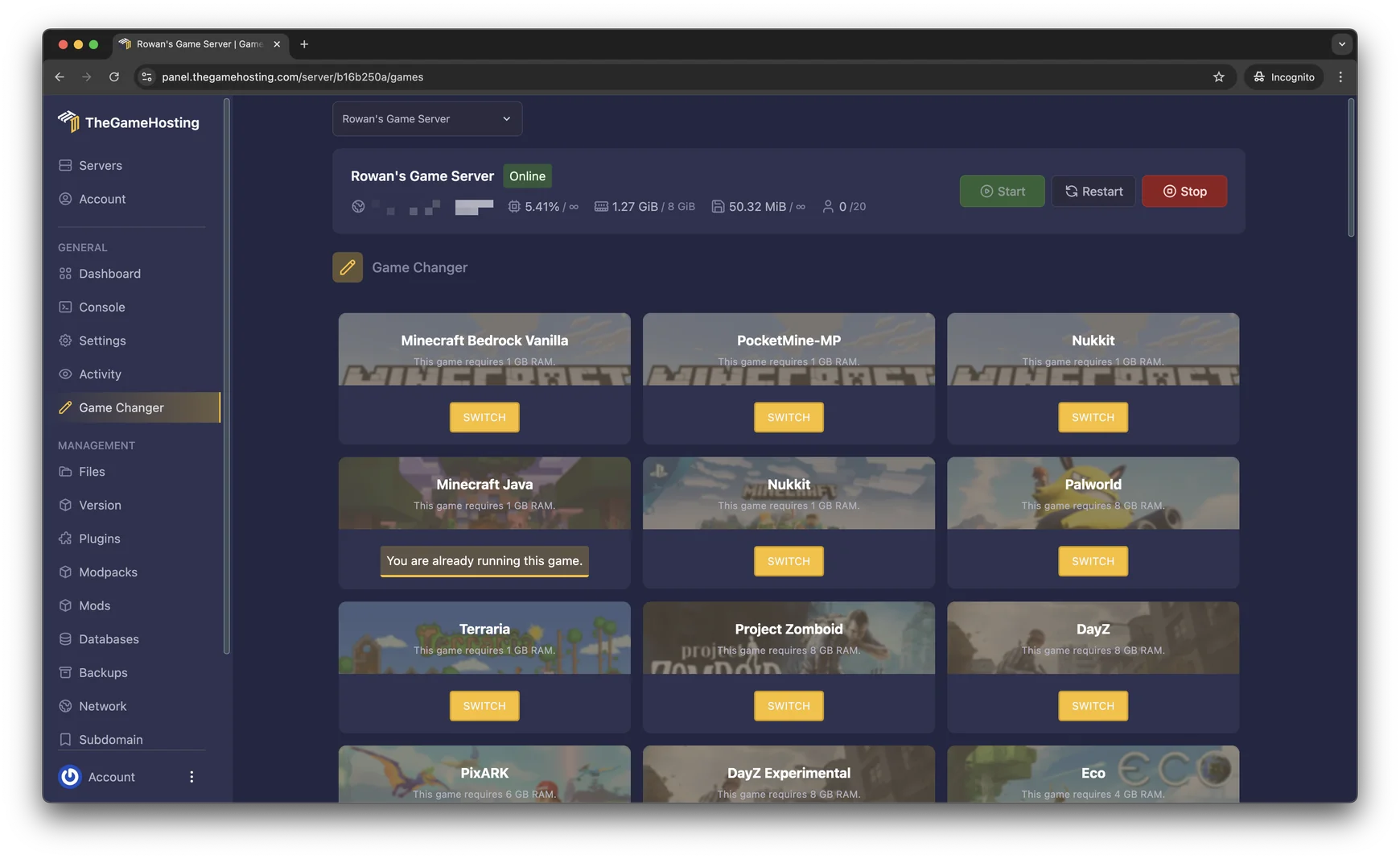
- In the panel, use Game Changer to pick Minecraft Bedrock Vanilla if your server is set to another game. Back it up first if it already holds a world.
- Copy the server address and port from the panel into the BedrockConnect app.
- Use the Location Changer to pick Dallas or Amsterdam, whichever is closer to most of your players.
New to running a Bedrock server? How to make a Minecraft Bedrock server covers settings and the allowlist. Friends on phones and Windows can follow how to add a server in Minecraft Bedrock.
FAQ
Can you join a custom server on Xbox, PlayStation or Switch without a helper?
No. The Minecraft Wiki states that on console versions the featured servers are the only servers available, and external servers cannot be added. Console players need a helper such as BedrockConnect, or a friend on a LAN world.
Do I need a subscription to play on a server on console?
Yes. Playing a multiplayer game on console requires Xbox Game Pass, PlayStation Plus or Nintendo Switch Online, according to the Minecraft Wiki. The BedrockConnect documentation lists the same requirement.
Is changing my console's DNS safe?
The DNS method sends your console's DNS lookups to a server run by a third party. The BedrockConnect app method needs no DNS change, so choose it if you would rather leave your network settings alone.
Can console players join a Java server?
Yes, if the Java server runs Geyser. The console player then joins the Geyser address and Bedrock port, using the same BedrockConnect steps as for a Bedrock server.
Why does my server not appear in the Worlds tab?
The phone running the BedrockConnect app and the console must be on the same Wi-Fi network, with no VPN, mobile data or guest network. The app must also stay open until you are in the world.
Hosting for these games
 Minecraft Bedrock hostingPhones, consoles and Windows
 Minecraft Java hostingPaper, Purpur, Fabric, Forge and more
Written by TheGameHosting Team, the people who run our servers in Dallas and Amsterdam and answer your tickets.
All posts