 TheGameHosting Team
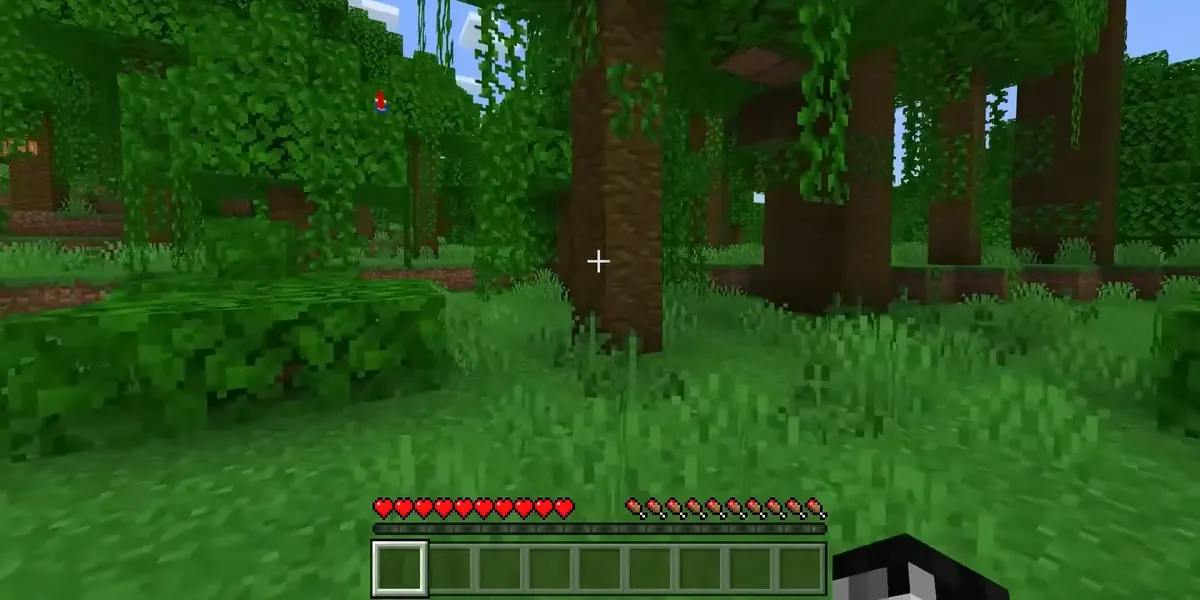
A Cobblemon server is a Minecraft Java Edition server running the Cobblemon mod, which today means Minecraft 1.21.1 on Fabric or NeoForge. The quickest way to make a Cobblemon server for friends is to install the official Cobblemon modpack from Modrinth on the server and have everyone install the same pack in their launcher. Then you share one address and play in the same world, even when you are offline.
Cobblemon is an open-source, fan-made mod that adds creatures to catch, battle, evolve and ride inside Minecraft. It is a fan project and is not affiliated with Nintendo, Game Freak or The Pokémon Company. Below is what the server needs, three ways to set it up on TheGameHosting, the short version for your own PC and the errors friends usually hit on the first night.
What a Cobblemon server needs
Every value in this table comes from Cobblemon’s own Modrinth page and wiki, as of November 2026 (Cobblemon 1.8.4, released October 27, 2026).
| Item | What to use | Note |
|---|---|---|
| Edition | Minecraft: Java Edition | The Cobblemon wiki says it will not come to Bedrock |
| Minecraft version | 1.21.1 | Older Cobblemon builds exist for 1.20.1 and 1.19.2 |
| Mod loader | Fabric or NeoForge | The team recommends Fabric for better performance |
| Required library | Fabric API (Fabric) or Kotlin for Forge (NeoForge) | Goes in mods next to Cobblemon |
| Java | Java 21 | Required by Minecraft 1.20.5 and later |
| Players | Cobblemon on their own client too | Same mod version as the server |
| Port | 25565 by default | Set by server-port in server.properties |
Cobblemon has no official public server of its own. Its Modrinth page says so directly and points players to community servers or to running their own, which is what this guide covers.
Official modpack, Cobblemon alone or a bigger pack
You have three sensible starting points. Pick one before you touch the server, because your friends will need exactly the same thing.
| Option | What you get | Best for |
|---|---|---|
| Cobblemon Official Modpack [Fabric] | Cobblemon 1.8.4, Minecraft 1.21.1, Fabric Loader 0.20.1, 75 mods including performance and quality-of-life mods | Most groups: one install and everyone matches |
| Cobblemon Official Modpack [NeoForge] | The same idea on NeoForge | Groups that want to add NeoForge-only mods |
| Cobblemon + Fabric API only | Two JARs on a Fabric 1.21.1 server | Light setups or adding Cobblemon to your own mod list |
| Cobbleverse (third-party pack) | A larger Fabric 1.21.1 pack on Modrinth built around Cobblemon, with gyms, extra structures and more | Groups that want a full adventure and have RAM to spare |
Modpacks lock their own Cobblemon version. Cobbleverse, for example, listed Cobblemon 1.7.3 on its Modrinth page at its last update, not 1.8.4. Do not swap the Cobblemon JAR inside a pack for a newer one: wait for the pack author to update, then update the server and every player together.
How to make a Cobblemon server on TheGameHosting
On a Minecraft Java server at TheGameHosting you do this from the web panel, which also works in your phone’s browser. No command line and nothing to install on your PC. Start with a backup if the server already has a world you care about: Backups, then Create backup.
Route 1: the official modpack in one click
- Choose Modpacks in the side menu and set the provider to Modrinth.
- Search for Cobblemon and open Cobblemon Official Modpack [Fabric] (or a pack such as Cobbleverse).
- Click Install. The Modpack Installer sets the loader, the mods and the configs for you.
- Press Start and watch the Console until the server says it is done loading.
Route 2: Cobblemon on a plain Fabric server
- Choose Version (the Version Changer), pick Fabric and Minecraft 1.21.1, and click Install.
- Choose Mods (the Mod Installer), set the server type to Fabric and the category to Modrinth, and filter by 1.21.1.
- Install Fabric API first, then Cobblemon.
- Restart the server and check the Console for errors.
Route 3: NeoForge with your own JARs
- In Version, pick NeoForge for 1.21.1 and install it. Start it once so the
modsfolder is created, then stop it. - Download the Cobblemon NeoForge file and Kotlin for Forge for 1.21.1 from Modrinth.
- Upload both JARs to
modswith Files, or with sFTP if you are moving many files. - Start the server again.
The details of each route, including what to do with packs from other sites, are in our guides on how to make a Minecraft modpack server and how to install mods on a Minecraft server.
How much RAM a Cobblemon server needs
Cobblemon does not publish an official RAM figure for servers, so treat these numbers as a starting point, not a rule. What really drives memory is the size of the pack, how many players are online and how far apart they explore, because every player loads chunks full of spawning creatures around them.
| Setup | Starting point | TheGameHosting plan |
|---|---|---|
| Cobblemon + Fabric API, 2–4 friends | 4–6 GB | 4 GB ($3.69/mo) or 6 GB ($5.39/mo) |
| Official modpack, a group of friends | 6–8 GB | 6 GB ($5.39/mo) or 8 GB ($6.96/mo) |
| Large packs such as Cobbleverse, or 10+ players spread out | 8–12 GB or more | 10 GB ($8.59/mo) to 16 GB ($12.89/mo) |
For reference, the Cobbleverse page itself recommends 6 GB of RAM or more for multiplayer. Start in the range above, play a few sessions and watch memory use in the panel. If it sits near the limit or the Console shows OutOfMemoryError, move up one size. Our guide on how much RAM a Minecraft server needs explains how to read those numbers.
Hosting a Cobblemon server on your own PC
You can also run it at home. The short version for Fabric:
- Install Java 21.
- Download the server launcher for Minecraft 1.21.1 from the Fabric server page into an empty folder.
- Run it once with
java -Xmx6G -jarfollowed by the launcher’s file name andnogui. It stops and createseula.txt. - Set
eula=true, putfabric-apiand the Cobblemon Fabric JAR inmods, and start it again. - Let friends outside your house connect by opening port 25565 on your router, or through a tunnel or VPN.
The catch is that the world only exists while that PC is on and the server window is open. A modded server also takes RAM and CPU away from the game you are playing on the same machine.
Get your friends into the server
Cobblemon runs on both sides, so every player needs it, with the same version as the server. The easy way is the same modpack:
- Each friend installs the same pack and the same pack version in the Modrinth App, Prism Launcher or the CurseForge app. The Cobblemon wiki installation guide covers all three.
- They launch that instance, open Multiplayer, click Add Server and paste your address.
- If you run Cobblemon without a pack, send them the exact list: Minecraft 1.21.1, the loader, Fabric API (or Kotlin for Forge) and the Cobblemon version.
Client-side mods are the other half of the story. In version 1.8.4 of the official Fabric pack, 41 of its 75 mods are marked as unsupported on the server, among them Sodium, Iris, Mod Menu and Entity Culling. Players keep them; the server should not load them. If your friends are new to all this, our guide on how to play Minecraft with friends compares every way to share a world.
Cobblemon settings worth knowing
Cobblemon keeps its server settings in config/cobblemon/main.json. Edit it in Files with the server stopped, then start it. A few keys from the official config list:
| Key | Default | What it changes |
|---|---|---|
maxPokemonLevel | 100 | Highest level a creature can reach |
experienceMultiplier | 2 | Extra experience multiplier |
defaultBoxCount | 30 | Number of PC boxes per player |
pokemonPerChunk | 1.0 | How many creatures can spawn per chunk |
playerDamagePokemon | true | Whether players can hit creatures like normal mobs |
Lowering spawn density is one of the few levers you have if a busy server starts to lag.
When friends cannot join or the server crashes
| What you see | Likely cause and fix |
|---|---|
| A friend is kicked with a mod or registry mismatch | Their Cobblemon or pack version differs from the server. Make both identical. |
| Crash that mentions Fabric API or Kotlin | The required library is missing or for the wrong Minecraft version. Add the 1.21.1 build. |
| Crash that names a rendering or menu mod | A client-only mod reached the server. Remove it from mods. |
| Error about an unsupported class file version | The server is not on Java 21. Fix the Java version. |
| A friend on a phone or console cannot connect | Cobblemon is Java Edition only, so Bedrock players cannot join. |
When a crash is not obvious, open logs/latest.log and the newest file in crash-reports: the first error usually names the mod at fault.
Skip the setup: your Cobblemon server on TheGameHosting
Running Cobblemon at home means matching versions, opening ports and leaving a PC on so your friends can keep catching while you sleep. On TheGameHosting the server is ready about 60 seconds after payment, already has a public IP and port, stays online 24/7 and installs the official pack from Modrinth in one click, with Backups ready before every update. Choose Dallas or Amsterdam, whichever is closer to your group, and pick 6 or 8 GB for a group of friends. Compare sizes on the plans and pricing page and use the code FULL2026 for 15% off for life.
FAQ
Can Bedrock players join a Cobblemon server?
No. The Cobblemon wiki says the mod is only for Minecraft: Java Edition and will not come to Bedrock, and every player needs the mod installed on their own client to join.
Do my friends need to install Cobblemon to join?
Yes. Cobblemon is required on both the server and the client, and the versions must match. The simplest way is for everyone to install the same modpack and pack version as the server.
Should I use Fabric or NeoForge for Cobblemon?
Either works on Minecraft 1.21.1. The Cobblemon team recommends Fabric because it performs better, and the official Fabric pack is the most used. Choose NeoForge only if you want to add mods that exist only for NeoForge.
Is there an official Cobblemon server I can join?
No. Cobblemon’s Modrinth page says it does not run an official server. You can join community servers or make your own, as in this guide.
Can I add Cobblemon to my existing Minecraft world?
If the world is on Minecraft 1.21.1 and you switch the server to Fabric or NeoForge, yes. Make a backup first. New structures from mods only generate in chunks that did not exist yet, so explore new areas to find them. See how to install mods on a Minecraft server.
How do I update my Cobblemon server?
Back up the server, then update it and every player to the same new version at the same time. If you use a modpack, wait until the pack itself is updated instead of swapping the Cobblemon JAR by hand.
Hosting for these games


Written by TheGameHosting Team, the people who run our servers in Dallas and Amsterdam and answer your tickets.
All posts