 TheGameHosting Team
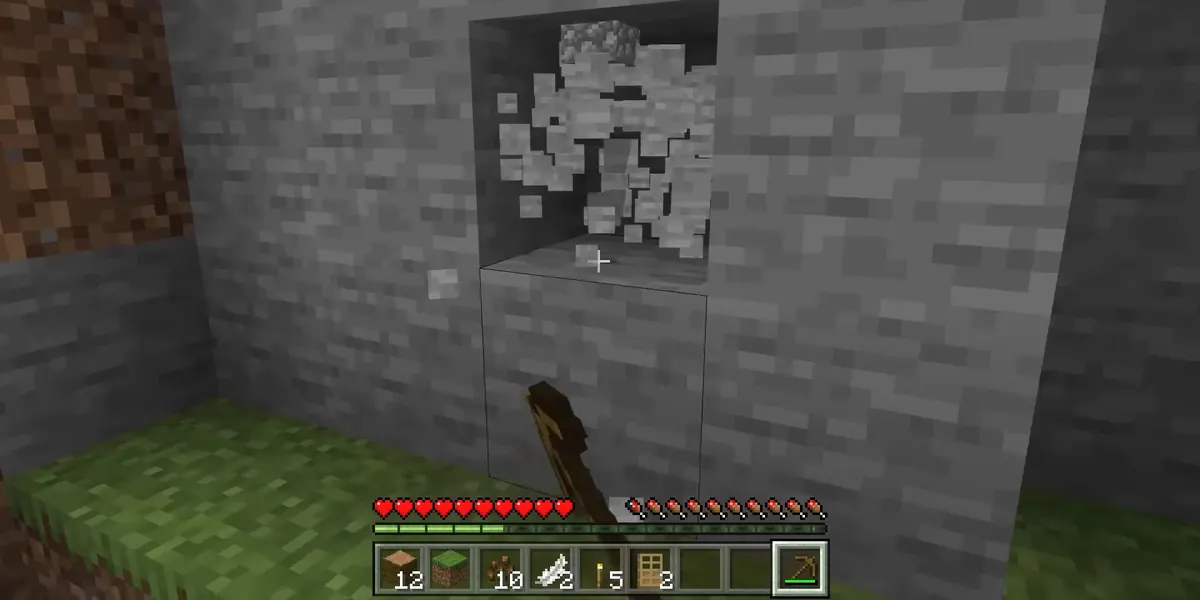

To make a OneBlock server, run Paper, install the BentoBox plugin with its AOneBlock addon, restart, and have each player type /ob. Every player gets an island in an empty void with a single magic block that turns into a new block, mob or chest each time it is mined. If you prefer no plugins at all, a OneBlock data pack on a brand-new world does a simpler version of the same thing.
This guide covers both routes with real, maintained projects, the commands players use every day, the settings worth changing before friends join, and how to keep a OneBlock server online without leaving your PC on.
What a OneBlock server is
OneBlock is a skyblock variant: instead of a small starting island, you stand on one block floating in the void. Break it and it comes back as something else. As you keep mining, it moves through themed phases, so you start with plains blocks and later get caves, oceans, the Nether and more. On a multiplayer oneblock server, each player or team gets its own island far away from the others, and everyone can visit spawn or each other.
Two things make it feel different from a normal survival server: there is no terrain, so falling is the main danger, and the server decides what you get from the block, so progress depends on mining it over and over.
OneBlock server options: plugin or data pack
These are four maintained OneBlock projects we checked on Modrinth. The "latest version" column is what each page listed at the time of writing, so check again before you install.
| Project | Type | How it works | Latest Minecraft listed |
|---|---|---|---|
| AOneBlock (needs BentoBox) | Plugin addon (Paper, Purpur, Spigot) | Island per player or team, phases with around 16,000 block placements on 26.3, chests by rarity, admin tools | 26.3 |
| OneBlock by MrMarL | Plugin (Paper, Purpur, Spigot, Folia) | Admin sets a start point with /ob set; players join with /ob join; needs a world for the islands | 26.3 |
| One Block Server Datapack (MD22) | Data pack | Own island per player on join, a random item every 3 seconds, needs a new world | 26.3 |
| Vanilla One Block (BPR02) | Data pack | One grass block in a void world, closer to the single-player challenge | 26.2 |
For a group of friends or a public server, AOneBlock is the most complete option: islands, teams, protection and phases come out of the box, and it is the route the rest of this guide follows. AOneBlock 1.27.0 and newer runs on Java 25, which is what Minecraft 26.x already uses, and needs BentoBox API 3.22.0 or newer according to the official AOneBlock docs.
How to set up a OneBlock server with Paper and AOneBlock
- Switch the server to Paper (or Purpur) on the Minecraft version you want. AOneBlock supports 26.x and 1.21.5 or newer; the Sulfur Caves phase needs 26.2+ and Dappled Forest needs 26.3+.
- Put the BentoBox jar in the
pluginsfolder and start the server once so BentoBox creates its folders. Our guide on installing plugins on a Paper server shows this step in detail. - Stop the server and upload the AOneBlock jar to
plugins/BentoBox/addons/, not toplugins. It is an addon, so BentoBox loads it. - Start the server. AOneBlock creates its worlds (by default
oneblock_world,oneblock_world_netherandoneblock_world_end) and its config inplugins/BentoBox/addons/AOneBlock/. - Stop the server, edit
config.ymlif you want to change world settings, and start it again. If a change affects world generation, the docs say to delete the worlds the addon created by default before that restart. - Join and type
/ob. The first time, it creates your island and puts you on the magic block.
plugins/
├── BentoBox-x.y.z.jar
└── BentoBox/
    └── addons/
└── AOneBlock-x.y.z.jarOneBlock commands players and admins use
AOneBlock shares most of its island commands with the other BentoBox game modes, using /ob for players and /oba for admins. These are the ones you will type most:
| Command | What it does |
|---|---|
/ob | Creates your island the first time; afterwards it is the main island command |
/ob go | Teleports you to your island |
/ob team invite <player> | Invites a friend to share your island |
/ob reset | Starts your island over and removes the old one |
/ob count | Shows how many blocks you have mined and your current phase |
/ob check | Shows particles around the magic block, or respawns it if it is missing |
/ob phases | Opens the phase menu (permission aoneblock.phases, off by default) |
/oba setcount <player> <number> | Admin: changes a player's block count and phase |
/oba phases | Admin: reorders, disables or resizes phases in a menu |
/bbox reload | Reloads BentoBox and its addons after a config change |
Settings worth changing before friends join
AOneBlock's config.yml is long, but a few options matter on day one:
| Option | Default | Why change it |
|---|---|---|
world.world-name | oneblock_world | Prefix for the overworld, Nether and End of the game mode |
world.island-height | 80 | Height of the magic block |
island.create-island-on-first-login.enable | false | Set to true so new players get an island without typing a command (delay defaults to 5 seconds) |
island.max-team-size | 4 | Maximum players per island team |
aoneblock.bossbar / aoneblock.actionbar | true | Lets players toggle phase progress on screen with /ob bossbar or /ob actionbar |
| Nether and End islands | Vanilla Nether only | The config can add island-based Nether and End worlds |
Phases live in the phases folder, two files per phase: one for blocks and mobs, one for chests. You can change probabilities there, and /oba sanity checks a phase file for mistakes. If your group plays together, also decide on death rules: many OneBlock servers turn on keep inventory because falling into the void is common, as explained in our guide to Minecraft server keep inventory.
Using a data pack or a void world instead
Data packs need a world that has not been generated yet, because the void is created with the world. The One Block Server Datapack instructions say to stop the server, start a new world (delete it or set a new level-name in server.properties), put the .zip in <level-name>/datapacks/ and start the server. It works on vanilla, Paper, Fabric and NeoForge.
If you want an empty main world for a lobby next to a plugin-based OneBlock, vanilla can generate it as a superflat world with a single air layer and the void biome. The Minecraft Wiki documents the format; for new worlds, set:
level-type=minecraft\:flat
generator-settings={"biome":"minecraft:the_void","layers":[{"block":"minecraft:air","height":1}]}
With AOneBlock you do not need this: its own worlds are already empty apart from the islands.
How much RAM a OneBlock server needs
Islands are small, but every online player keeps chunks loaded around their own island, and phases spawn mobs. RAM depends on how many people play at once and which plugins you add, so start small and watch performance; our guide on how much RAM a Minecraft server needs gives the numbers by player count. If you want to plan the whole server first, the guide to starting a Minecraft SMP server covers rules, whitelists and backups for a group.
Run your OneBlock server on TheGameHosting
The hardest part of a OneBlock server at home is keeping it online: if your PC is off, nobody can mine their block. A TheGameHosting server stays online 24/7, players connect to the IP and port in the panel without you opening ports on your router, and DDoS protection is included. The Version Changer switches the server to Paper or Purpur in a few clicks, the Plugin Installer adds BentoBox, and Files or full SFTP access let you drop the AOneBlock jar into plugins/BentoBox/addons/ and edit config.yml in the browser. Backups and Schedules cover nightly copies and restarts.
Servers run on AMD Ryzen 9950X and 7950X3D CPUs up to 5.7 GHz with DDR5 RAM and Samsung NVMe, in Dallas or Amsterdam. If you want a OneBlock world your friends can join any time, choose a plan on our game server plans and pricing page, from $1.90 a month, and use code FULL2026 for 15% off for life. The server is ready about 60 seconds after payment, so your first island can be up tonight.
FAQ
How do you make a OneBlock server in Minecraft?
Run Paper, put BentoBox in plugins, start once, upload AOneBlock to plugins/BentoBox/addons/ and restart. Players type /ob to get their island. A OneBlock data pack on a new world is the no-plugin alternative.
Can friends share one OneBlock island?
Yes. With AOneBlock, the island owner types /ob team invite <player> and the friend accepts. Both mine the same magic block and share its progress.
How do I reset my OneBlock island?
Type /ob reset. It starts a new island and removes the old one, so empty any items you want to keep first.
Which Minecraft version does AOneBlock need?
The official docs list Minecraft 26.x or 1.21.5 and newer, BentoBox API 3.22.0 or newer, and Java 25 for AOneBlock 1.27.0 and later.
Can I add OneBlock to my existing world?
With AOneBlock, yes: it creates its own worlds next to yours. Data packs that generate a void world need a brand-new world instead.
Hosting for these games
 Minecraft Java hostingPaper, Purpur, Plugin Installer
 Minecraft Bedrock hostingPhone, console and Windows players
Written by TheGameHosting Team, the people who run our servers in Dallas and Amsterdam and answer your tickets.
All posts