 TheGameHosting Team
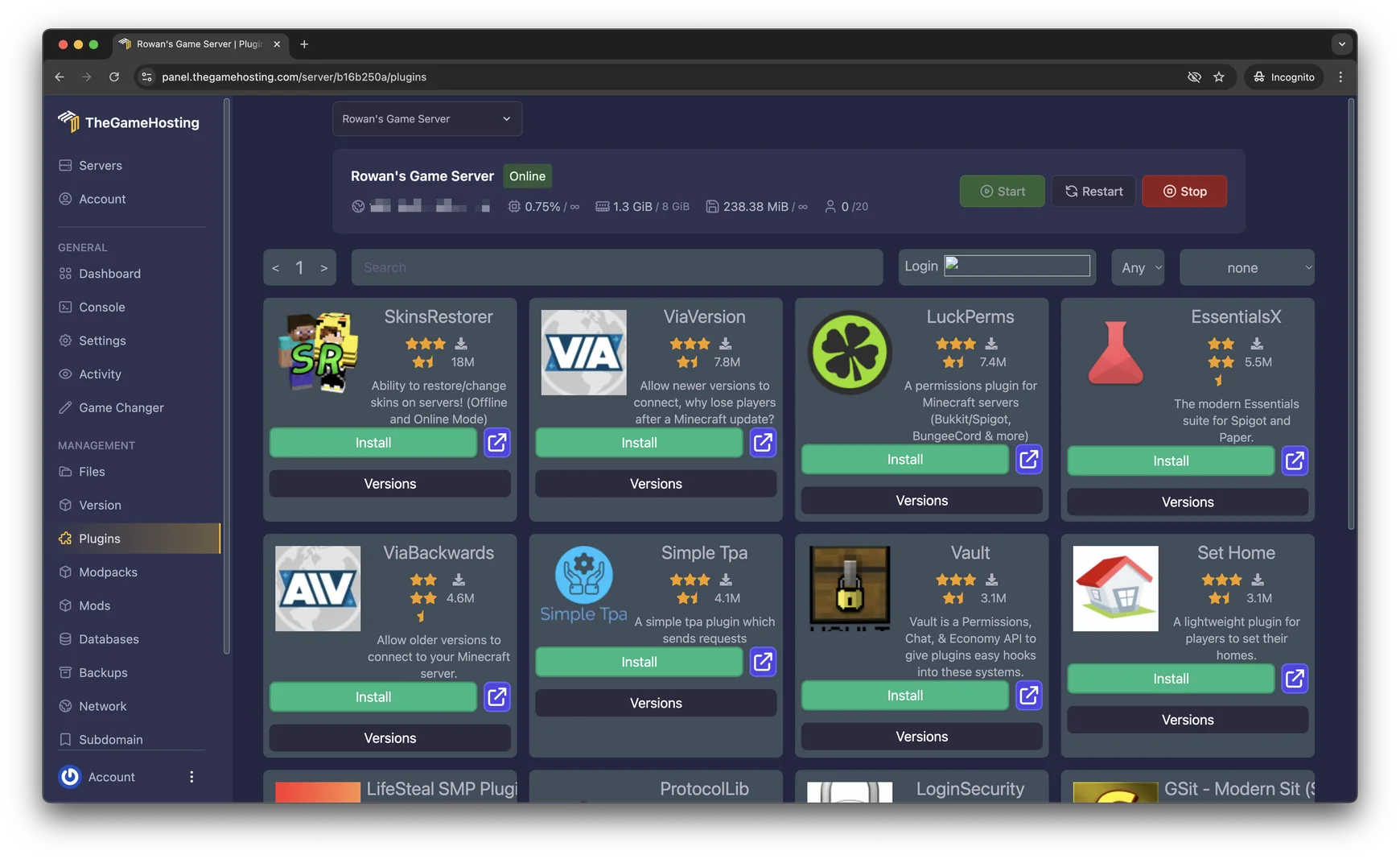
To install a plugin on a Paper server, download its .jar file, put it in the server’s plugins folder and restart the server. After the restart, type plugins in the console: a plugin shown in green loaded, and one in red did not. On TheGameHosting, the Plugin Installer does the download and upload for you.
That is the whole method, and it is the same on any host. The sections below cover where to find safe plugins, both ways to install them, how to check the result and what to do when a plugin refuses to load.
Before you start
- Your server runs Paper, or another plugin platform such as Purpur or Spigot. Fabric, Forge and NeoForge servers load mods, not plugins. On our panel you can switch platform from the Version Changer.
- The plugin supports your Minecraft version. Every plugin page lists the versions it was built for.
- You have a backup if the world matters to you. A bad plugin can damage data, and a restore is quicker than any repair.
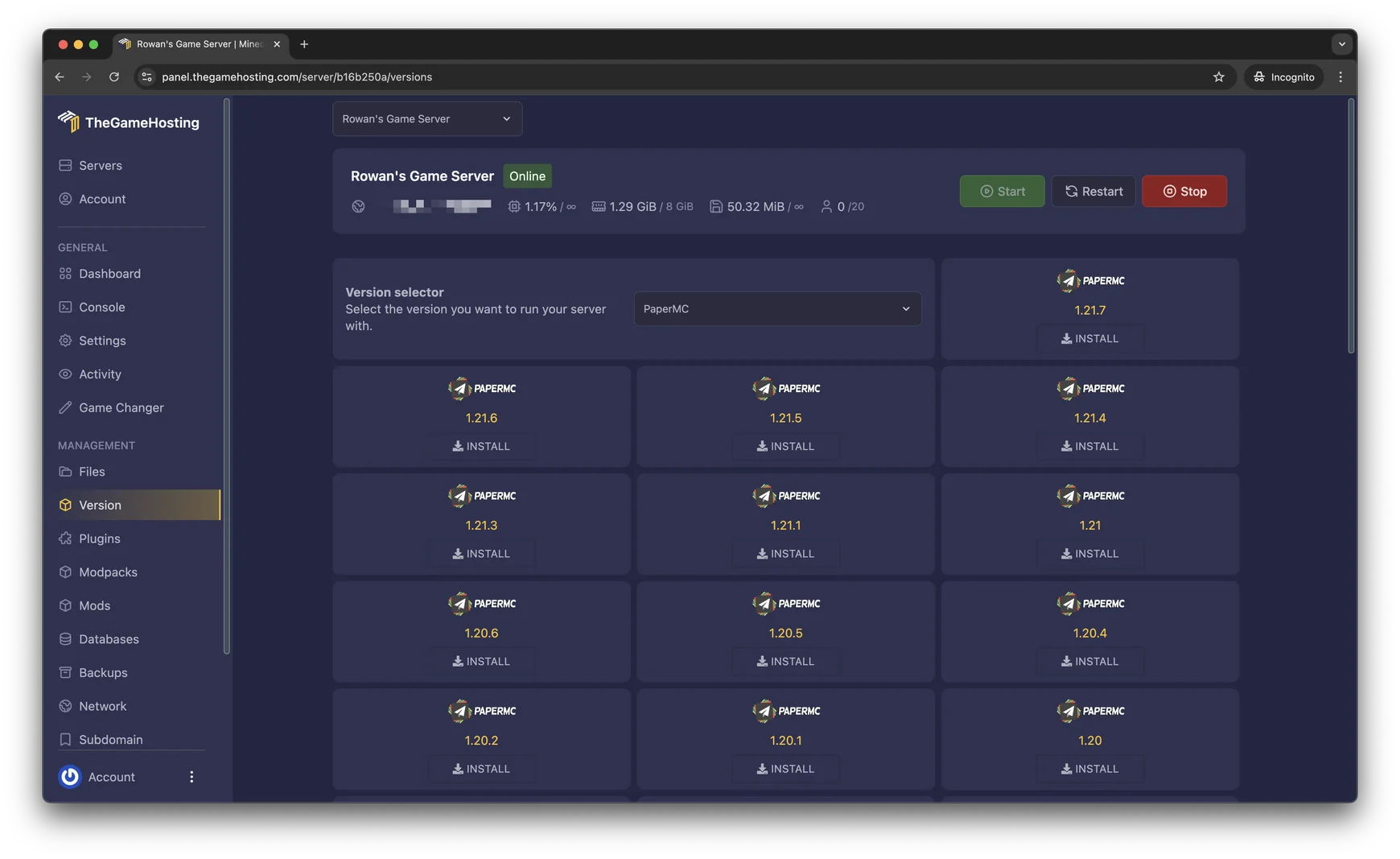
Not sure that Paper is the right platform? Our guide to Paper, Purpur or Fabric compares them. If you do not have a server yet, start with how to make a Minecraft Java server.
Where to find safe plugins
According to the PaperMC documentation, the best place to look is Hangar, Paper’s own plugin repository. Modrinth and BukkitDev also host plugins, and many authors publish on GitHub.
Before you download, check three things on the plugin page: the supported Minecraft version, the platform (Paper, Spigot or Bukkit) and whether it lists other plugins it depends on.
Install with the Plugin Installer
This is the quickest route on TheGameHosting. The panel searches a plugin list for you and installs the file without an upload.
- Open your server in the panel and choose Plugins in the side menu.
- Search for the plugin by name, for example
EssentialsX,LuckPermsorViaVersion. - Click Install on the plugin you want.
- Restart the server so the plugin loads.
Upload the JAR yourself
Use this when a plugin is not in the installer or when you need one specific version.
- Download the plugin’s
.jarfile. If it comes as a.zip, extract it on your computer first and find the JAR for your platform, often labelledpaperorbukkit. - Stop the server from the panel, or type
stopin the console. PaperMC advises against replacing a JAR in a running server. - Open Files, go into the
pluginsfolder and upload the JAR. For many files, connect over SFTP instead. - Start the server.
stop
Check that the plugin loaded
Once the server finishes starting, type this in the console. Plugins in green are enabled, and plugins in red are not.
pluginsTo see which version of a plugin is running, add its name as it appears in that list:
version EssentialsChange a plugin’s settings
The first time a plugin starts, it creates a folder of its own inside plugins, usually with a config.yml file:
plugins/
├── EssentialsX.jar
└── Essentials/
    └── config.yml
Edit the file in the File Manager, save it and restart the server. Some plugins have a reload command of their own, listed on their page. Avoid the server-wide /reload: the Paper docs say it is known for causing problems with plugins.
Update plugins without downtime
Paper has a built-in way to update plugins while the server runs, described in its update guide:
- Create a folder named
updateinsideplugins. - Download the newer JAR for each plugin and put it in that folder, one by one.
- Restart the server. Do not touch the plugins outside the
updatefolder.
Take a backup first. Updating the server itself follows the same routine: back up, stop the server, replace the JAR and start it again.
Plugins most servers add first
Keep the list short. Every extra plugin costs RAM and CPU time, which matters once the server grows.
| Plugin | What it does |
|---|---|
| EssentialsX | Basic commands such as homes, warps, teleport requests and kits. |
| LuckPerms | Permissions: decide who can use which command, with groups such as member and moderator. |
| Vault | A bridge that lets economy and permission plugins work together. Other plugins ask for it. |
| ViaVersion | Lets players on newer Minecraft versions join a server that runs an older one. |
| spark | A profiler for finding what makes the server slow. Paper has bundled it since 1.21. |
Once LuckPerms is in, you can give yourself admin rights and control who may do what: see how to OP yourself on a Minecraft server. If the server feels slow after adding plugins, follow our Minecraft server lag fix.
When a plugin does not load
Open logs/latest.log and scroll to the part where the server started. Look for lines that say ERROR or WARN and mention the plugin. The PaperMC troubleshooting guide lists the usual causes:
- Missing dependency. The log says
Unknown/missing dependency plugins: [Vault]. Install the plugin it names, then restart. - Invalid plugin.yml. The file is not a Paper plugin at all. It may be a Fabric or Forge mod, or a download that did not finish. Download it again.
- Ambiguous plugin name. Two JARs of the same plugin sit in the folder. Keep only the newest.
- Wrong Minecraft version. Download the build made for your server version.
If you cannot tell which plugin causes a crash, use a binary search: move half of the plugins out of the folder, start the server and see whether the problem remains. Repeat with the half that contains the culprit. Still stuck? Send our support team the console log through live chat or a ticket.
FAQ
Can I use plugins on a Fabric or Forge server?
Not directly. Plugins run on Paper, Purpur and Spigot, while Fabric, Forge and NeoForge load mods instead. Hybrid platforms such as Arclight, Mohist, Magma and Youer load both, and you can install them from the Version Changer. For the full comparison, read Paper, Purpur or Fabric.
Where should I download Minecraft plugins from?
Use Hangar, which the PaperMC team runs, plus Modrinth or BukkitDev, and read the plugin page to check which Minecraft versions it supports. PaperMC warns that plugins get full access to your server and the machine it runs on, so avoid re-uploaded JAR files from unknown sites.
Why should I not use /reload after adding a plugin?
Paper’s documentation says the reload command is known for causing issues with plugins. Restart the server instead, or use the plugin’s own reload command if it has one.
How many plugins can a Minecraft server run?
There is no fixed limit. Each plugin uses some RAM and CPU, and some cost far more than others. Watch TPS after each addition, and read our lag fix guide if the server starts to stutter.
Do my players need to install the plugins too?
No. Plugins run only on the server, so players join with a normal Minecraft Java client. That is the main difference from mods, which usually have to be installed on every player’s computer as well.
Hosting for these games
 Minecraft Java hostingPaper, Purpur, Fabric, Forge and more
 Minecraft Bedrock hostingPhones, consoles and Windows
Written by TheGameHosting Team, the people who run our servers in Dallas and Amsterdam and answer your tickets.
All posts