
Empyrion: Galactic Survival

Empyrion: Galactic Survival Server Hosting

Empyrion server hosting for factions that want their own galaxy. Set the rules in dedicated.yaml, load a custom scenario and keep planets, bases and capital vessels online while you sleep, on AMD 9950X/7950X3D CPUs with DDR5 RAM.

  • Custom scenarios
  • PvE, PvP or both
  • Full sFTP access
  • Unlimited slots

Plans from $3.69 USD / month

Empyrion: Galactic Survival key art: a player holding a blueprint tablet in front of a desert base

Empyrion: Galactic SurvivalRequires 4 GB RAM · runs on 8 of 9 plans

Your galaxy at a glanceThe numbers behind an Empyrion server

  • 4 GB RAM minimum8 of 9 plans, from $3.69 USD
  • One process per playfieldMore planets in use, more RAM
  • dedicated.yamlEdit it in the file manager
  • Unlimited slotsSet your own max players

Use code FULL2026 at checkout for 15% off for life

Swipe or tap a plan

Slide to pick your RAM Use the arrow keys too

Every plan includes

    Run your Empyrion server without a remote desktop

    This is the panel you get, captured from our live system. Config files, backups and location all sit one click away.

    File Manager in the TheGameHosting panel with the server's folders, a search box and upload buttons

    Try the live panel demoWant to click around first? The demo on our home page shows the same panel in your browser.

    Everything included with your Empyrion server

    No add-ons and no feature tiers. Every plan has the same panel and hardware; RAM is the only difference.

    Your galaxy, your rules

    • Custom scenariosEmpyrion loads scenarios from the server Content folder.
    • PvE, PvP or mixedPick the playstyle in the server config and scenario.
    • Bring your own saveUpload a save game over sFTP and pick up where you left off.
    • Unlimited slotsChoose your max players. We set no cap.

    Manage it easily

    • File manager and full sFTPEdit dedicated.yaml in the browser, upload big folders over sFTP.
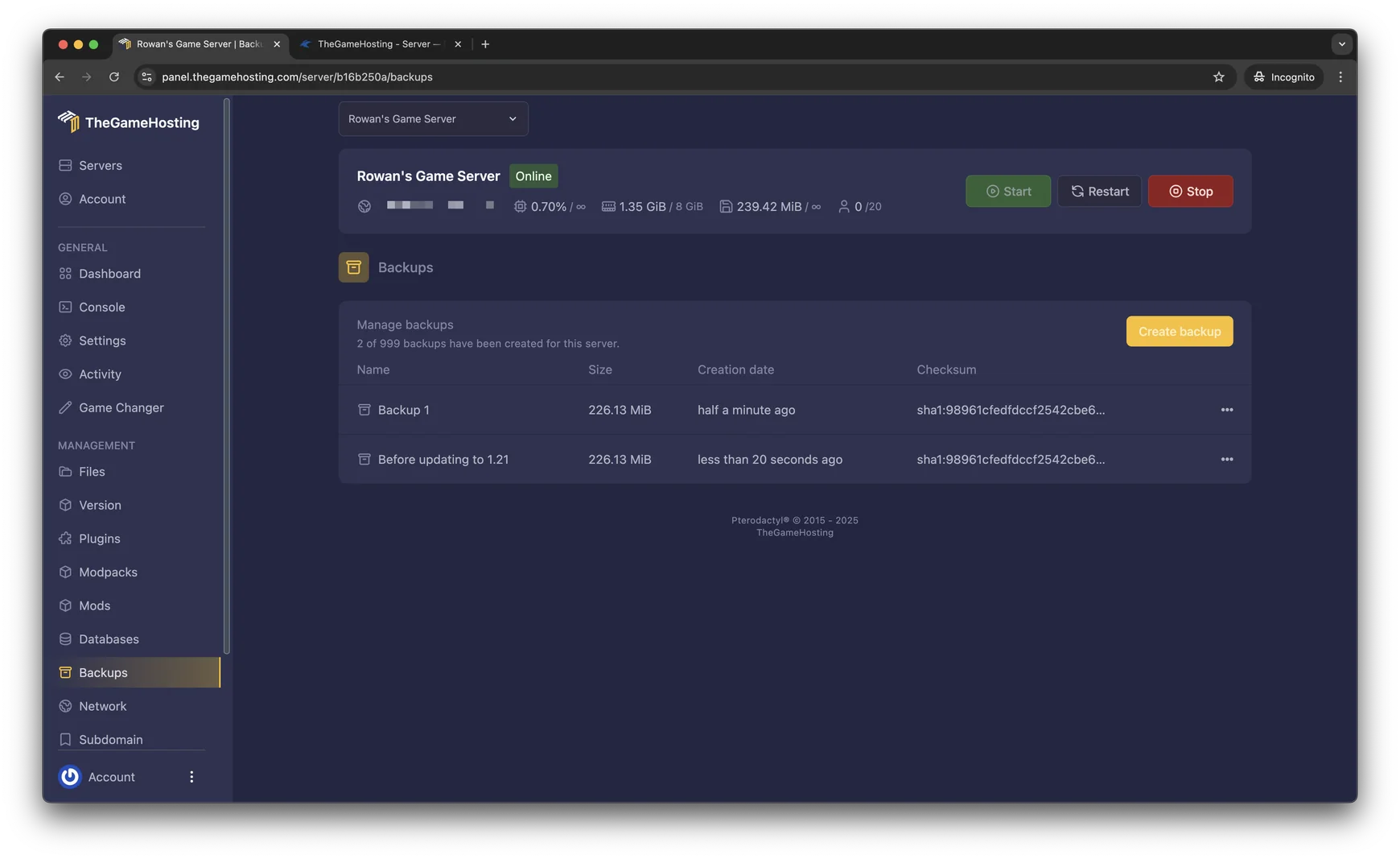
    • Backup SystemSave the galaxy before big changes and restore it from the panel.
    • Game ChangerSwitch the same plan to another game at any time.
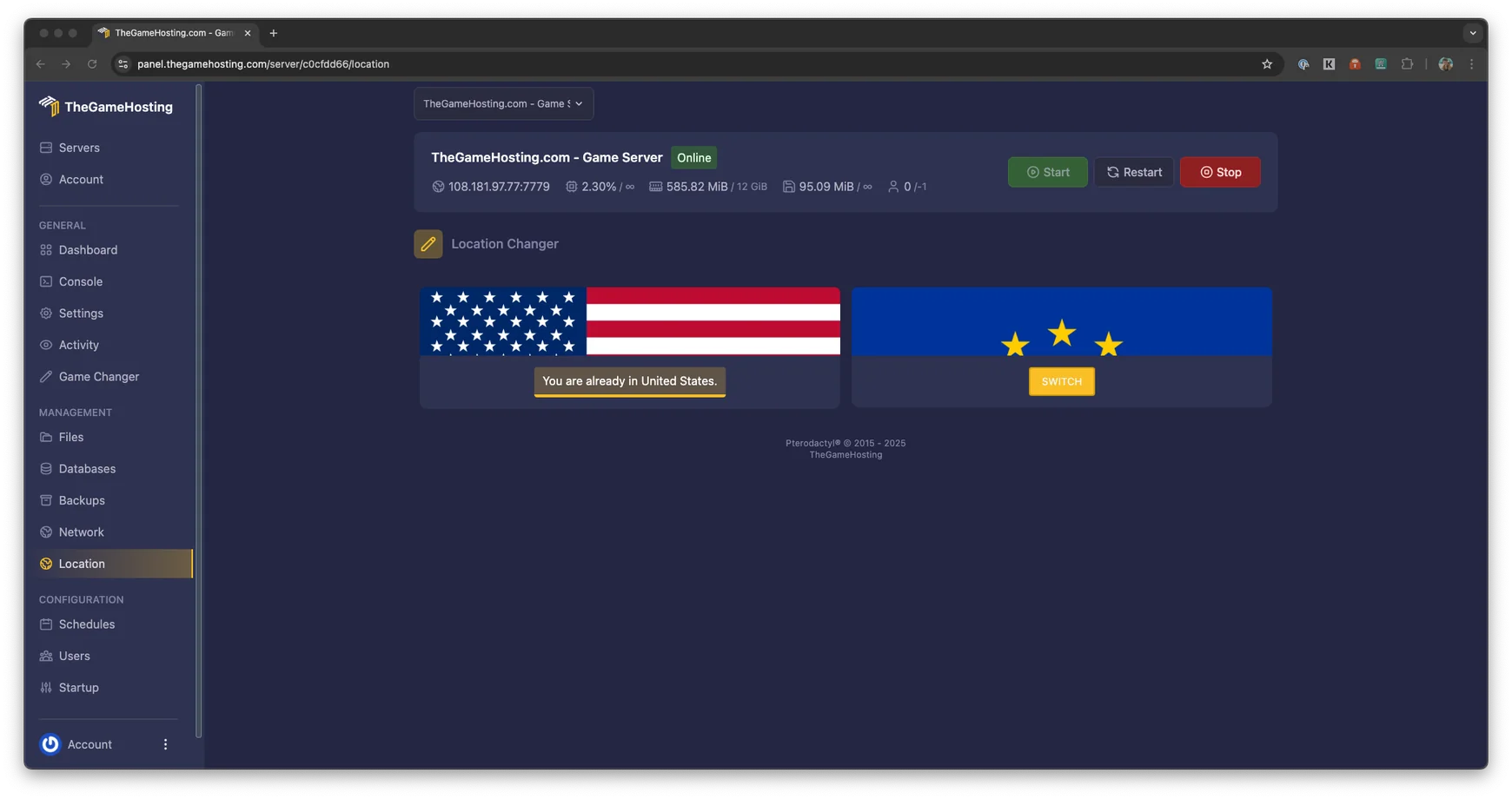
    • US and Europe locationsDallas, TX and Amsterdam, NL.

    Fast and protected

    • AMD 9950X/7950X3DUp to 5.7Ghz for every playfield process.
    • DDR5 RAM and NVMeQuick playfield loads on Samsung NVMe storage.
    • DDoS protectionIn front of every server, on every plan.
    • Ready in 60 secondsOnline within 60 seconds after payment.

    Empyrion server hosting for a galaxy that never sleeps

    Empyrion: Galactic Survival is at its best when the universe keeps going without you: traders restock, factions build, and the base you left on Akua is still there tomorrow. A dedicated Empyrion server makes that possible, and it frees whoever used to host from leaving the game running on their own PC.

    Pick a plan, pay, and the server is ready within 60 seconds after payment. Empyrion needs at least 4 GB of RAM, so plans start at $3.69 USD a month, each with unlimited slots, full sFTP access, a backup system and DDoS protection.
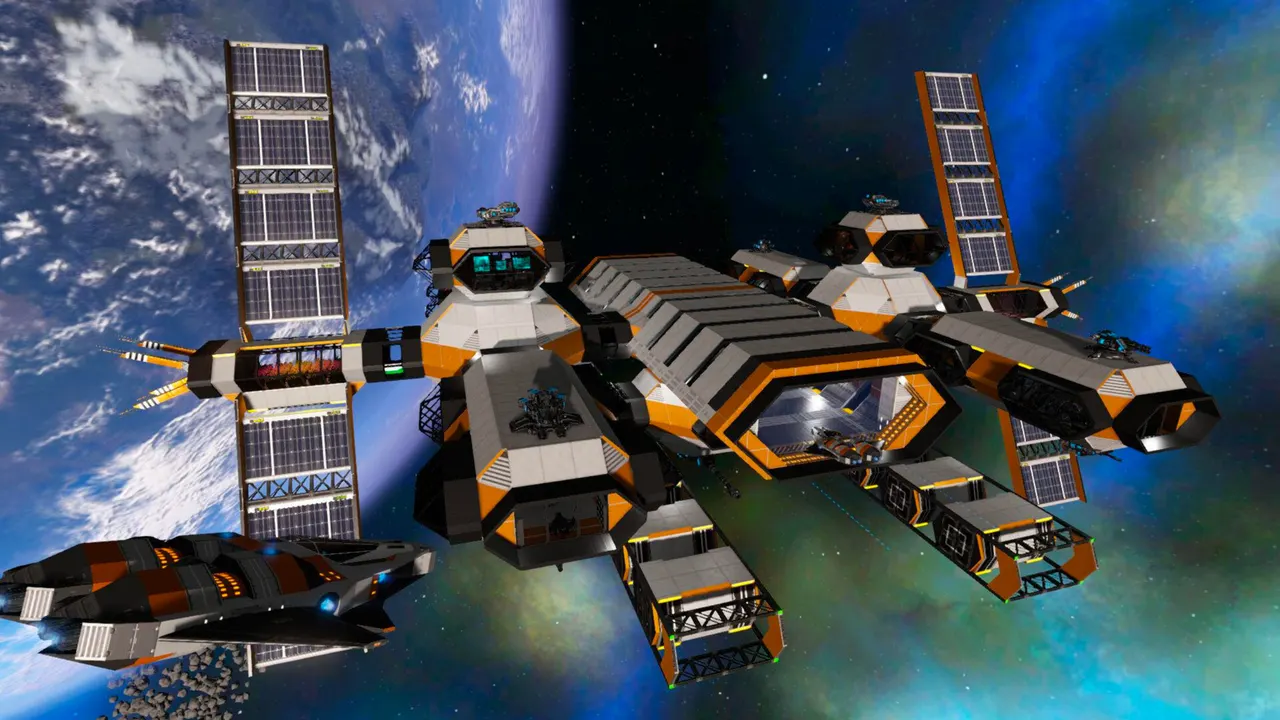
    Empyrion: Galactic Survival screenshot: an orange and grey space station orbiting a planet

    Configure it in dedicated.yaml

    Almost everything about an Empyrion dedicated server lives in one file, dedicated.yaml. It holds the server name and password, the player limit, the game mode, the world seed and the scenario the galaxy is built from. Open it in our file manager, change a value and restart the server.

    Custom scenarios like Reforged Eden

    Scenarios replace the default galaxy with new planets, factions, ships and progression. Community scenarios such as Reforged Eden are a common reason to run a dedicated server. Upload the scenario folder to the server's Content/Scenarios directory over sFTP, set its name as the custom scenario in dedicated.yaml and start a new save.

    PvE, PvP or a bit of both

    Empyrion supports co-op PvE, open PvP and mixes of the two, with some playfields safe and others open for fights. Agree on the rules with your community first, then set them in the config and the scenario.

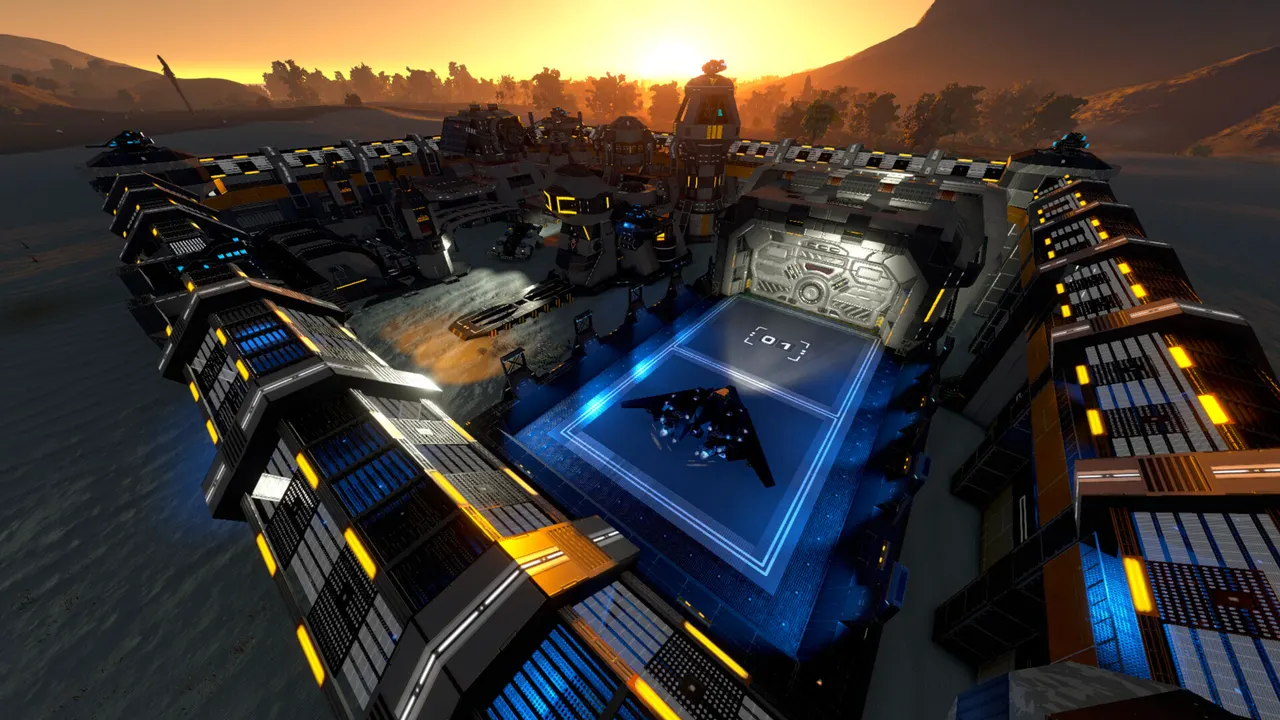
    Empyrion: Galactic Survival screenshot: a large base with blue lights at sunset
    Backups page in the TheGameHosting panel listing two backups with their size, creation date and checksum
    Location Changer in the TheGameHosting panel: the server runs in the United States, with a Switch button for Europe

    Playfields and why your galaxy uses more RAM over time

    An Empyrion server does not load the whole galaxy at once. Each planet, moon or space sector is a playfield, and the server starts a separate process for every playfield where players are active. A small group exploring together keeps few playfields loaded. A busy server with players spread over several planets runs many at the same time.

    • Large bases and capital vessels add work to the playfield they sit in.
    • Big community scenarios usually ask for more memory than the default galaxy.
    • Restarting the server now and then clears playfields nobody is using.

    Fancy something different between seasons? The Game Changer switches your plan to Space Engineers, Starbound or another game it runs. Make a backup first so your galaxy is waiting when you come back.

    Empyrion: Galactic Survival cover art: a blueprint tablet held in front of a base

    How much RAM does an Empyrion server need?

    Empyrion: Galactic Survival needs at least 4 GB of RAM on our servers, so 8 of our 9 plans run it, from 4 GB up to 64 GB. Because every active playfield runs on its own, memory depends on how spread out your players are:

    • Two or three friends playing the default galaxy together fit on the smaller plans.
    • Groups that split up across planets keep more playfields open, so give them more room.
    • Heavy scenarios and public servers belong on the larger plans.

    There is no slot limit from us, so RAM is your real ceiling. Tell our support team about your scenario and group size and we will recommend a plan.

    TheGameHosting 3D character in a yellow hoodie holding a game controller

    Empyrion: Galactic Survival requires 4 GB RAM8 of our 9 plans run it, from 4 GB

    • 4 GB
    • 6 GB
    • 8 GB
    • 10 GB
    • 12 GB
    • 16 GB
    • 32 GB
    • 64 GB

    Hardware we own, in Dallas and Amsterdam

    Every playfield runs on machines we own and manage ourselves, not on rented servers. Empyrion spreads its galaxy over several processes, so it benefits from fast cores and quick memory: our AMD 9950X/7950X3D processors reach 5.7Ghz, with DDR5 RAM and Samsung NVMe storage so playfields load fast when someone warps in.

    We run two locations, Dallas, TX in the United States and Amsterdam in the Netherlands, both on a 10 Gbps network with advanced cooling and UPS backup power, and every server is behind DDoS protection.

    • AMD 9950X/7950X3D up to 5.7Ghz
    • DDR5 RAM
    • Samsung NVMe Storage
    • 10 Gbps Network
    • UPS Backup Power
    • Dallas, TX & Amsterdam, NL

    Real people on support

    Our team works 24/7/365. Whether a scenario will not load, a playfield keeps crashing or you are moving a save from another host, a real person answers.

    • Live chat
    • Email
    • Ticket system
    Contact support

    Empyrion server questions

    Can't find your answer? Ask our support team.

    How quickly is my Empyrion server online?

    It is ready within 60 seconds after payment. We email you the login details and you can start the server from the panel right away.

    How much RAM does an Empyrion server need?

    Empyrion: Galactic Survival needs at least 4 GB of RAM on our servers, so plans start at $3.69 USD a month. Each active playfield runs as its own process, so groups spread over many planets and large scenarios need more memory.

    Where do I change the server settings?

    In dedicated.yaml. It sets the server name, password, player limit, game mode, seed and custom scenario. Edit it in our file manager or over sFTP and restart the server to apply the changes.

    Can I run Reforged Eden or another custom scenario?

    Yes. Upload the scenario folder to Content/Scenarios on the server, set its name as the custom scenario in dedicated.yaml and start a new save. Back up your current save before switching scenarios.

    Can I upload my existing save?

    Yes. Copy the save folder from your PC or old host, upload it over sFTP and point the server to it in dedicated.yaml. Our support team can help if it does not load.

    Can I run a PvP server?

    Yes. Empyrion supports PvE, PvP and mixed setups, where some playfields are safe and others allow fights. You choose the rules in the server config and the scenario.

    Can I switch to another game later?

    You can. The Game Changer moves your plan to any other game it runs, like Space Engineers or Starbound, without a new purchase. Take a backup before switching so the galaxy is safe.

    Where is my Empyrion server hosted?

    On hardware we own in Dallas, TX (United States) and Amsterdam (Netherlands): AMD 9950X/7950X3D CPUs, DDR5 RAM, Samsung NVMe storage and a 10 Gbps network.

    Do you have a discount code?

    Use promo code FULL2026 at checkout for 15% off for life.

    Is TheGameHosting affiliated with Eleon Game Studios?

    No. This site is not affiliated with Eleon Game Studios, the developer of Empyrion: Galactic Survival.

    Start your Empyrion server today

    Online within 60 seconds after payment. Same plan, same panel as every other game we host.

    Use promo code FULL2026 at checkout for 15% off for life.