 TheGameHosting Team
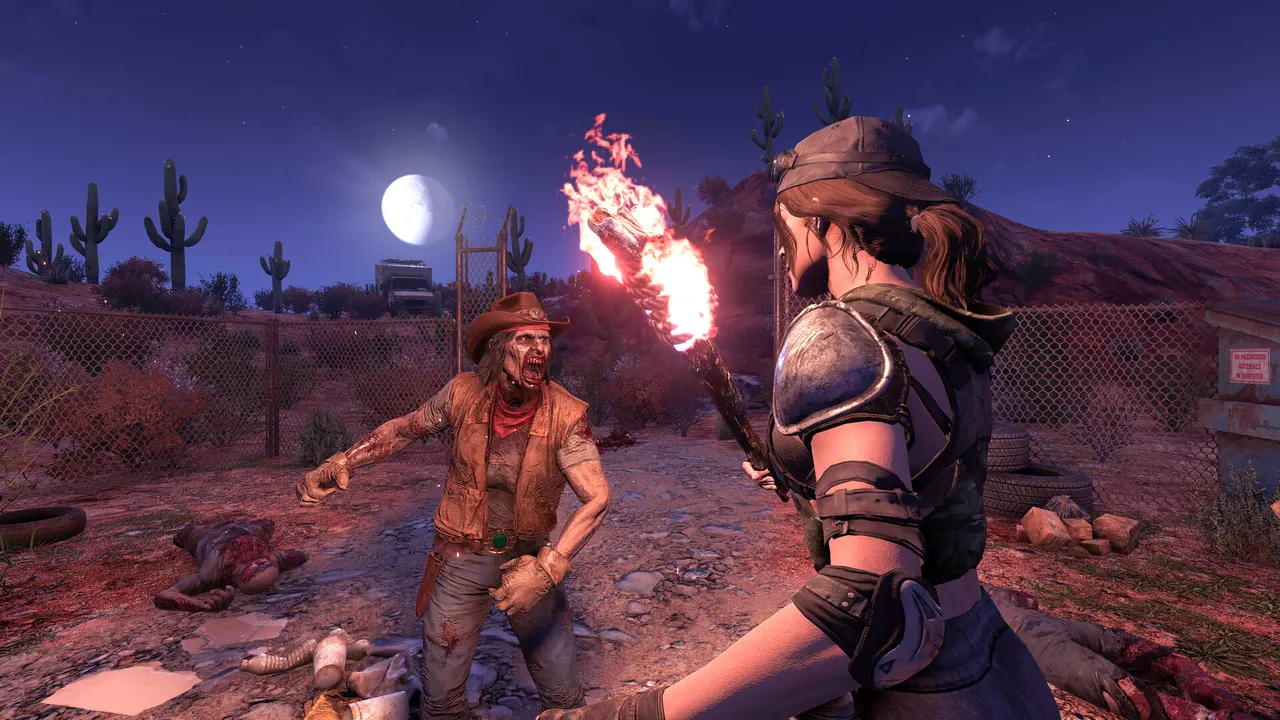
A 7 Days to Die server disconnected you error is the game telling you that the dedicated server closed your connection. The useful part is the text after the colon: “Unexpected data received”, “Kicked by EAC”, “Network timeout”, “Server is still initializing” or “Kicked by Steam”. Each one has a different cause and a different fix, and most of them come down to a handful of lines in serverconfig.xml, a version mismatch or the connection itself. This guide goes message by message.
7 Days to Die server disconnected you: read the reason first
Before you reinstall anything, write down the full message. The game always shows “Server disconnected you:” and then a reason. That reason narrows the problem down to one of these groups:
| Text after “Server disconnected you:” | What it usually means | Where to look first |
|---|---|---|
| Unexpected data received. Server is either running an incompatible version or requires the client to install mods | Your game and the server are not on the same build, or the server runs mods you don’t have | Game version, Steam beta branch, the server’s Mods folder |
| Kicked by EAC (followed by a detail) | EasyAntiCheat could not validate your client | EACEnabled on the server and how you launched the game |
| Network timeout | The server stopped hearing from your client for too long | Your connection, the first world download, server load |
| Server is still initializing | The server is up but has not finished loading or generating the world | The server console |
| Kicked by Steam. Please check if you are logged in correctly. | Steam could not confirm your session | Your Steam login and client |
| Password, full server or whitelist reasons | The server rejected you on purpose | ServerPassword, ServerMaxPlayerCount, serveradmin.xml |
If you run the server yourself, the server console or log shows the same kick with the player’s name, which is the fastest way to see what happened from the other side.
“Unexpected data received”: version or mod mismatch
This is the most common reason. The full text is literal: “Server is either running an incompatible version or requires the client to install mods”. Check these in order:
- Same build on both sides. The dedicated server (Steam app 294420) and your game must be on the same version. If you opted into the experimental branch in Steam (right-click the game → Properties → Betas) and the server stayed on the stable one, or the other way around, you get this message right after the loading screen.
- Same mods. Mods that add items, blocks, models or code have to be installed on the server and on every player, at the same version. If one friend can join and another can’t, compare their
Modsfolders. - Corrupted local files. In Steam, open Properties → Installed Files → Verify integrity of game files. It fixes broken local files without touching your saves.
Console players have one extra rule: the official V2.0 release notes state that PS5 and Xbox Series clients cannot join dedicated servers that run mods. If your group mixes PC and console, keep the server vanilla.
“Kicked by EAC”: EasyAntiCheat
The default serverconfig.xml ships with EACEnabled set to true. When the server enforces EasyAntiCheat, every player has to start the game with EAC active. A player who launched without it, or whose anti-cheat service failed to start, is kicked with “Kicked by EAC” and a short detail.
- Close the game completely and start it again from Steam with EasyAntiCheat enabled.
- Verify the game files in Steam; a damaged EAC install is a typical cause.
- If the server owner installed a mod whose author says it needs EAC off, set
EACEnabledtofalseon the server, restart it, and have everyone launch without EAC.
Keep in mind that turning EAC off removes cheat protection, and crossplay with consoles requires it on (more on that below).
“Network timeout”: the connection dropped
A timeout means packets stopped arriving for too long. On a dedicated server there are three usual suspects.
The first world download
The first time you join, the server sends you the world. The setting ServerMaxWorldTransferSpeedKiBs caps that transfer; the official file sets it to 512 and notes that the real maximum is about 1300 KiB/s even if you write a higher number. On a big random-generated map, a slow first join on a weak connection can time out. Join again, ideally over a cable instead of Wi-Fi.
The network protocols
The default config disables Steam Networking for dedicated servers:
<property name="ServerPort" value="26900"/>
<property name="ServerDisabledNetworkProtocols" value="SteamNetworking"/>
<property name="ServerMaxWorldTransferSpeedKiBs" value="512"/>
The comment in the official file explains why: dedicated servers should disable SteamNetworking when there is no NAT router between players and the server or when port forwarding is set up correctly. In other words, on a properly reachable server, leave it as it is. Players then connect directly to the server port (26900 by default).
An overloaded server
If timeouts hit everyone at the same moment, the server itself is probably freezing. The config comments are clear about the expensive settings: MaxSpawnedZombies (default 64) “can have a huge impact on performance” and ServerMaxAllowedViewDistance (6 to 12, default 12) has a “high impact on memory usage and performance”. Lower them a step, and check that the machine has enough spare memory for the map size you picked.
“Server is still initializing”
This one is not an error in your game. The server process is running and answering, but it has not finished loading the world, so it turns players away. It happens most on the first boot of a random world: with GameWorld set to RWG, the server generates the map from WorldGenSeed and WorldGenSize (6144, 8192 or 10240) before anyone can play. Bigger maps take longer.
Watch the console until the world has loaded and then join. If the server never gets past initializing, check the log for an error about the world or a mod, and make sure the machine is not running out of RAM during generation. Other survival games have their own version of this hang; our guide to a Project Zomboid server stuck initializing walks through the same kind of log reading.
“Kicked by Steam” and console crossplay
“Kicked by Steam. Please check if you are logged in correctly.” means Steam did not confirm your session. Restart Steam, make sure you are not in offline mode, and try again. If it only happens to one player, have them log out of Steam and back in.
Crossplay is its own case. The official crossplay server requirements list four settings a dedicated server needs before PS5 and Xbox Series players can join:
| Setting | Required value for console players |
|---|---|
ServerMaxPlayerCount | 8 or less |
ServerAllowCrossplay | true (the default file ships with false) |
EACEnabled | true |
IgnoreEOSSanctions | false |
The same page sets valid ranges for gameplay values, for example XPMultiplier between 25 and 300 and LootRespawnDays of 5 or more. In the page’s own words, PC can play on the server regardless of settings, consoles can’t. On current versions these gameplay values are no longer separate lines in serverconfig.xml: they live inside the SandboxCode property, which you generate from the sandbox options of the in-game New Game screen and paste into the file.
Password, full server and whitelist
Some disconnects are the server doing its job:
ServerPassword: a wrong or missing password ends the join attempt.ServerMaxPlayerCountis 8 in the default file.ServerReservedSlotsandServerAdminSlotskeep part of those slots for players with a given permission level, so a server can look half empty and still refuse you.serveradmin.xmlholds admins, the whitelist and the ban list. If the whitelist has entries, anyone not on it is turned away.
How to stop the disconnects for good
Look back at the causes: a home PC that has to stay on, a router that needs port forwarding, a slow upload for the first world download, and a machine that freezes when the horde arrives. Those are hosting problems more than game problems, and they are exactly what a rented server removes.
On a 7 Days to Die server from TheGameHosting the world is online 24/7, so it has finished initializing long before your friends log in. You get an IP and port from the panel, with no router setup. serverconfig.xml opens in the browser from Files (or over SFTP), Backups lets you save the world before you try a new mod, and Schedules runs automatic restarts. The hardware is the part that fights timeouts: AMD Ryzen 9950X and 7950X3D CPUs up to 5.7 GHz, DDR5 memory, Samsung NVMe drives and a 10 Gbps network with DDoS protection included. Pick Dallas or Amsterdam, whichever is closer to your group, and change it later with the Location Changer if needed.
Quick checklist
- Read the reason after “Server disconnected you:” and match it in the table above.
- Match versions and mods: same build and branch on server and players, same mods at the same version.
- Check EAC: launch with EasyAntiCheat if
EACEnabledis true, or turn it off on both sides for mods that need it. - Fix the connection: use a cable, rejoin after the first world download, keep SteamNetworking disabled on a reachable server.
- Lighten the server: lower
MaxSpawnedZombiesorServerMaxAllowedViewDistanceand confirm it has enough RAM. - Wait for the world if the message is “Server is still initializing”, and read the log if it never finishes.
- Review access rules: password, player count, reserved slots and
serveradmin.xml.
If your group keeps getting kicked because the host PC goes to sleep or the home connection can’t keep up, moving the world to a dedicated server is the real fix. The TheGameHosting plans and prices start at 8 GB of RAM for 7 Days to Die ($6.96/month), are ready about 60 seconds after payment, have unlimited slots and no setup fee, and you can cancel whenever you want. If you are new to the idea, what a dedicated server is covers the basics, and our guide on how to make a 7 Days to Die server walks through the setup.
FAQ
Why does 7 Days to Die say “Kicked by EAC”?
The server has EACEnabled set to true and could not validate your EasyAntiCheat client. Restart the game with EAC enabled and verify the game files in Steam. If the server runs a mod that requires EAC off, the server and every player must turn it off.
How do I fix “Network timeout” in 7 Days to Die?
Join again over a cable instead of Wi-Fi, give the first world download time to finish (ServerMaxWorldTransferSpeedKiBs caps it, about 1300 KiB/s at most), and if everyone times out at once, lower MaxSpawnedZombies or view distance and check the server’s RAM.
What does “Server is still initializing” mean?
The server is running but has not finished loading or generating the world, so it refuses players. Wait until the console shows the world is loaded. On a new random world (GameWorld = RWG) the first boot takes longer.
What causes “Unexpected data received” in 7 Days to Die?
The server is on a different version than your game or runs mods you don’t have. Put everyone on the same build and Steam branch, install the same mods at the same version, and verify the game files.
Why can my console friends not join my 7 Days to Die server?
Console players need ServerAllowCrossplay true, EACEnabled true, IgnoreEOSSanctions false, 8 players or fewer, settings inside the official ranges and no mods.
Hosting for these games
 7 Days to Die hosting8 GB from $6.96/mo · online 24/7
 Project Zomboid hostingZombie survival with your group
 Enshrouded hostingUp to 16 players per world
Written by TheGameHosting Team, the people who run our servers in Dallas and Amsterdam and answer your tickets.
All posts