 TheGameHosting Team
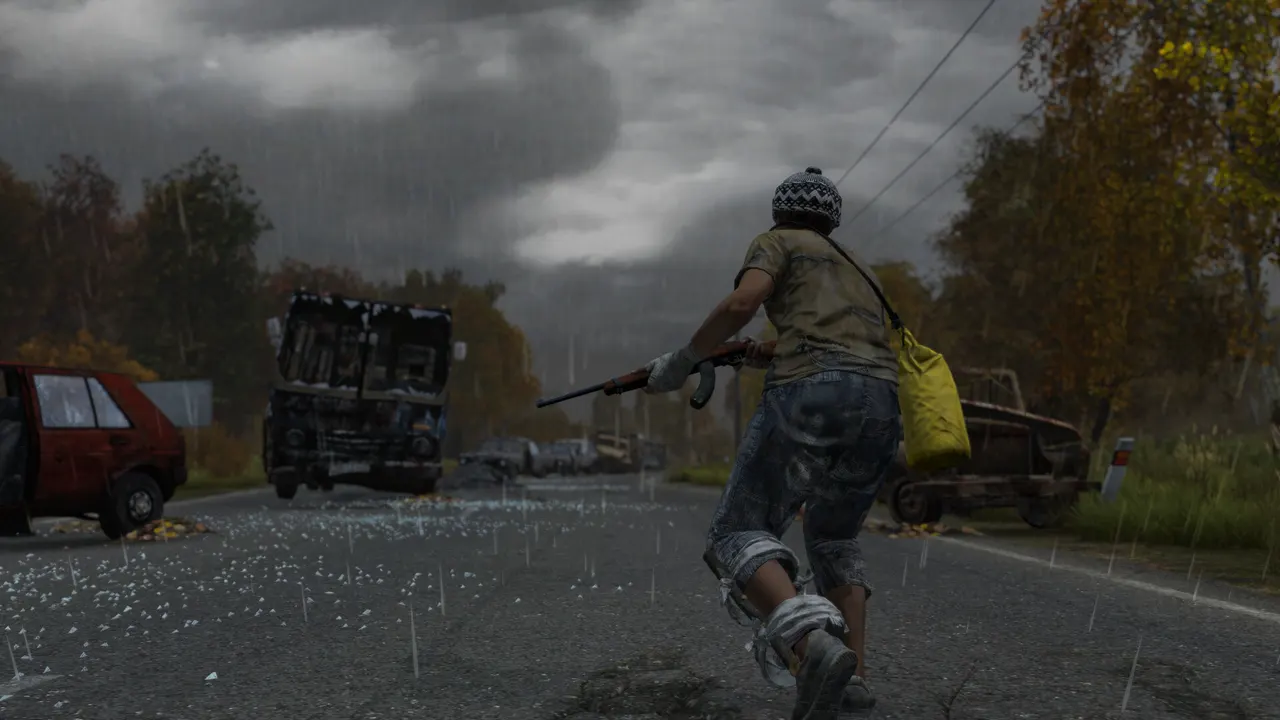
How to host a DayZ server, in short: download the DayZ Server (Steam app 223350) with SteamCMD and a Steam login, set your name, passwords, slots and map in serverDZ.cfg, start DayZServer with -config and -port, and open the game and query ports. Mods, loot and wipes all live in a few files you will see below. If you do not want to keep a PC running for a 60-player map, you can rent a server that is already set up.
Before you host a DayZ server: PC only
A community server you host yourself is for DayZ on PC (Steam). PlayStation and Xbox players cannot join it; console players play on the official console servers. Everything below is for the PC version.
- Windows or Linux. The Windows program is
DayZServer_x64.exe; Bohemia also documents a Linux build,DayZServer. - A Steam account for SteamCMD. Bohemia's guide downloads the server with your own Steam login, not the anonymous one most other servers use.
- Memory and CPU. Bohemia's server pages do not give a RAM figure. A busy map with mods is heavy; on our plans DayZ needs at least 8 GB.
- Do not run it as root on Linux. Bohemia warns that a compromised server would then give an attacker the whole system.
Step 1: download the DayZ Server with SteamCMD
The commands come from Bohemia's Hosting a Linux Server page. Replace your_login with your Steam user name:
mkdir -p ~/servers/steamcmd && cd ~/servers/steamcmd
curl -sqL "https://steamcdn-a.akamaihd.net/client/installer/steamcmd_linux.tar.gz" | tar zxvf -
~/servers/steamcmd/steamcmd.sh +force_install_dir ~/servers/dayz-server/ +login your_login +app_update 223350 +quit| Branch | SteamCMD app ID |
|---|---|
| DayZ Server (stable) | 223350 |
| DayZ Server (experimental) | 1042420 |
On Windows, use steamcmd.exe with the same +login and +app_update 223350. To update the server after a DayZ patch, run the same command again. Players on a newer build cannot join an outdated server while forceSameBuild is on.
Step 2: configure serverDZ.cfg
DayZ reads its settings from the file you pass with -config. Bohemia notes the name means nothing; serverDZ.cfg is the usual one, and without a config the server will not start. These are the lines you will change first, with the values from Bohemia's Server Configuration page:
hostname = "My DayZ Server | PvE | Chernarus";
description = "Weekly wipes, active admins";
password = "";
passwordAdmin = "change-this";
maxPlayers = 60;
verifySignatures = 2;
forceSameBuild = 1;
disable3rdPerson = 0;
disableCrosshair = 0;
serverTime = "SystemTime";
serverTimeAcceleration = 1;
serverNightTimeAcceleration = 1;
serverTimePersistent = 0;
instanceId = 1;
storageAutoFix = 1;
steamQueryPort = 2305;

class Missions
{
    class DayZ
    {
        template = "dayzOffline.chernarusplus";
    };
};| Setting | What it does |
|---|---|
hostname / description | Name and description in the server browser (description up to 255 characters) |
password | Join password. Empty means public |
passwordAdmin | Password to become admin in game |
maxPlayers | Player slots (60 in Bohemia's example) |
verifySignatures | Checks mod files against their keys. Only 2 is supported |
disable3rdPerson | 1 forces first person, popular on hardcore servers |
serverTimeAcceleration | Multiplier from 0.1 to 64. At 24, a full day passes in one hour |
serverNightTimeAcceleration | Speeds up nights only, multiplied by the value above |
instanceId | Names the storage folder that holds the persistence files |
steamQueryPort | The Steam query port; Bohemia says it fixes servers missing from the browser |
Other useful lines from the same page: respawnTime (seconds before a new character), motd[] with motdInterval for chat messages, enableWhitelist, and lightingConfig (0 brighter nights, 1 darker nights).
Choose the map
The map is the template line, written as mission name and terrain. These are the mission folders in Bohemia's official DayZ Central Economy repository:
| Map | template value |
|---|---|
| Chernarus | dayzOffline.chernarusplus |
| Livonia | dayzOffline.enoch |
| Sakhal | dayzOffline.sakhal |
Livonia and Sakhal belong to DayZ's DLCs, so check on Steam what your players need before you switch. The same repository also has seasonal mission folders, for example Christmas and Halloween versions of the maps.
Step 3: start the server and open the ports
Bohemia's Linux start command, with the port set to 2302 as in its configuration page:
cd ~/servers/dayz-server/
./DayZServer -config=serverDZ.cfg -port=2302 -BEpath=battleye -profiles=profiles -dologs -adminlog -netlog -freezecheck
On Windows, the same options go after DayZServer_x64.exe in a .bat file. -profiles is where logs and BattlEye files go; -freezecheck stops the server if it freezes for more than five minutes and writes a dump. For remote admin tools, set RConPassword in BEServer_x64.cfg next to the BattlEye DLL.
Then forward two ports on your router to that PC: the game port you set with -port and the steamQueryPort from serverDZ.cfg. If the server runs but nobody finds it in the browser, the query port is the first thing to check.
How to add mods to a DayZ server
DayZ mods come from the Steam Workshop of the game, app 221100. The server needs the mod files and their keys, and every player needs the same mods. Bohemia's example installs Community Framework and Community Online Tools:
- Download the mods with SteamCMD: add
+workshop_download_item 221100 1559212036 +workshop_download_item 221100 1564026768to the install command. - Put each mod folder in the server folder (Bohemia links it from
steamapps/workshop/content/221100/). - Copy the
.bikeyfiles from each mod'skeysfolder into the server'skeysfolder. WithverifySignatures = 2, players with unsigned files are refused. - Load them on start with
"-mod=1559212036;1564026768;". Mods only the server needs go in-serverMod=, which players do not download.
Bohemia's guide downloads the mods with the same SteamCMD command it uses for updates, so every update run also refreshes them. Publish the mod list in your server description or Discord, because players need the same mods loaded to join.
Loot and economy files
Loot, infected and animals are set in the mission folder, mpmissions/<template>/. In Bohemia's repository, db/types.xml defines each item and how many spawn, db/events.xml defines vehicles and other events, and db/globals.xml holds global values such as ZombieMaxCount (1000 in the default Chernarus files) and AnimalMaxCount (200). Bohemia describes db/economy.xml as the main switch for loading, saving and respawning loot, animals and infected. Keep a copy of every file before you edit it.
DayZ server wipe: how to reset the world
A DayZ server keeps its world (bases, stashes, vehicles, characters) in a persistence folder inside the mission folder. Its name comes from instanceId: with instanceId = 1 it is storage_1. To wipe:
- Stop the server gracefully.
- Back up the whole mission folder.
- Delete or rename
mpmissions/dayzOffline.chernarusplus/storage_1(use your own map and number). - Start the server. It creates a fresh storage folder and a clean world.
Another way is to change instanceId to a new number: the server starts on a new storage folder and the old one stays untouched in case you want it back. Bohemia's Central Economy documentation explains why this matters for loot too: the storage folder is the live state of the economy, and changes to the economy files in most cases are not applied until that folder is removed. Big loot changes usually go together with a wipe.
Doing all this at home means a PC that runs day and night, two forwarded ports and your home IP in every player's server list. That is where most self-hosted DayZ servers stop.
How to host a DayZ server with TheGameHosting
The server runs Bohemia's files, so everything above (serverDZ.cfg, mods, keys, storage) works the same. The difference is what you no longer handle:
- Pick a plan with 8 GB or more. DayZ needs at least 8 GB on our plans; the 8 GB plan is $6.96 USD/month, and modded servers with many players are better on 12 or 16 GB. See DayZ server hosting.
- Choose Dallas or Amsterdam. Dallas suits the Americas, Amsterdam suits Europe. The Location Changer moves it later.
- Start it. The server is ready about 60 seconds after payment. The Game Changer lists both DayZ and DayZ Experimental.
- Edit
serverDZ.cfg,types.xmland the rest in Files in your browser, and upload mod folders and keys over SFTP. Check the Startup tab for launch options, or ask us in chat. - Join with the IP and port shown in the panel. No ports to open on your router.
Two panel tools fit DayZ well: Backups, so every wipe and every loot change has a copy behind it, and Schedules, for regular restarts. DDoS protection is included, which matters on a public PvP server.
Quick checklist before you open the server
- Admin password set and not shared in Discord.
- Map chosen in
template, and a backup of the untouched mission folder. - Mods in the right order, keys copied, and the same list announced to players.
- A wipe plan (for example monthly, or with each major update) written in the server description.
If you are deciding between DayZ and another survival game for your group, our Project Zomboid server guide and Rust server guide cover the same steps for those games, and what a dedicated server means explains why players can join while you are offline.
Host your DayZ server without the home PC
You now know how to host a DayZ server: the right SteamCMD app, the settings in serverDZ.cfg, how mods and keys load and how a wipe works. On your own machine you also carry the uptime, the ports and the attacks. With TheGameHosting those are solved from the first minute, and you keep full access to every file. Choose your RAM on our game server plans and pricing page and use code FULL2026 for 15% off for life.
FAQ
How much RAM does a DayZ server need?
Bohemia's server pages do not give a figure; it depends on players, mods and map. On TheGameHosting, DayZ needs at least 8 GB, so it starts on the 8 GB plan at $6.96 USD/month. Modded servers with many players run better on 12 or 16 GB.
Can console players join a DayZ server I host?
No. A community server you host yourself is for DayZ on PC (Steam). PlayStation and Xbox players play on the official console servers.
What ports does a DayZ server use?
The game port you set with -port (2302 in Bohemia's example) and the Steam query port set with steamQueryPort in serverDZ.cfg (2305 in the example). Forward both, or use a hosted server where the panel gives you the IP and port.
How do I wipe a DayZ server?
Stop the server gracefully, back up the mission folder and delete or rename the storage folder inside it, for example mpmissions/dayzOffline.chernarusplus/storage_1. The next start creates a clean world.
How do I change the map on a DayZ server?
Change the template line in serverDZ.cfg: dayzOffline.chernarusplus for Chernarus, dayzOffline.enoch for Livonia or dayzOffline.sakhal for Sakhal.
Why does my DayZ server not show in the server browser?
Check that the Steam query port in serverDZ.cfg is set and forwarded, that the server is on the current DayZ build, and that it finished starting. Bohemia notes that setting steamQueryPort fixes servers missing from the browser.
Hosting for these games
 DayZ hostingFrom 8 GB · $6.96/month
 Project Zomboid hostingZombie survival, 8 GB
 Arma 3 hostingAlso by Bohemia Interactive
Written by TheGameHosting Team, the people who run our servers in Dallas and Amsterdam and answer your tickets.
All posts