 TheGameHosting Team
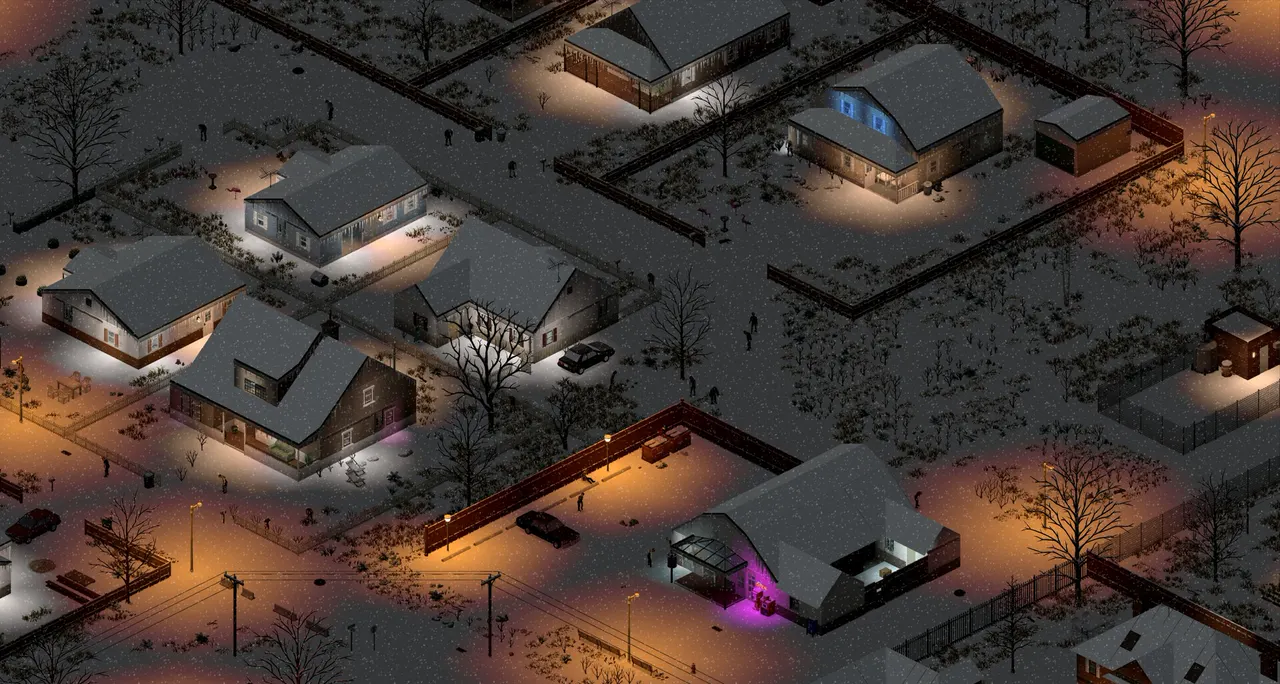
PZwiki's rule of thumb for a Project Zomboid server is at least 3 GB of RAM, plus about 500 MB for each additional player, and more for mods. Our smallest plan for Project Zomboid is 8 GB. What really moves the number is your player count, your Workshop mod list and your zombie settings.
What does the PZwiki say a Project Zomboid server needs?
The PZwiki Startup parameters and Tech Support pages give the official community guidance for server memory:
- Allocate at least 3 GB of RAM for the server itself.
- Add about 500 MB for each additional player. For ten players that comes to roughly 8 GB, before mods.
- Expect more with mods. The wiki notes that modded servers may need more.
- Do not use more than about 80% of your machine's RAM for the server's Java memory, so the operating system has room.
Project Zomboid's server is a Java program, so memory is set by the -Xmx start option. The Windows start script comes set to 16 GB for both -Xms and -Xmx, and PZwiki warns that you must edit those values to match your machine, or the server fails to start with memory errors. On Linux and macOS you edit -Xmx in ProjectZomboid64.json. Setting -Xmx higher than your physical RAM pushes the server into virtual memory, which slows it down. The -Xms minimum is optional.
These numbers are a starting point, not a guarantee. Treat them as the floor and watch your real memory use.
What makes a Project Zomboid server use more RAM
Three things drive memory use. You control all of them.
Players spread across the map
Each player keeps their own area of the world loaded. Ten players who stay together in one town cost less than ten players scattered across Muldraugh, West Point and Riverside. This is why the PZwiki formula adds memory per player.
Long Workshop mod lists and map mods
Every mod adds something to load, and map mods add a lot. A big list of Steam Workshop mods is the most common reason a small server runs out of memory. How to add mods to a Project Zomboid server shows how to build the list one mod at a time.
Zombie population and respawn
A high zombie population and fast respawn mean more zombies for the server to track. These live in the sandbox file. See Project Zomboid sandbox settings.
Build 42 and memory
Build 42 is now the default version of the game. The Indie Stone's patch notes for 42.20.3 say they "addressed multiple causes of a memory leak that could lead to performance degradation and crashes over time" and "implemented several memory optimisations". The same notes tell players who keep hitting an out-of-memory error in a new save to send a bug report with their logs. So keep the server on the latest build. Build 42 vs Build 41 explains the difference between the two versions.
CPU and disk
- CPU: a fast core helps when a horde is on the move. Our plans run on AMD 9950X / 7950X3D processors, up to 5.7 GHz, with DDR5 RAM.
- Disk: NVMe storage keeps world loads and saves quick. Saves and backups take disk space, so leave room for both.
- Network: ping decides how the game feels. Choose the location closest to your group: Dallas, TX for the Americas, or Amsterdam, NL for Europe.
Which plan fits which Project Zomboid server?
On our list Project Zomboid needs at least 8 GB, so it runs on six of our nine plans. Prices are per month, before any discount code:
| Plan | RAM | Price |
|---|---|---|
| Game Hosting 8 GB | 8 GB | $6.96 USD |
| Game Hosting 10 GB | 10 GB | $8.59 USD |
| Game Hosting 12 GB | 12 GB | $9.99 USD |
| Game Hosting 16 GB | 16 GB | $12.89 USD |
| Game Hosting 32 GB | 32 GB | $22.99 USD |
| Game Hosting 64 GB | 64 GB | $44.19 USD |
This is our suggestion, not a guarantee, because every group plays differently:
- A duo or a small group, few mods: the 8 GB plan is the smallest we run Project Zomboid on, and a good place to start.
- A bigger group or a long mod list: pick a larger plan. Our Project Zomboid page notes that bigger groups and long mod lists like the larger plans.
- A public community with map mods: go up a size and watch memory as the save grows.
- Not sure? Tell our support team your player count and your mod list in live chat, and they will tell you what they would run.
There are no slot fees on any plan. RAM is the only thing you choose, and you set the player limit yourself.
The server's Java memory is not the same as your plan's RAM
If you run the server on your own machine, -Xmx sets the memory Java may use, and the operating system and everything else on the machine need room on top of it. That is why PZwiki says to keep it under about 80% of the machine's RAM. On a hosted plan, you pick the plan's RAM and the server runs inside it, so you do not have to work out that margin yourself.
How to check if your server has enough RAM
The top of every server page in our panel shows CPU, memory and disk use while the server runs. Check it when the most players are online, and again after you add a mod. The signs that you need more room:
- Memory use sits close to your plan's limit.
- The server stops or restarts on its own with an out-of-memory message in the console.
If you see these, remove the newest mod or move up a plan size. Project Zomboid server lag: how to fix rubberbanding covers the other causes of lag.
FAQ
How much RAM does a Project Zomboid server need?
PZwiki suggests at least 3 GB for the server plus about 500 MB for each additional player, and more with mods. Our smallest plan for Project Zomboid is 8 GB. A long mod list and a large player count need more.
Can a Project Zomboid server run on 4 GB of RAM?
Not on our plans. Project Zomboid needs at least 8 GB on our list, so our 2, 4 and 6 GB plans do not run it.
How do I give a Project Zomboid server more memory?
On a server you run yourself, edit -Xmx in ProjectZomboid64.json on Linux and macOS, or edit -Xms and -Xmx in the start script on Windows. On our plans you choose a bigger plan.
Do mods use a lot of RAM?
Yes. Every mod adds something to load, and map mods add the most. Add mods one at a time and check memory after each one.
Do I pay per player slot?
No. TheGameHosting has no slot fees. You pick the RAM and set the player limit yourself.
Hosting for this game
Written by TheGameHosting Team, the people who run our servers in Dallas and Amsterdam and answer your tickets.
All posts