 TheGameHosting Team
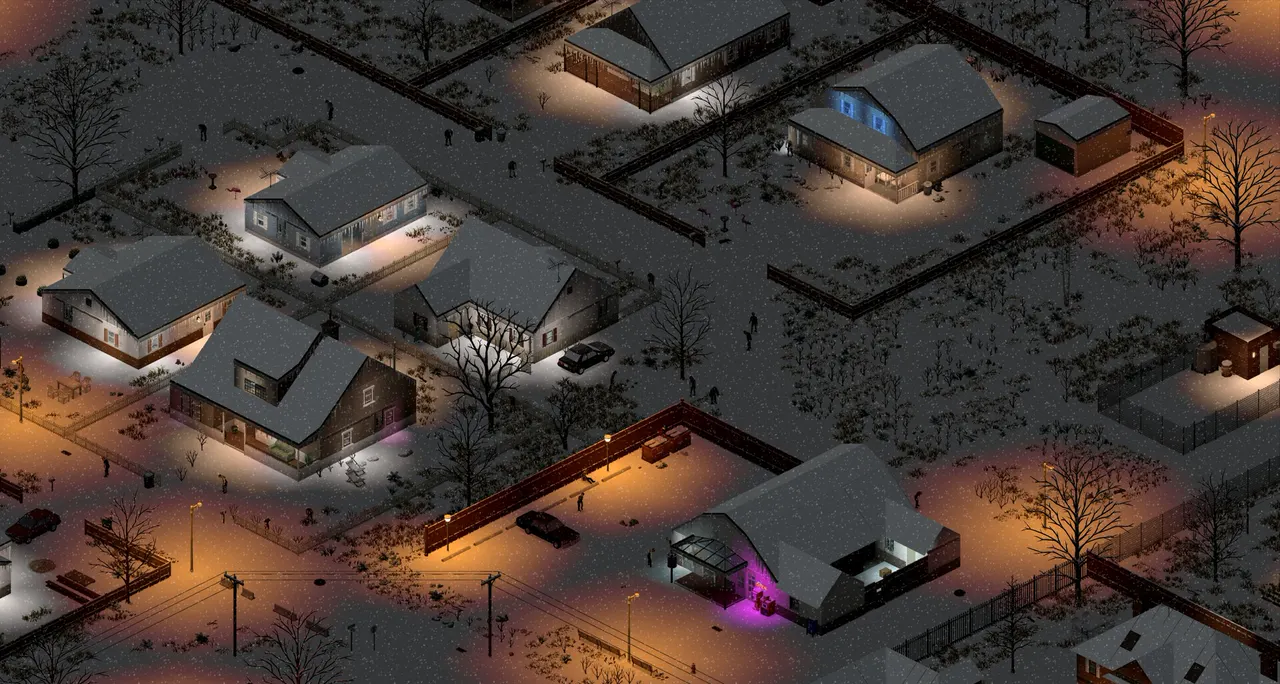
As of November 2026, Build 42 is the default version of Project Zomboid and has online multiplayer. Build 41 is still available on the legacy41 Steam branch. The two builds are not compatible: Build 41 saves do not carry over to Build 42. Start a new server on Build 42, and stay on Build 41 only if you depend on an existing world or on mods that are not updated.
Where Build 42 stands in November 2026
These dates come from The Indie Stone's own announcements:
- Build 42.20 reached the public Stable branch on July 29, 2026. See the 42.20 release post.
- Build 42.21 went to Stable on September 28, 2026. See the 42.21 post.
- 42.22 is in Pre-Release, with hotfixes in early November, according to the Steam announcements. The Pre-Release branch replaced the old Unstable branch. The developers say builds stay in Pre-Release for at least a week before they go to Stable.
- Multiplayer is available in Build 42. The 42.20.3 patch notes list "improved server player limit handling, including support for up to 254 players".
- Build 41 still gets patches. A 41.78.21 legacy hotfix shipped on August 26, 2026.
The Steam store page still tags the game as Early Access, so expect updates to keep coming.
Build 42 vs Build 41 at a glance
| Build 42 | Build 41 | |
|---|---|---|
| Steam branch | The default branch | legacy41 beta |
| Multiplayer | Yes | Yes |
| Saves | New world needed | Stay on Build 41 |
| Mods | Must support Build 42 | Must support Build 41 |
| Updates | Regular updates and hotfixes | Occasional hotfixes, such as 41.78.21 |
| Dedicated server install | app_update 380870 validate | app_update 380870 -beta legacy41 validate |
Do Build 41 saves work on Build 42?
No. The developers say Build 41 savegames will not be compatible with Build 42, and that the legacy branch exists for players who want to stay on Build 41. The same is true for a dedicated server: a world made on Build 41 does not load on a Build 42 server.
Even within Build 42, the Indie Stone warns about saves. Their Pre-Release notes tell players to "back up any Project Zomboid save games you want to come back to, just in case". Treat every version change the same way:
- Back up the whole server before you switch, not only the settings file. In our panel, use the Backups page.
- Keep the old save. Do not overwrite it.
- Start a new world on a new version, unless the patch notes say saves are safe.
Do mods work on both builds?
Not automatically. A mod is made for a specific build, and a Build 41 mod has to be updated by its author to work on Build 42. Read each mod's Workshop page for the build it supports before you move. The Indie Stone officially supports Lua-based modding, and warns that Java mods can break with updates. How to add mods to a Project Zomboid server shows how to build your list.
Clients and servers must match
A player can only join a server that runs the same build. Everyone in your group must be on the same branch:
- For Build 42, players use the default branch.
- For Build 41, players open Steam, right-click Project Zomboid, choose Properties, then Game Versions & Betas, and select
legacy41.
If one friend lets Steam update to the default branch, they cannot join a Build 41 server. Project Zomboid can't connect to server covers version errors.
How to install each build on a dedicated server
With SteamCMD, the default install gives you the current default branch:
./steamcmd.sh +force_install_dir /opt/pzserver +login anonymous +app_update 380870 validate +quitFor Build 41, the PZwiki's Running Legacy Builds section gives this command:
./steamcmd.sh +force_install_dir /opt/pzserver +login anonymous +app_update 380870 -beta legacy41 validate +quitUse the same install folder you run the server from. How to set up a Project Zomboid dedicated server walks through the full setup.
Which version should you run?
- Starting a new server with a new group: Build 42. It is the default, it has multiplayer and it gets the updates.
- You have a Build 41 world your group loves: stay on Build 41 with the
legacy41branch. You cannot move the save. - Your mod list depends on Build 41 mods: stay on Build 41 until the mods you need support Build 42.
- You want to try Build 42 first: start a separate server, so you can keep the Build 41 world untouched.
- Not sure: ask your players which mods they use, and read each mod page before you decide.
How to move your group to Build 42
A safe move keeps the old world and gives you a way back:
- Back up the Build 41 server completely, including the save and your settings files.
- Keep the Build 41 server running until the new one is ready, or at least keep its backup untouched.
- Install a new Build 42 server. Use the default install with SteamCMD, or rent a new one. See how to set up a Project Zomboid dedicated server.
- Rebuild your mod list with mods that support Build 42, one at a time.
- Copy your settings by hand, such as the name, player limit and sandbox values. Do not copy the old save.
- Tell your players to update their game, and to keep the old branch installed in case they want to go back.
What Build 42 means for RAM
Build 42 changed a lot, so measure your own server instead of trusting any number you read. The patch notes for 42.20.3 say the team addressed several causes of a memory leak and added memory optimisations, so keep the server updated. Project Zomboid server requirements explains how to size a plan.
FAQ
Is Build 42 the default version of Project Zomboid?
Yes. Build 42.20 reached the Stable branch on July 29, 2026, and 42.21 followed on September 28, 2026. Build 41 is still available on the legacy41 beta branch.
Can I use my Build 41 save on a Build 42 server?
No. The developers say Build 41 savegames are not compatible with Build 42. Start a new world, and keep your old save safe.
How do I run a Build 41 dedicated server?
Install it with SteamCMD using app_update 380870 -beta legacy41 validate. Players must also switch their game to the legacy41 beta in Steam.
Does Build 42 have multiplayer?
Yes. The 42.20.3 patch notes list improved server player limit handling, including support for up to 254 players.
Do my Build 41 mods work on Build 42?
Not automatically. Each mod's author has to update it for Build 42. Read the Workshop page of every mod before you switch.
Hosting for this game
Written by TheGameHosting Team, the people who run our servers in Dallas and Amsterdam and answer your tickets.
All posts